Browse products in Foundry Marketplace(在 Foundry Marketplace 中浏览产品)
Products are collections of Foundry resources that a product builder has made available to install.
Store
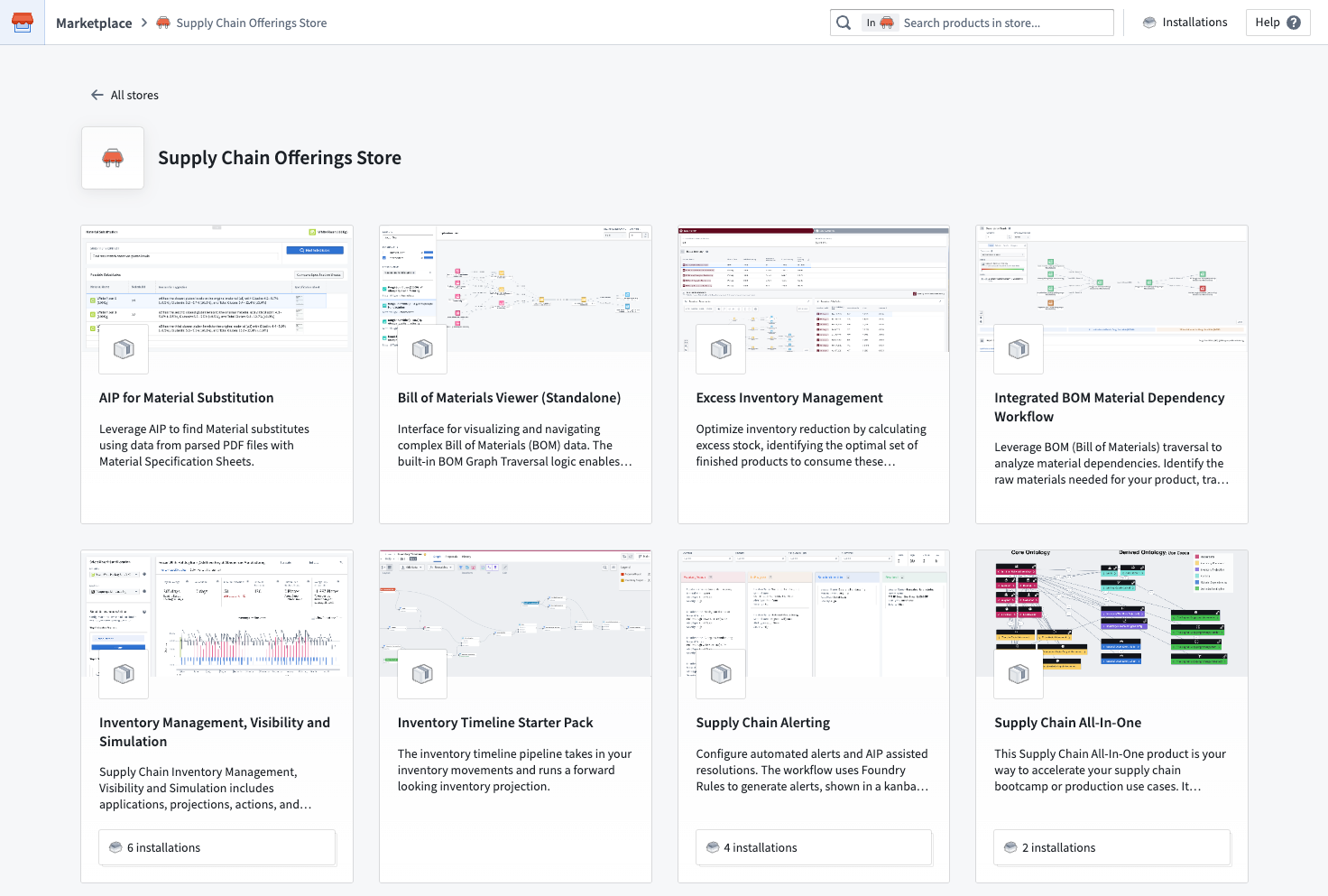
In Marketplace, a store is a collection of products. Stores can also have featured products that are promoted by the product builders and store owners.
:::callout{theme="neutral"} You may have access to one or more stores. Some stores, such as the Foundry Store are available to all customers, while others are specific to your enrollment. For example, a builder in your organization could create a store to house a collection of task management applications that are installed across a number of departments. This store will not be available to other customers. Learn more about configuring access to remote stores. :::
Product details
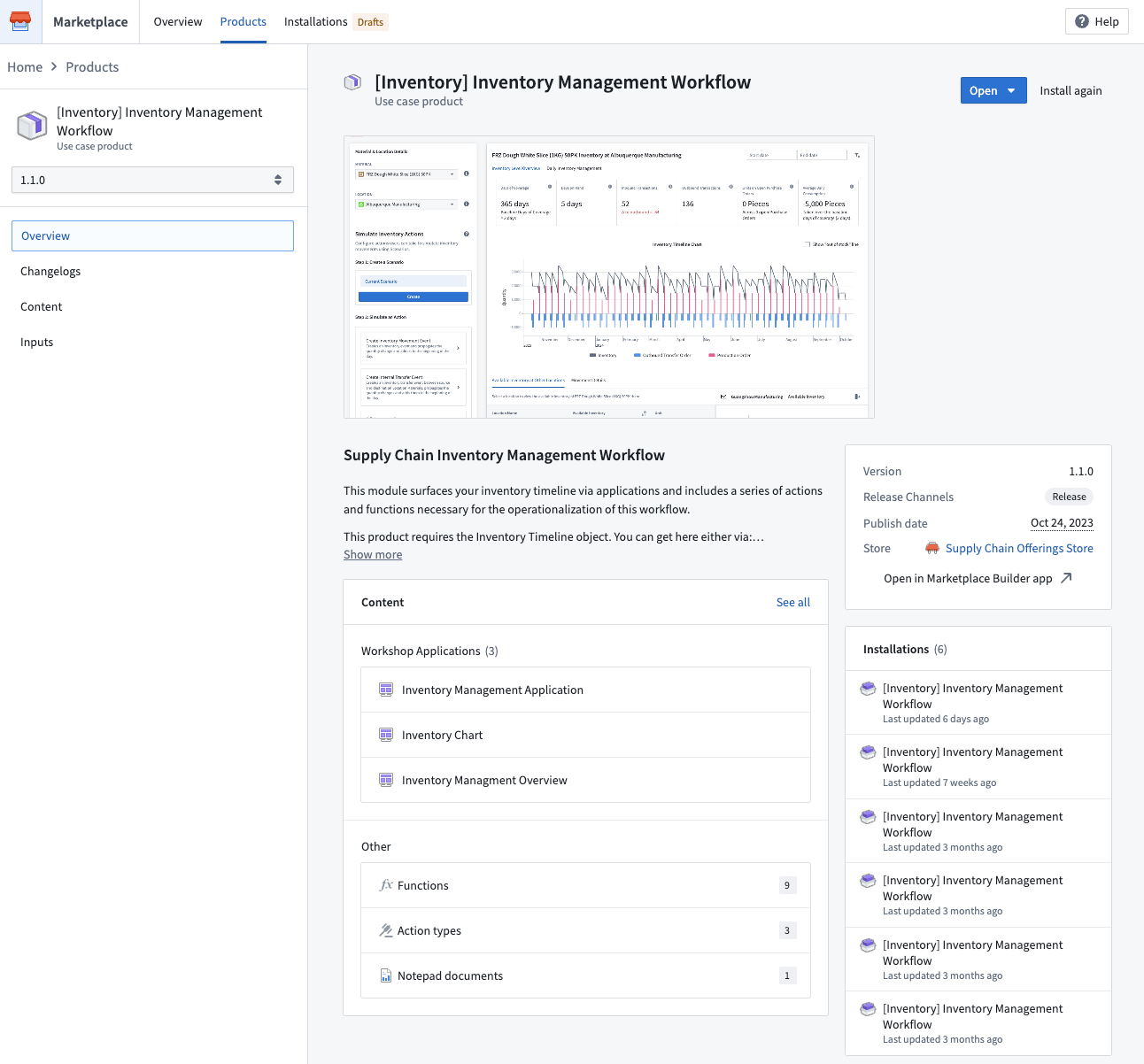
After selecting a product from a store, you can view a variety of information about that product, including:
Versions
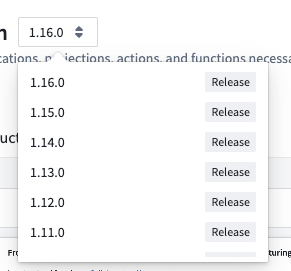
If a product has multiple versions, you can choose which version to install with the version selector. In most cases, we recommend installing the latest version.
Recalls
Product versions may be recalled by the product builder. If a product version has been recalled, you will see a red Recalled tag next to the version name.
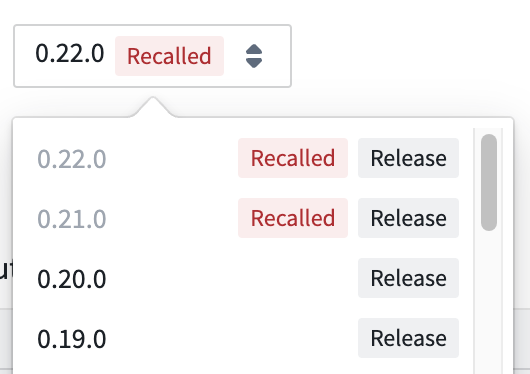
Automatic upgrades will not install recalled versions, and you will not be able to install a recalled version manually. If you have already installed a recalled version, you can continue to use it; however, we recommend updating to a non-recalled version as soon as possible.
Overview
A product's overview includes any builder-provided product details, as well as a preview of required inputs and content that will be installed.
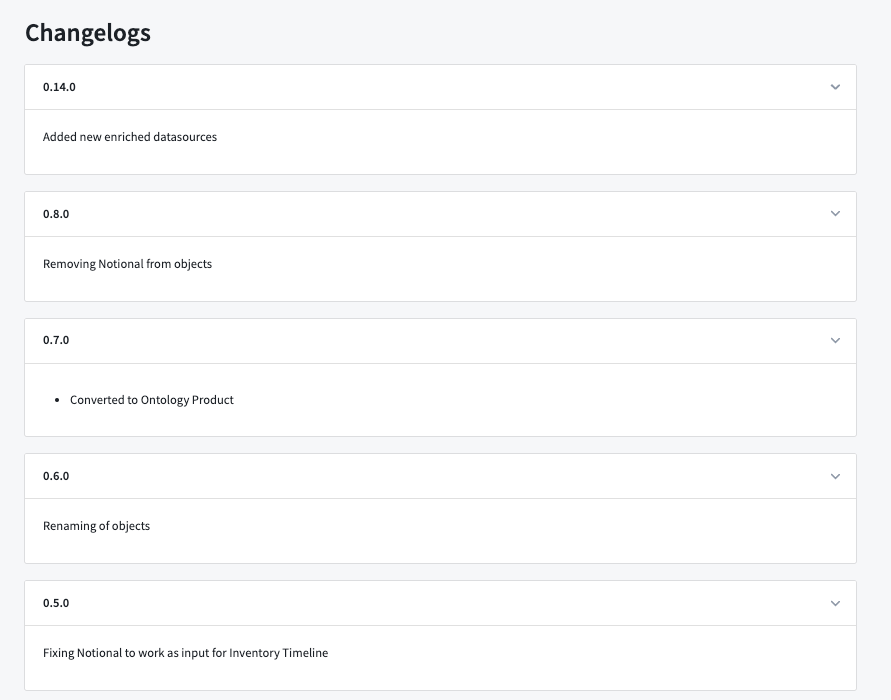
Changelogs
A product's changelogs include any builder-provided context on differences between product versions.
Content
A product's content is the Foundry resources that will be installed once required inputs have been mapped.
Inputs
A product's inputs are dependencies that must be mapped in order to create a product's content. Not all products require inputs.
Once you have decided you want to install a product, you can begin an installation.
中文翻译
在 Foundry Marketplace 中浏览产品
产品(Products)是产品构建者(product builder)打包并提供安装的 Foundry 资源集合。
商店(Store)
在 Marketplace 中,商店(Store)是产品的集合。商店还可以展示由产品构建者和商店所有者推广的特色产品(featured products)。
:::callout{theme="neutral"} 您可能拥有一个或多个商店的访问权限。某些商店(如 Foundry Store)对所有客户开放,而其他商店则仅限您的注册组织(enrollment)使用。例如,您所在组织的构建者可以创建一个商店,用于存放跨多个部门安装的任务管理应用程序集合。该商店不会对其他客户开放。了解有关配置远程商店访问权限的更多信息。 :::
产品详情(Product details)
从商店中选择产品后,您可以查看该产品的多种信息,包括:
版本(Versions)
如果产品有多个版本,您可以使用版本选择器选择要安装的版本。大多数情况下,我们建议安装最新版本。
召回(Recalls)
产品构建者可能会召回某些产品版本。如果某个产品版本已被召回,您将在版本名称旁看到红色的 已召回(Recalled) 标签。
自动升级不会安装已召回的版本,您也无法手动安装已召回的版本。如果您已安装了被召回的版本,可以继续使用;但我们建议尽快更新到未被召回的版本。
概览(Overview)
产品的概览包含构建者提供的产品详细信息,以及所需输入项和即将安装的内容预览。
更新日志(Changelogs)
产品的更新日志包含构建者提供的关于不同产品版本之间差异的说明。
内容(Content)
产品的内容是指在完成所需输入项映射后将要安装的 Foundry 资源。
输入项(Inputs)
产品的输入项是创建产品内容时必须映射的依赖项。并非所有产品都需要输入项。
一旦您决定安装某个产品,即可开始安装。