Peer Manager(对等管理器 (Peer Manager))
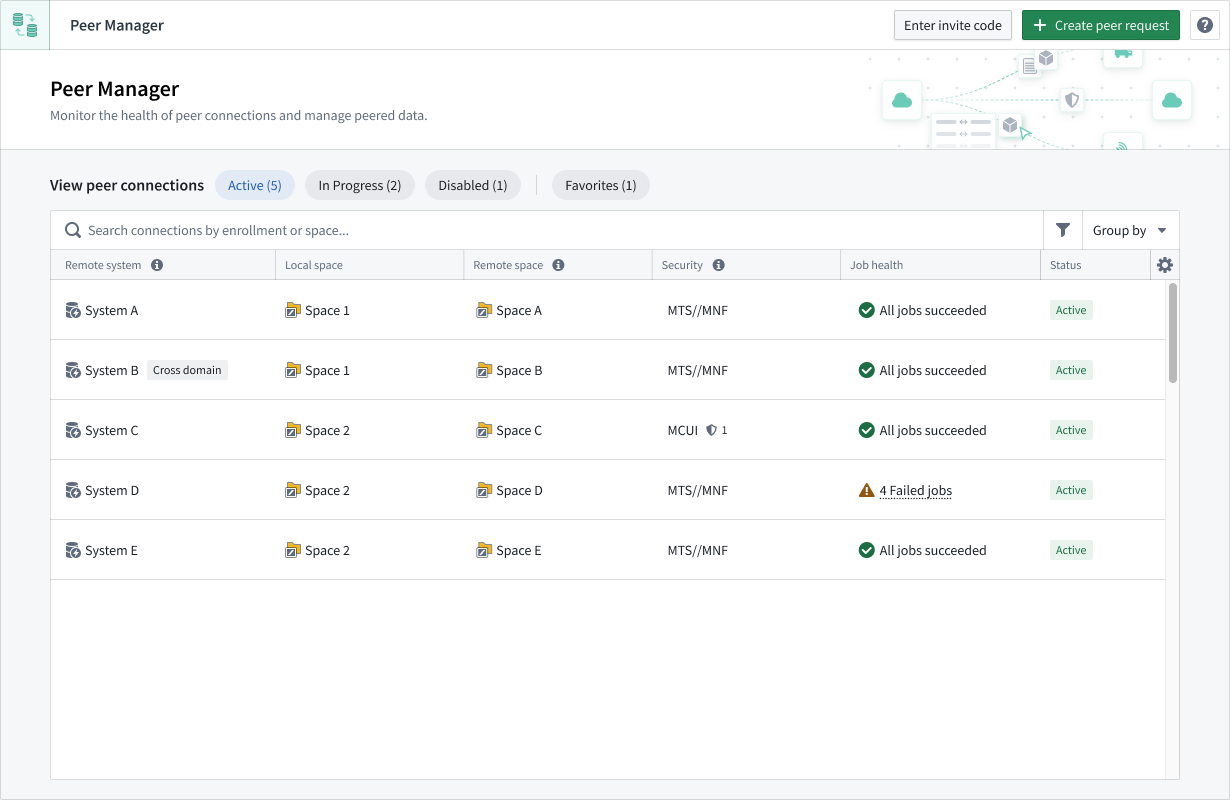
The Peer Manager application enables you to view and monitor jobs associated with established peering connections, which provide the ability to import or export objects between Foundry enrollments.
Features
- Create peer connections: Create or import peer connection invite codes to create a peer connection from your enrollment to another enrollment.
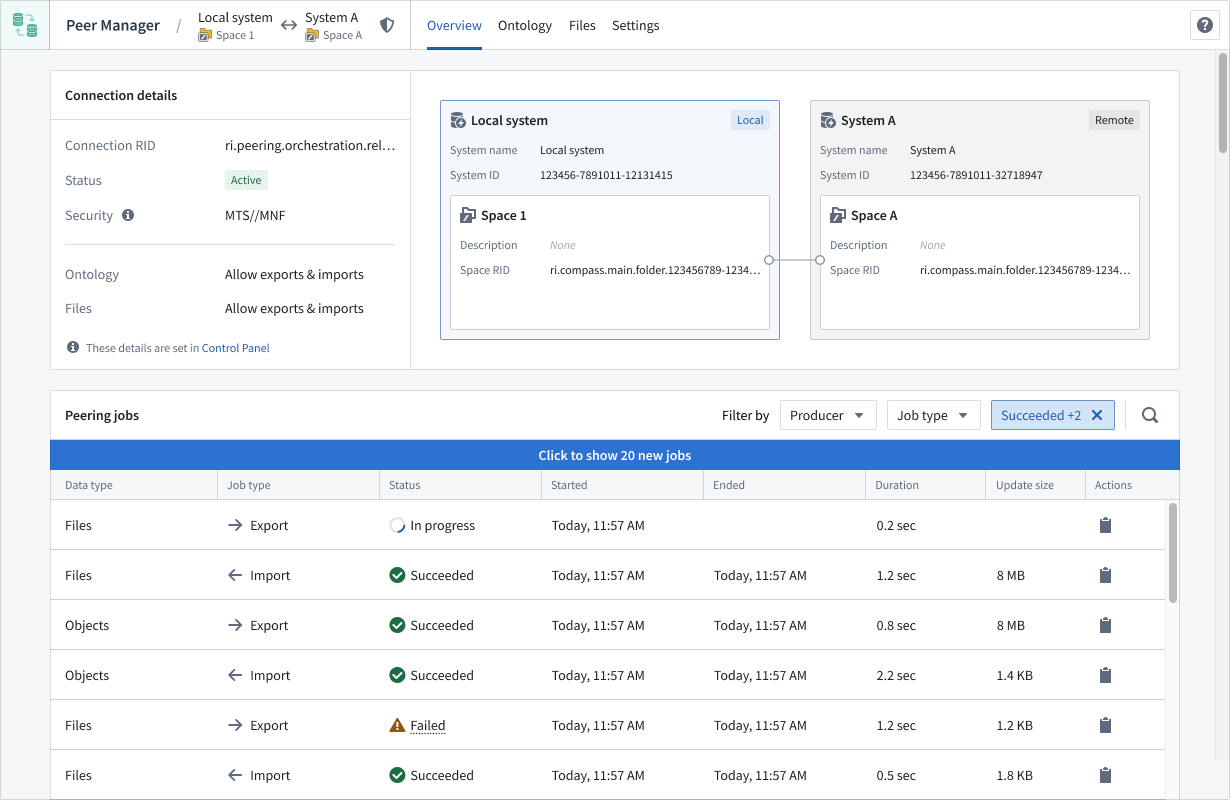
- View peer connections: Select a connection to launch the application's Overview window, where Peer Manager displays the data type, source, and directionality of peering connections associated with your spaces.
- Configure ontology peering: Synchronize ontology data across peer connections through Ontology peering.
- Configure file peering: Synchronize Gotham files across peer connections through file peering.
- Manage data sharing at scale: Use peer profiles to define reusable data sharing configurations and apply them consistently across many peer connections at once.
- Monitor peering jobs: Track the health of your peer connections by viewing the status of individual peering jobs.
中文翻译
对等管理器 (Peer Manager)
对等管理器应用程序使您能够查看和监控与已建立的对等连接 (peering connection) 相关的作业,这些连接支持在多个 Foundry 注册环境 (enrollment) 之间导入或导出对象。
功能特性
- 创建对等连接: 创建或导入对等连接邀请码,以在您的注册环境与另一个注册环境之间建立对等连接。
- 查看对等连接: 选择一个连接以启动应用程序的概览 (Overview) 窗口,Peer Manager 将在其中显示与您的空间相关联的对等连接的数据类型、来源和方向性。
- 配置本体对等: 通过本体对等 (Ontology peering) 在对等连接之间同步本体数据。
- 配置文件对等: 通过文件对等 (file peering) 在对等连接之间同步 Gotham 文件。
- 大规模管理数据共享: 使用对等配置文件 (peer profiles) 定义可复用的数据共享配置,并将其一致地应用于多个对等连接。
- 监控对等作业: 通过查看各个对等作业的状态,跟踪对等连接的健康状况。