Update a peer connection's settings(更新对等连接的设置)
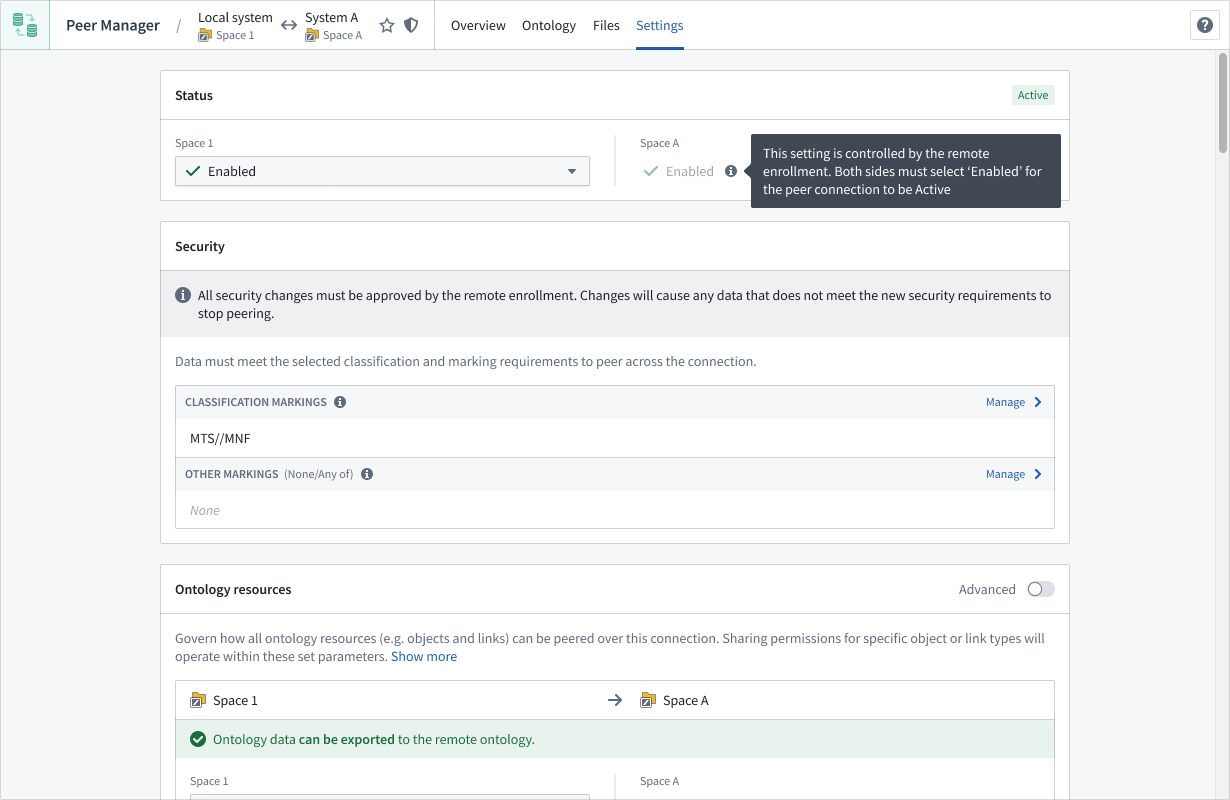
After you or another enrollment administrator create a peer connection, you can modify its status, security, or peered data types through the Settings tab when viewing the connection in Peer Manager.
Modify a peer connection's status
Use the dropdown in the Status section to disable the peer connection by selecting Disabled.
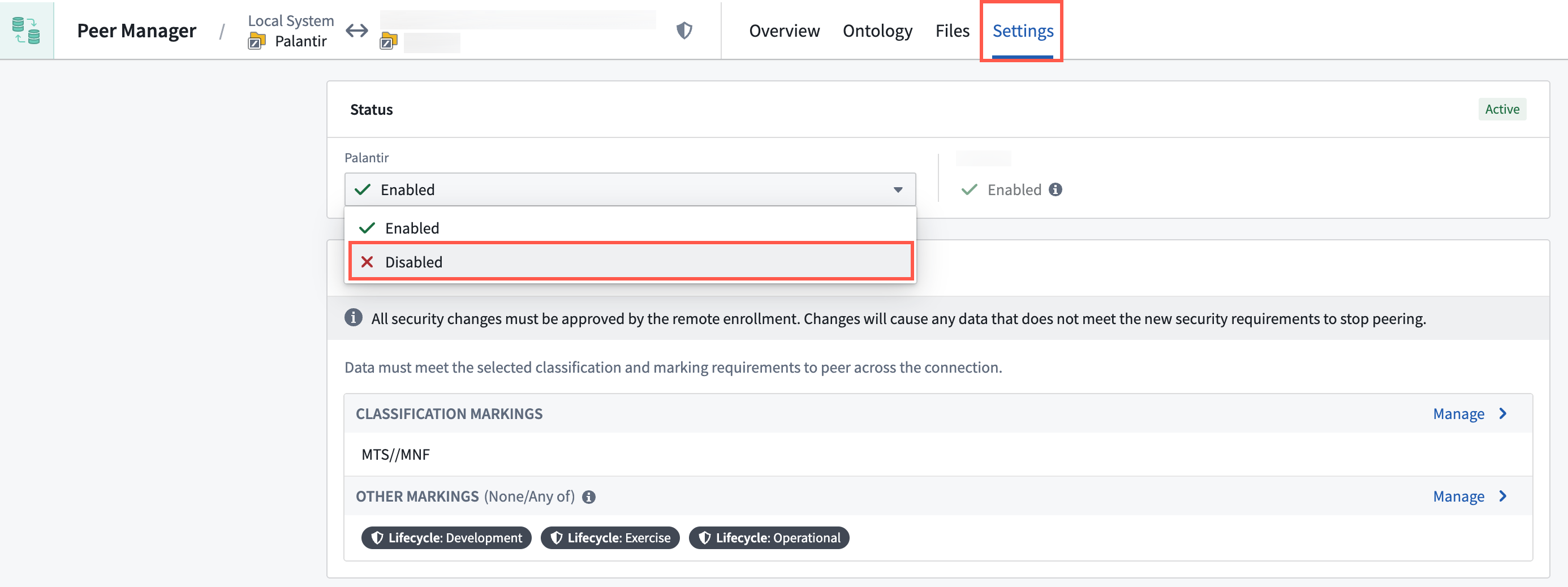
All data ceases to peer if either the local or remote side of the peer connection chooses to disable the connection. Data will not peer until the connection is re-enabled.
Modify a peer connection's security
The Security section enables you to modify the peer connection's security. Select Manage to change the configured Classification Markings or Other Markings.
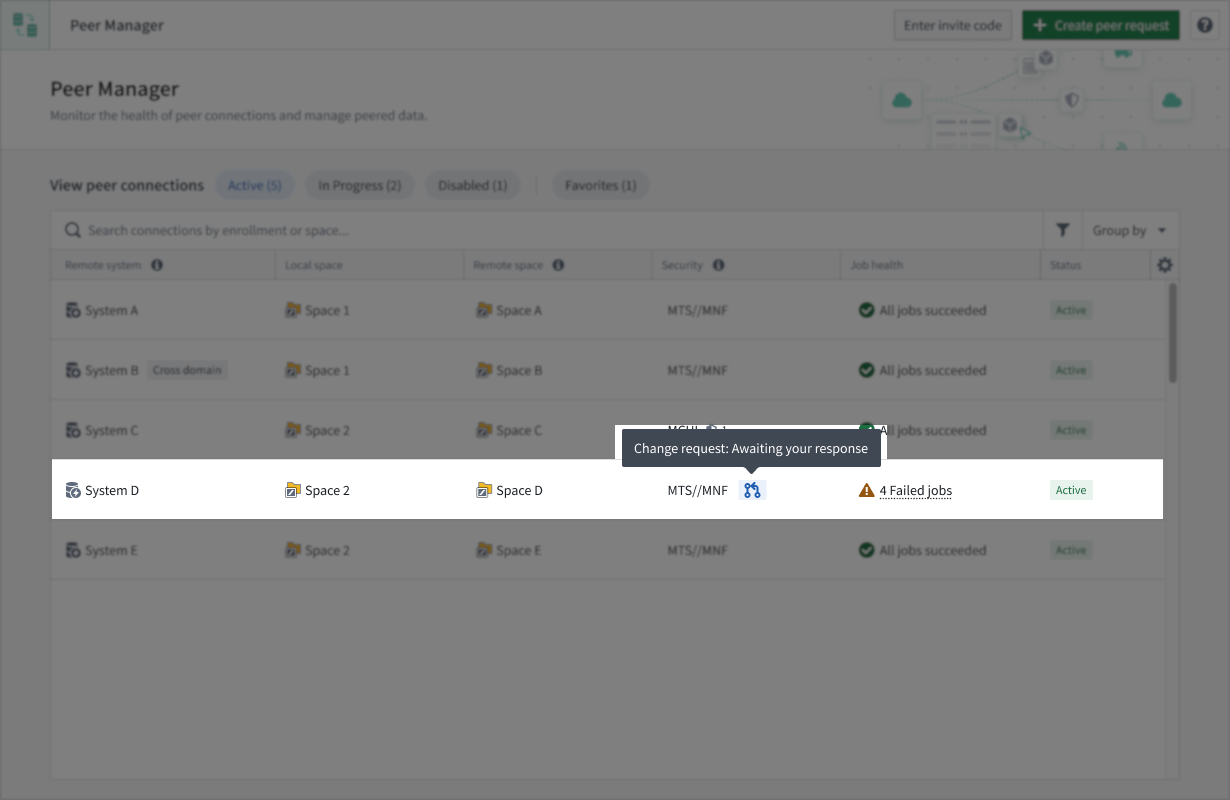
Security modifications alter the data that may peer over the connection, so all security changes must be approved by the remote enrollment before they take effect. When one side of the peer connection changes the security, Peer Manager will open a change request on the other side of the connection for approval.
中文翻译
更新对等连接的设置
在您或其他注册管理员创建对等连接(peer connection)后,您可以通过Peer Manager中查看连接时的设置(Settings)选项卡来修改其状态、安全性或对等数据类型(peered data types)。
修改对等连接的状态
使用状态(Status)部分的下拉菜单,选择已禁用(Disabled)来禁用对等连接。
如果对等连接的本地端或远程端中任意一方选择禁用该连接,所有数据将停止对等传输。在连接重新启用之前,数据不会进行对等传输。
修改对等连接的安全性
安全性(Security)部分允许您修改对等连接的安全性(peer connection's security)。选择管理(Manage)来更改已配置的分类标记(Classification Markings)或其他标记(Other Markings)。
安全修改会改变可通过该连接进行对等传输的数据,因此所有安全变更必须经过远程注册的批准才能生效。当对等连接的一方更改安全性时,Peer Manager将在连接的另一方打开一个变更请求以供批准。