Menu bar configuration(菜单栏配置)
The top bar of a workspace is known as the "menu bar". Switch to the Menu bar configuration tab in the workspace editing sidebar to configure the menu bar of a workspace. Options for customizing the menu bar include:

Anchored modules
You can configure the items that appear in the menu bar in the Anchored modules section. For ease of access, anchored modules in the menu bar will always be visible in Carbon. We strongly recommend restricting the set of anchored modules to items that are used in the daily workflow of your intended users.
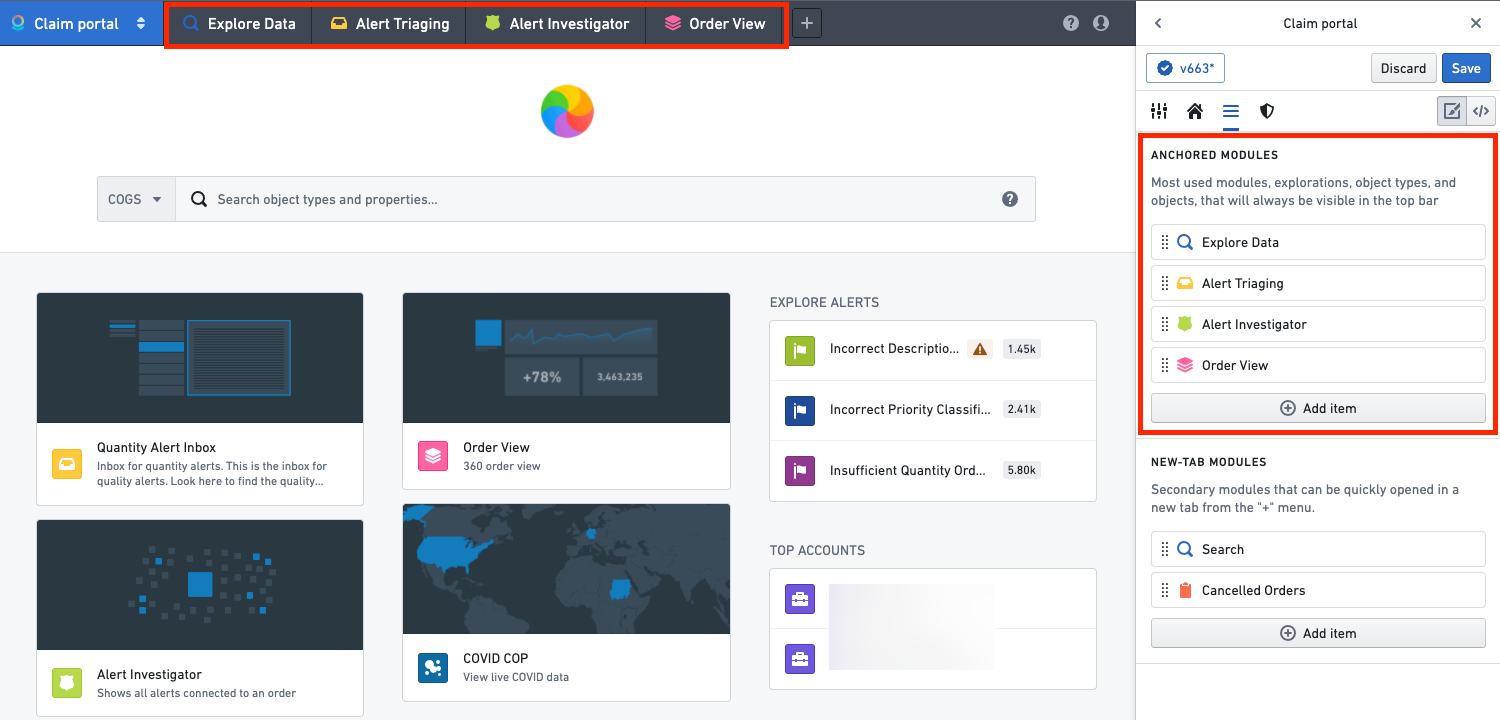
In order to add an element to the menu bar, select the Add an element button. This will open a pop-up prompting you to select a module type. Anchored modules can include the following:
- Object views
- Object sets/explorations
- Object type explorations
- Workshop modules
- Quiver templates
- Slate applications
- The Search application
New-tab modules
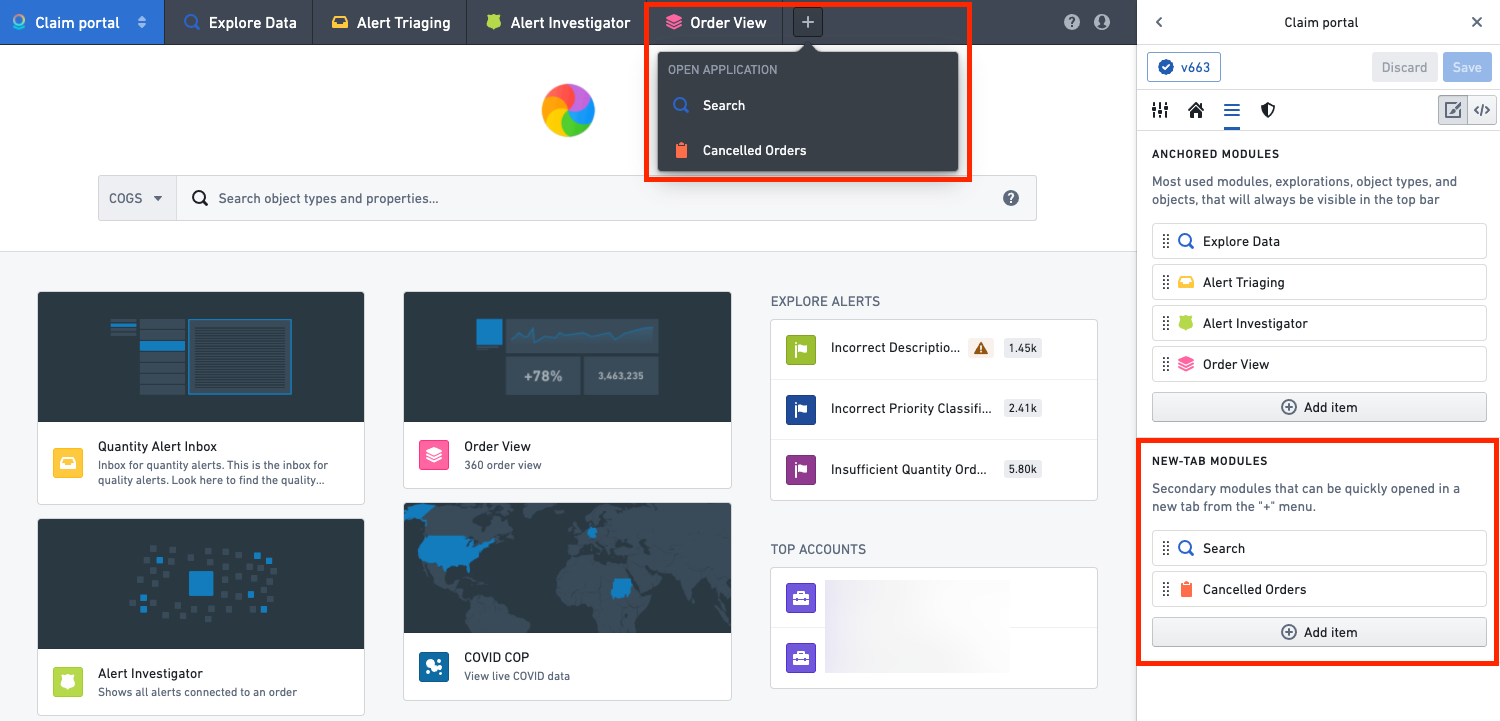
The menu bar contains a + icon that enables launching applications or opening items in a new Carbon tab. You can configure the items that appear in this menu in the New-tab modules section. New-tab modules can be the same types of resources as anchored modules.
Notifications
The Carbon menu bar contains a notification icon for users to receive notifications. Not all notifications from Foundry will appear in the Carbon menu bar. Specifically, only notifications from the following applications and workflows will appear:
- Announcements
- Ontology actions
- Comments on objects
- Resources shared with you
- Resource access requests
- Approvals
- Issues
中文翻译
菜单栏配置
工作区的顶部栏称为"菜单栏"。切换到工作区编辑侧边栏中的菜单栏配置选项卡,即可配置工作区的菜单栏。自定义菜单栏的选项包括:
锚定模块
您可以在锚定模块部分配置菜单栏中显示的项目。为便于访问,菜单栏中的锚定模块在 Carbon 中将始终可见。我们强烈建议将锚定模块限制为目标用户日常工作流程中使用的项目。
如需向菜单栏添加元素,请选择添加元素按钮。这将弹出一个提示窗口,要求您选择模块类型。锚定模块可包含以下内容:
- 对象视图(Object views)
- 对象集/探索(Object sets/explorations)
- 对象类型探索(Object type explorations)
- Workshop 模块(Workshop modules)
- Quiver 模板(Quiver templates)
- Slate 应用(Slate applications)
- 搜索应用(Search application)
新标签页模块
菜单栏包含一个 + 图标,可用于启动应用或在新的 Carbon 标签页中打开项目。您可以在新标签页模块部分配置此菜单中显示的项目。新标签页模块的资源类型可与锚定模块相同。
通知
Carbon 菜单栏包含一个通知图标,供用户接收通知。并非所有来自 Foundry 的通知都会显示在 Carbon 菜单栏中。具体而言,仅以下应用和工作流程的通知会显示: