Example workspaces(示例工作区)
Aviation Workspace
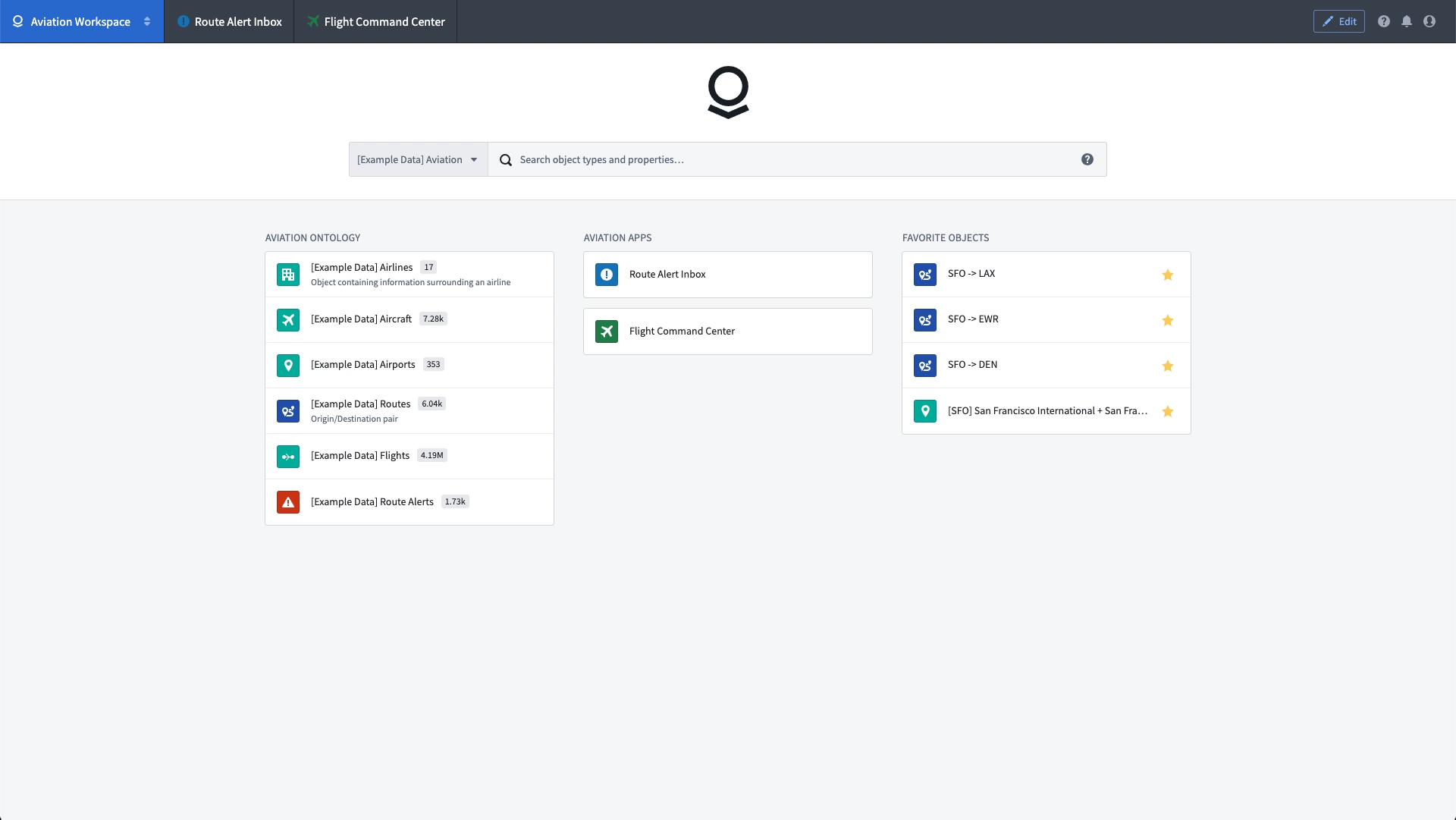
Carbon workspaces are intended to provided a streamlined Foundry interface for operational users. The screenshot below depicts a simple workspace designed for an airline analyst to review alerts related to the performance of particular flight routes. This Carbon workspace includes quick links to relevant applications and data, along with access to the analyst's "favorite" individual objects. To learn how this workspace was constructed, see the getting started tutorial.
Claim Portal
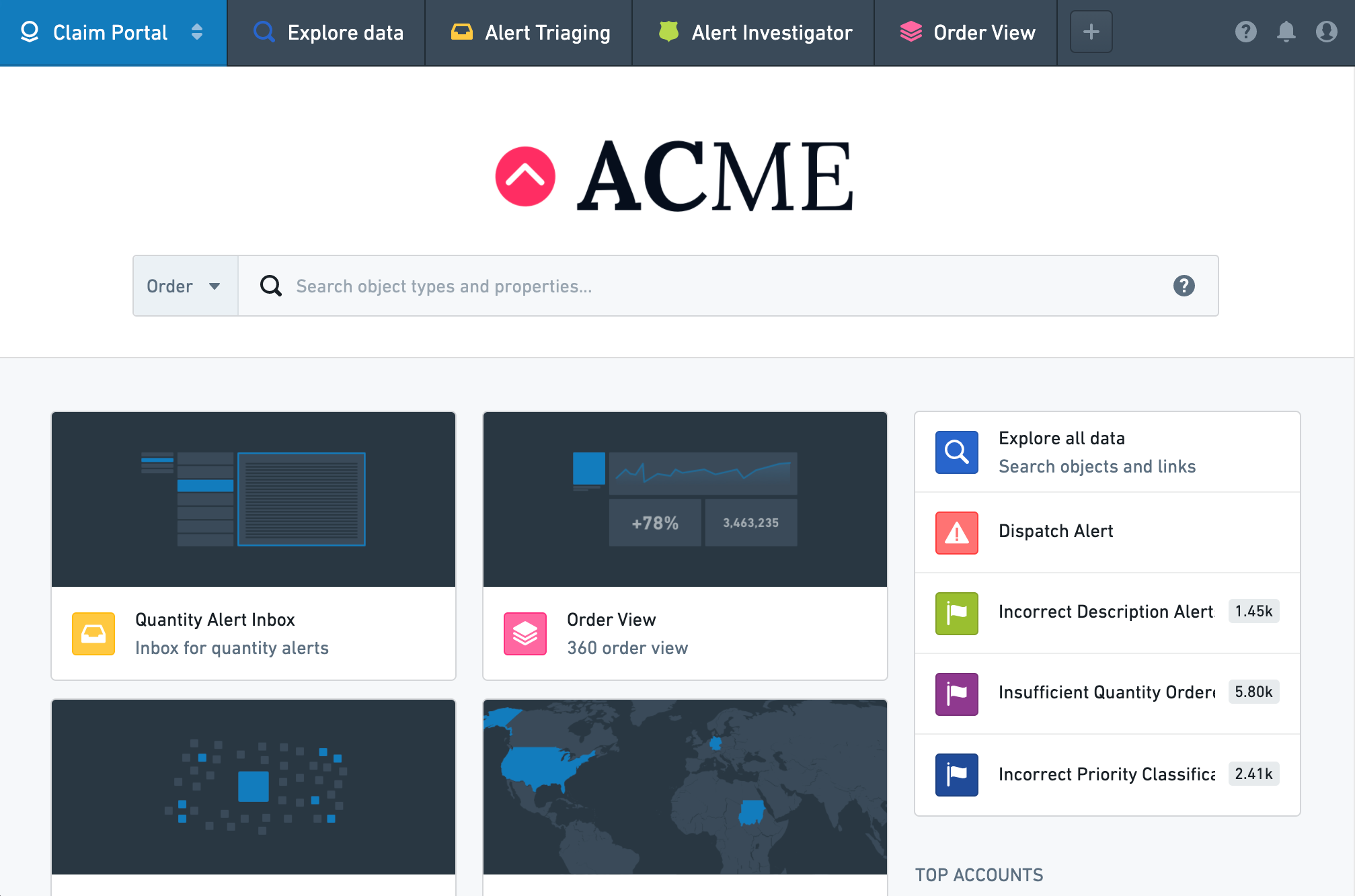
Carbon workspaces also allow users to understand their data and make decisions as part of operational workflows. For example, a company may want to create an interface for customer support analysts to investigate warranty claims. In the Carbon workspace depicted below, users can manage, triage, and action claims made to the customer support team.
Carbon workspaces are usually created and edited in a graphical user interface (as shown in the getting started tutorial), but you can also edit the YAML file specifying a Carbon workspace directly. To see the YAML for the Claim Portal workspace, examine the YAML code example and the YAML configuration reference.
中文翻译
示例工作区
航空工作区(Aviation Workspace)
Carbon 工作区旨在为操作型用户提供精简的 Foundry 界面。下方截图展示了一个简单的工作区,专为航空公司分析师设计,用于审查与特定航线性能相关的告警。该 Carbon 工作区包含相关应用程序和数据的快速链接,以及分析师"收藏"的单个对象入口。如需了解此工作区的构建方法,请参阅入门教程。
索赔门户(Claim Portal)
Carbon 工作区还允许用户理解数据并在操作工作流(operational workflows)中做出决策。例如,公司可能希望为客户支持分析师创建一个界面,用于调查保修索赔。在下方展示的 Carbon 工作区中,用户可以管理、分类和处理提交给客户支持团队的索赔。
Carbon 工作区通常通过图形用户界面(graphical user interface)创建和编辑(如入门教程所示),但您也可以直接编辑指定 Carbon 工作区的 YAML 文件。如需查看索赔门户工作区的 YAML 文件,请参阅 YAML 代码示例和 YAML 配置参考。