Set Carbon as the Foundry landing page(将 Carbon 设置为 Foundry 登录页)
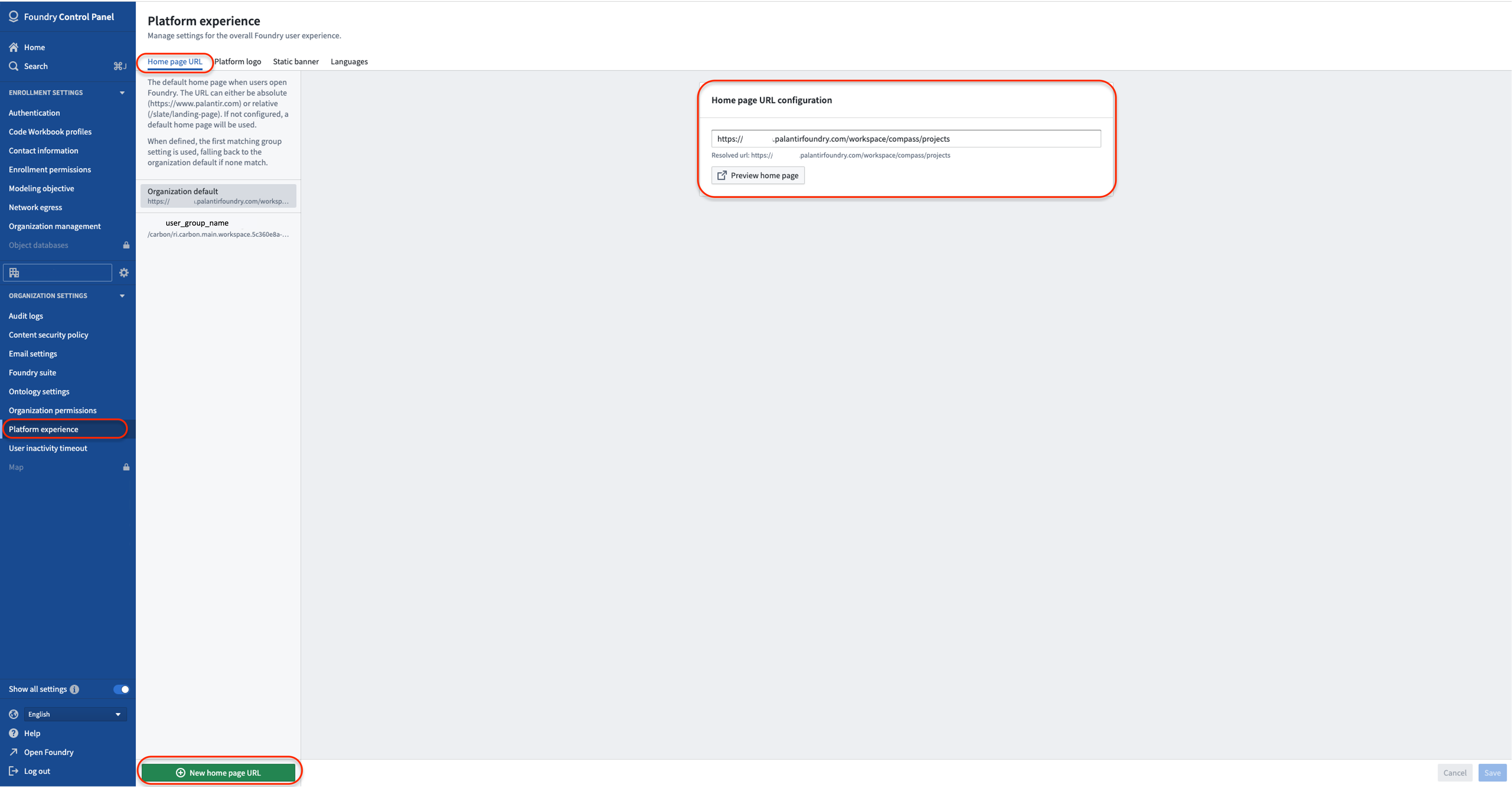
In some cases, you will want users to immediately land on a Carbon workspace when accessing Foundry; in other words, for a Carbon workspace to be the user home page in Foundry. To configure this setting for your entire organization, go to /workspace/control-panel and navigate to Platform experience in the left-hand panel. If you wish for users to land on their default workspace, set the Home page URL configuration to /carbon.
If you wish to configure this on a more granular level and control which page specific groups of users land on, click New home page URL.
中文翻译
将 Carbon 设置为 Foundry 登录页
在某些情况下,您可能希望用户在访问 Foundry 时直接进入 Carbon 工作区(workspace),即让 Carbon 工作区成为 Foundry 中的用户主页(user home page)。要为整个组织配置此设置,请前往 /workspace/control-panel,然后在左侧面板中导航至 平台体验(Platform experience)。如果您希望用户登录后进入其默认工作区,请将 主页 URL 配置(Home page URL configuration) 设置为 /carbon。
如果您希望在更细粒度的层面进行配置,并控制特定用户组登录后进入的页面,请点击 新建主页 URL(New home page URL)。