View version history(查看版本历史)
Workspace version history allows you to preview, optionally make edits, and republish previous workspace versions. This enables you to quickly return to a known working configuration if a workspace configuration update leads to errors.
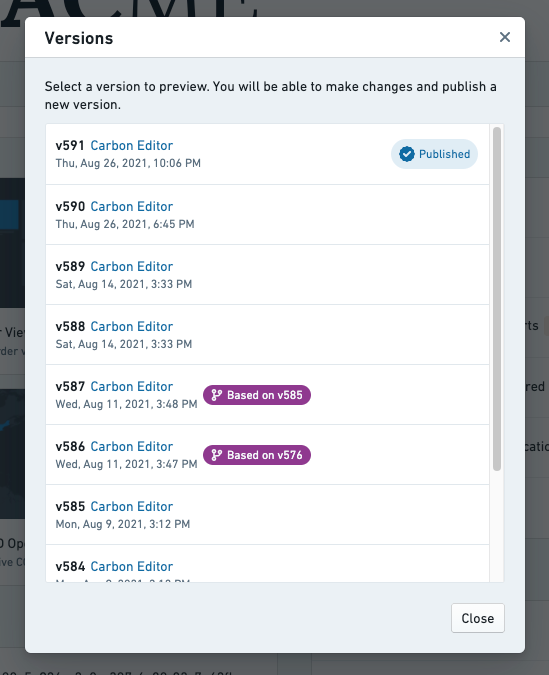
Versions dialog
The versions dialog is where version metadata may be viewed, with the option to select a row to set a version to preview.
Version button
The versions dialog can be launched by selecting the Version button, located at the top of the configuration editor. The version number of the version you are currently editing is shown as the text in this button.

Unsaved edits indicator
An asterisk (*) will appear after the version number if there are unsaved edits.

Previewing version
A Previewing tag is displayed next to the versions button when a version is selected from the versions dialog.

中文翻译
查看版本历史
工作区版本历史(Workspace version history)允许您预览、选择性编辑并重新发布先前的工作区版本。当工作区配置更新导致错误时,您可以借此快速回退到已知的正常配置。
版本对话框
版本对话框(Versions dialog)用于查看版本元数据,您可以选择某一行来设置要预览的版本。
版本按钮
点击配置编辑器顶部的版本按钮(Version button)即可打开版本对话框。当前编辑版本的版本号会显示在该按钮的文本中。
未保存编辑标记
若存在未保存的编辑内容,版本号后会出现星号(*)。
预览版本
从版本对话框中选择某个版本后,版本按钮旁会显示预览中(Previewing)标签。