Workspaces(工作区(Workspaces))
A Carbon workspace is a curated collection of applications and resources that can be configured to optimize a user workflow.
Carbon workspaces can be used to promote the discoverability of Foundry resources, which can be linked on the home page, discovered with search, or added to the Open in menu in Object Explorer.
By configuring navigation in Carbon and customizing the menu bar, a workspace builder can create a workflow where a user seamlessly steps through the resources in which they can interact with a particular object.
Home page
Carbon provides a configurable home page as an entry point to each workspace. The home page displays an Ontology-aware search bar as well as configurable sections for links to modules, object types, and other Foundry resources. Alternatively, any module can be chosen as a workspace's home page.
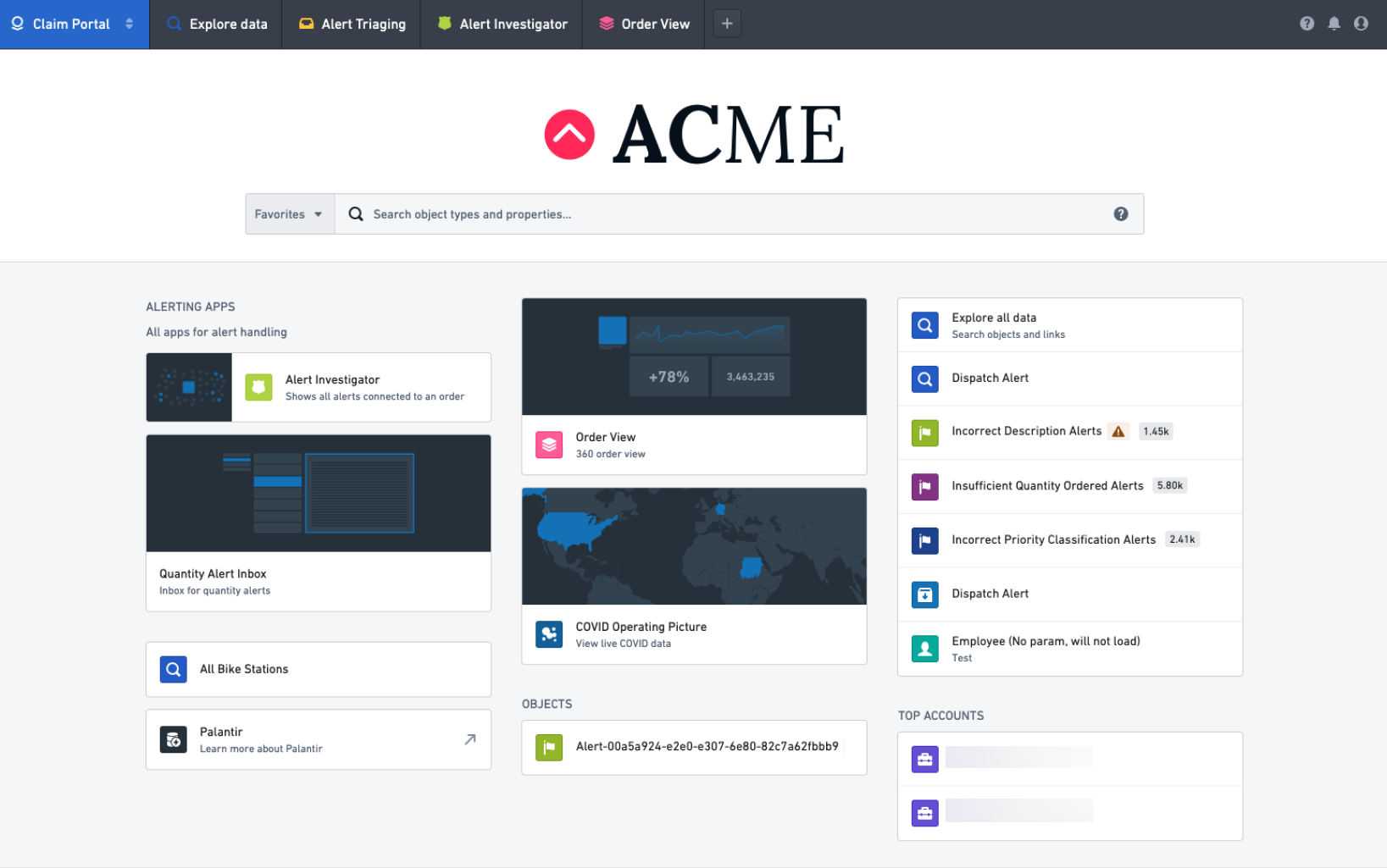
Administrators can configure the logo as well as the content and layout of the home page's links. For more information, see the home page configuration documentation.
Menu bar
Each Carbon workspace has a customizable menu bar that consists of the following components:
- The Navigation Menu, which is a configurable dropdown containing promoted workspaces and external application links.
- Tabs containing anchored modules that are key to a workspace's use case.
- An optional button to open additional modules in workspace tabs.
- Utility buttons for help resources and, optionally, notifications, as well as a utility button with options to view one's user profile or log out of Foundry.
Read more about menu bar configuration.
Promoted workspaces
Promoted workspaces are those that are displayed in the Navigation Menu. Promoted workspaces are configured at the organization level.
In the Navigation Menu, each user will see all of the promoted workspaces to which they have access, for all organizations in which they are a member or a guest.
Non-promoted workspaces can be opened in a Project or via direct link.
中文翻译
工作区(Workspaces)
Carbon 工作区是一个精心策划的应用和资源集合,可配置以优化用户工作流程。
Carbon 工作区可用于提升 Foundry 资源的可发现性,这些资源可以链接到主页、通过搜索发现,或添加到对象资源管理器(Object Explorer)的在...中打开菜单中。
通过配置 Carbon 中的导航和自定义菜单栏,工作区构建者可以创建一个工作流程,使用户能够无缝地浏览他们可以与特定对象交互的资源。
主页(Home page)
Carbon 提供了一个可配置的主页,作为每个工作区的入口点。主页显示一个支持本体感知(Ontology-aware)的搜索栏,以及可配置的模块、对象类型和其他 Foundry 资源链接区域。或者,也可以选择任何模块作为工作区的主页。
管理员可以配置徽标以及主页链接的内容和布局。更多信息,请参阅主页配置文档。
菜单栏(Menu bar)
每个 Carbon 工作区都有一个可自定义的菜单栏,由以下组件组成:
- 导航菜单(Navigation Menu),这是一个可配置的下拉菜单,包含推广工作区(promoted workspaces)和外部应用链接。
- 包含锚定模块(anchored modules)的标签页,这些模块对工作区的用例至关重要。
- 一个可选按钮,用于在工作区标签页中打开其他模块。
- 用于帮助资源和(可选)通知的实用按钮,以及一个包含查看用户个人资料或退出 Foundry 选项的实用按钮。
了解更多关于菜单栏配置的信息。
推广工作区(Promoted workspaces)
推广工作区是显示在导航菜单中的工作区。推广工作区是在组织级别进行配置的。
在导航菜单中,每个用户将看到他们有权访问的所有推广工作区,这些工作区涵盖他们作为成员或访客的所有组织。
非推广工作区可以通过项目(Project)或直接链接打开。