Data Catalog(数据目录(Data Catalog))
The Data Catalog is an interactive view of curated data and other resources in Foundry. You can analyze every dataset in Foundry if you have the correct permissions, but the datasets in the Data Catalog are likely the most useful or relevant to you.
To access the Data Catalog, select Files from the workspace navigation sidebar, then the ✔️ icon at the top.
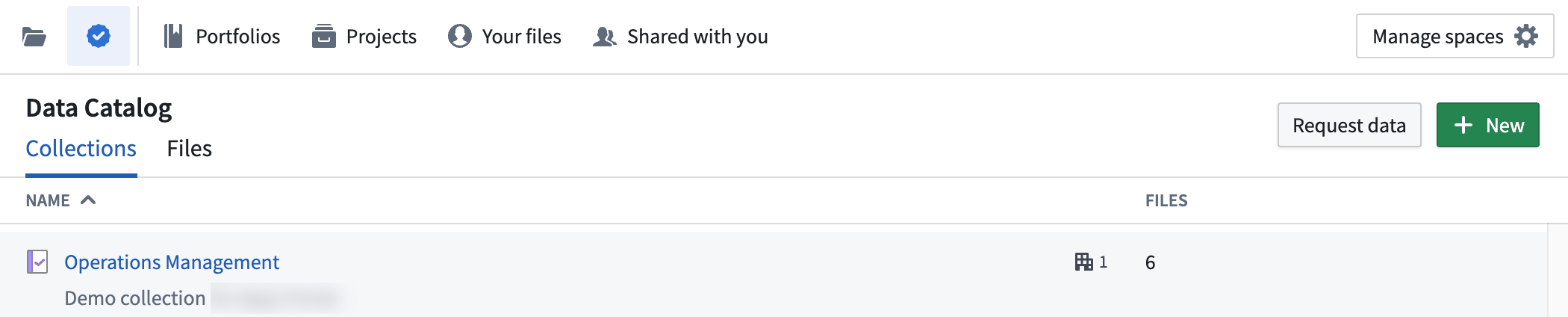
Collections and files
The Data Catalog is organized into Collections and Files. A file in the Data Catalog could be any saved analysis, dataset, module, or other resource that may be relevant to your use cases. Collections are groups of those files that contain all curated data for a given topic, audience, or purpose. Anyone can view collections and their descriptions, but you will only have access to curated files that are shared with you.
By default, Organization administrators have the permission to add and remove resources from collections and manage who has this permission. Check with your Organization administrator if you would like the permission to add and remove resources from collections.
Select a collection to view the files or resources it contains.
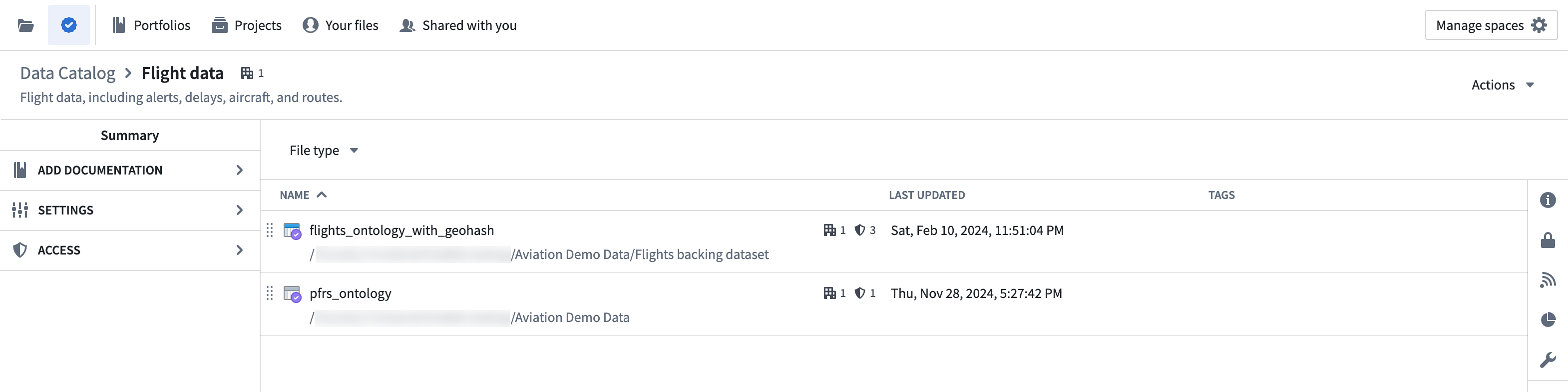
Throughout Foundry, Data Catalog data is indicated by the purple checkmark badge, as seen above.
Select a dataset or other resource to open and examine it.
Filters
A Filters panel is available in the Files tab and within each collection. You can choose tags to filter the list of resources by type or tag category to easily find the content you need.

You can also group your filtered results by tags, such as Analytics or Region, for easier navigation within a collection.

中文翻译
数据目录(Data Catalog)
数据目录是 Foundry 中经过整理的数据及其他资源的交互式视图。如果您拥有正确的权限,可以分析 Foundry 中的每个数据集,但数据目录中的数据集很可能对您最有用或最相关。
要访问数据目录,请从工作区导航侧边栏中选择 文件(Files),然后点击顶部的 ✔️ 图标。
集合(Collections)与文件(Files)
数据目录按集合和文件进行组织。数据目录中的文件可以是任何已保存的分析、数据集、模块或其他可能与您的用例相关的资源。集合是这些文件的组合,包含针对特定主题、受众或目的的所有整理数据。任何人都可以查看集合及其描述,但您只能访问与您共享的整理文件。
默认情况下,组织管理员(Organization administrators)拥有在集合中添加和删除资源以及管理谁拥有此权限的权限。如果您希望获得在集合中添加和删除资源的权限,请咨询您的组织管理员。
选择一个集合以查看其中包含的文件或资源。
在整个 Foundry 中,数据目录的数据由紫色对勾徽章标识,如上图所示。
选择一个数据集或其他资源以打开并查看。
筛选器(Filters)
在文件选项卡以及每个集合中,都有一个筛选器面板。您可以选择标签,按类型或标签类别筛选资源列表,从而轻松找到所需内容。
您还可以按标签(例如分析或区域)对筛选结果进行分组,以便在集合内更轻松地导航。