Resource status(资源状态(Resource status))
Resource status allows you to indicate the importance of resources in the platform. Setting a status on a resource affects its visibility in search results, changes how it appears to other users, and influences how the platform treats the resource. Currently, the only available status is Promoted.
Promoted status
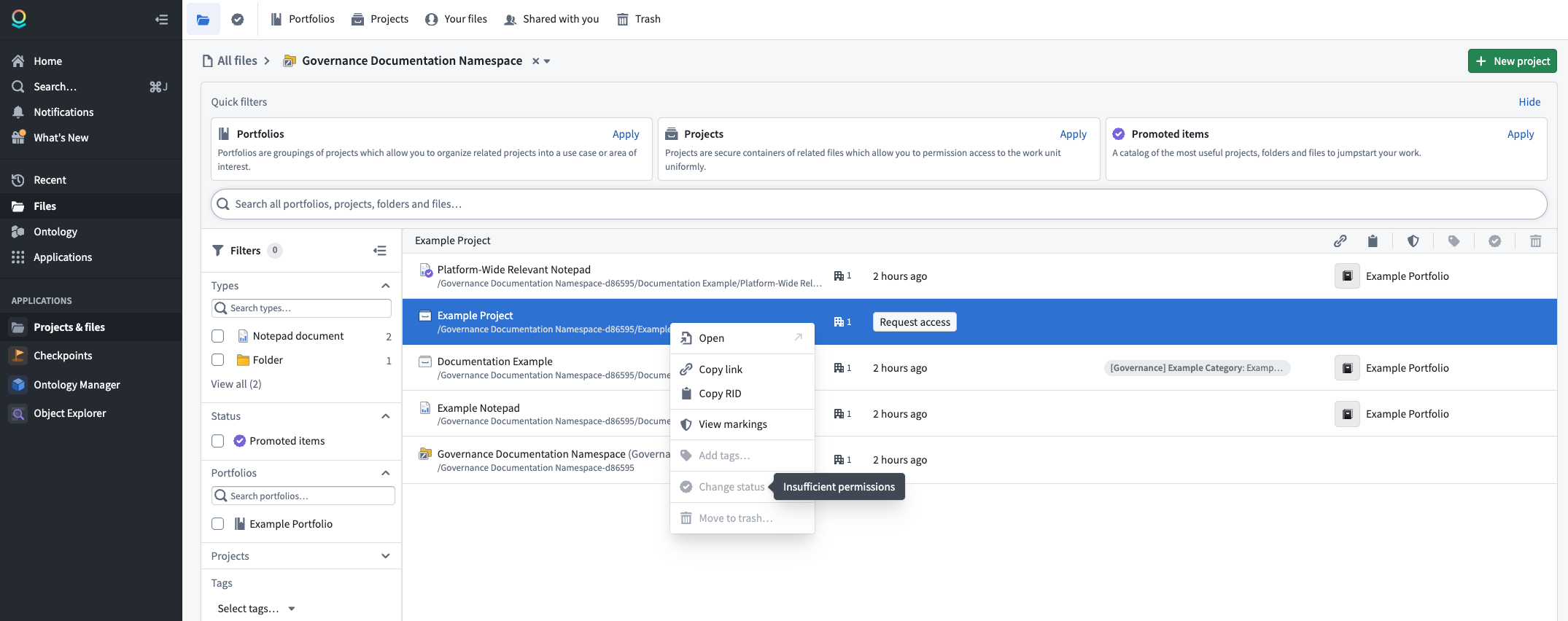
You can mark a resource as Promoted to signal that it is recommended for all users. Promoted resources receive the following benefits:
- Search visibility: Promoted resources are boosted in search results across the platform for all users, making them easier to discover.
- Visual indicator: Promoted resources are marked with a checkmark icon, allowing users to quickly identify high-value content.
- Quick filters: Promoted resources appear in the Promoted items quick filter on the Compass landing page, providing a curated catalog of the most useful projects, folders, and files.
Promote a resource
Take the following steps to promote a resource:
- Navigate to the project or folder containing the resource.
- Right-click on the resource to open the context menu.
- Select Change status, then select Promoted.
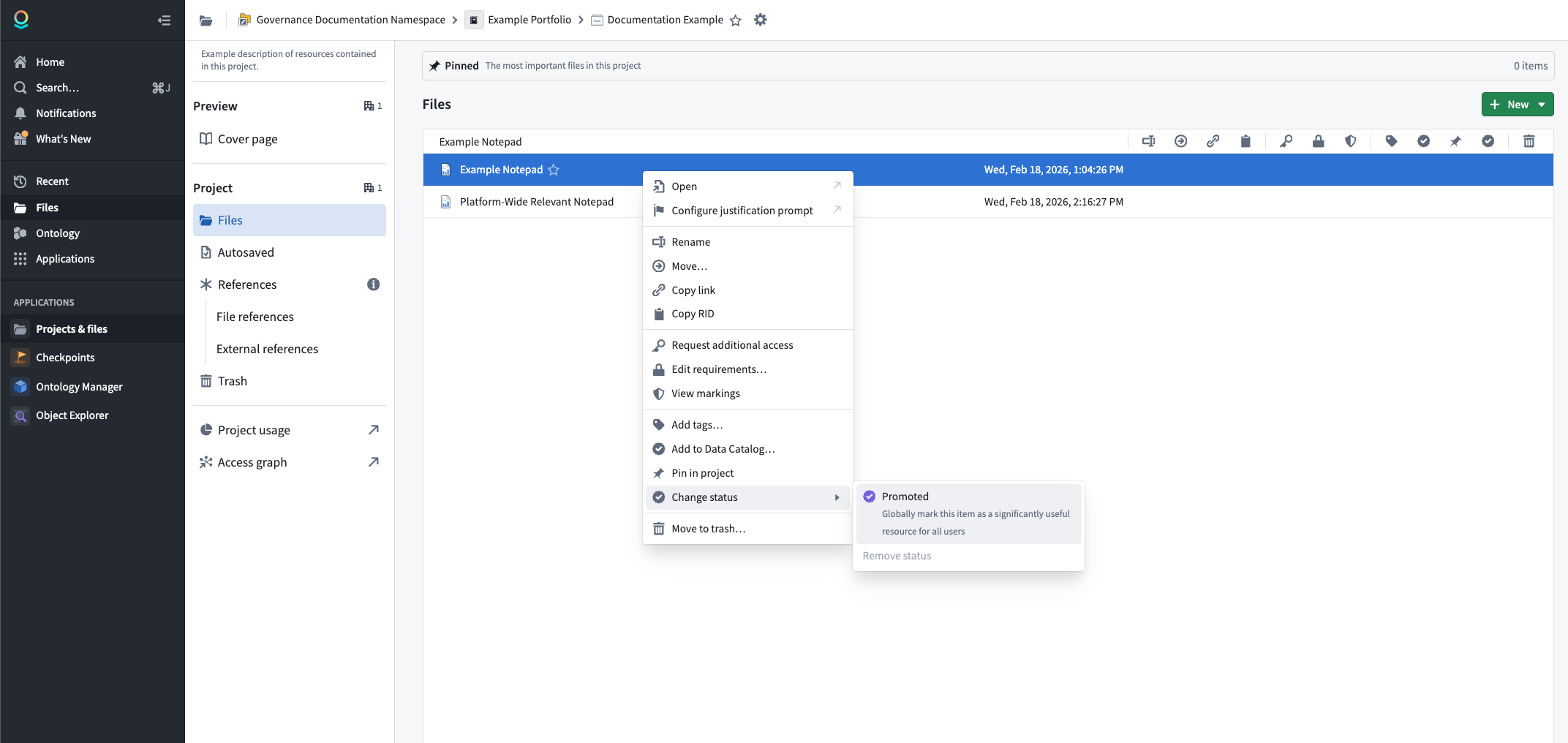
:::callout{theme="warning"} To promote a resource, you must have the Editor role or higher on that resource, and you must be granted the Resource Curator role at the space level. :::
Remove promoted status
To remove the promoted status from a resource:
- Right-click on the resource to open the context menu.
- Select Change status, then select Remove status.
The resource will return to its default state with no status applied.
中文翻译
资源状态(Resource status)
资源状态允许您指示平台中资源的重要性。为资源设置状态会影响其在搜索结果中的可见性、改变其向其他用户的呈现方式,并影响平台对该资源的处理方式。目前,唯一可用的状态是已推广(Promoted)。
已推广状态(Promoted status)
您可以将资源标记为已推广(Promoted),以表明该资源推荐给所有用户。已推广的资源享有以下优势:
- 搜索可见性(Search visibility): 已推广的资源会在平台所有用户的搜索结果中获得提升,使其更易于被发现。
- 视觉指示器(Visual indicator): 已推广的资源会带有勾选图标标记,使用户能够快速识别高价值内容。
- 快速筛选器(Quick filters): 已推广的资源会出现在Compass 登录页面的已推广项目(Promoted items)快速筛选中,提供最有用项目、文件夹和文件的精选目录。
推广资源(Promote a resource)
请按照以下步骤推广资源:
- 导航到包含该资源的项目或文件夹。
- 右键单击资源以打开上下文菜单。
- 选择更改状态(Change status),然后选择已推广(Promoted)。
:::callout{theme="warning"} 要推广资源,您必须对该资源拥有编辑者(Editor)角色或更高权限,并且必须在空间(Space)级别被授予资源策展人(Resource Curator)角色。 :::
移除已推广状态(Remove promoted status)
要从资源中移除已推广状态:
- 右键单击资源以打开上下文菜单。
- 选择更改状态(Change status),然后选择移除状态(Remove status)。
该资源将恢复为未应用任何状态的默认状态。