Tags(标签(Tags))
Tags are structured metadata that can be applied to resources for categorization and discovery. Tags are a helpful construct, but they do not add or imply security.
Tags are organized into categories; the visibility of each category can be restricted to one or more Organizations. For example, to organize sales data for a large international company you might create tag categories for region (such as “EU”, “APAC”, or “NA”) and financial year (like “2021” or “2022”). Users can then filter collections in the Data Catalog and search by tag.
To generate comprehensive tags, consider the dimensions of your data. Common tag categories include:
- Type or category of data (for instance, you may wish to tag log data differently than reference tables).
- Source system (the external system from which a dataset originates).
- Refresh schedule (such as daily, weekly, or none if static).
Tags related to use cases may also be helpful, such as:
- Region
- Department
- Project
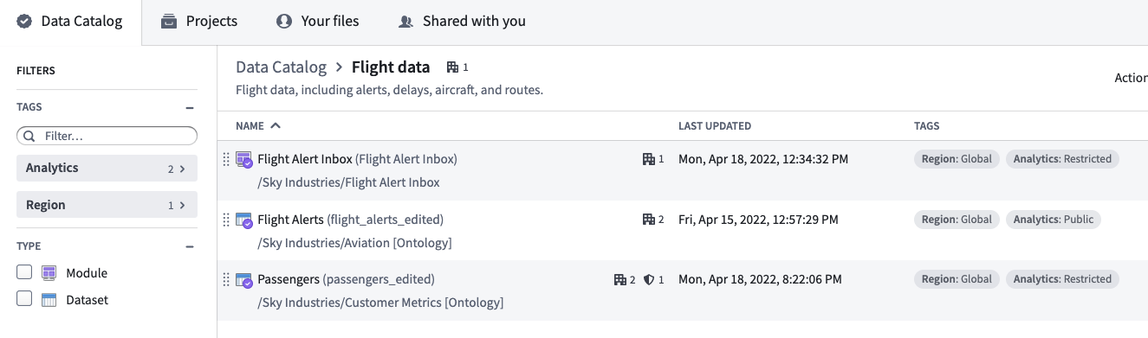
Below is a Data Catalog with tagged datasets and a tagged module:
Manage tags
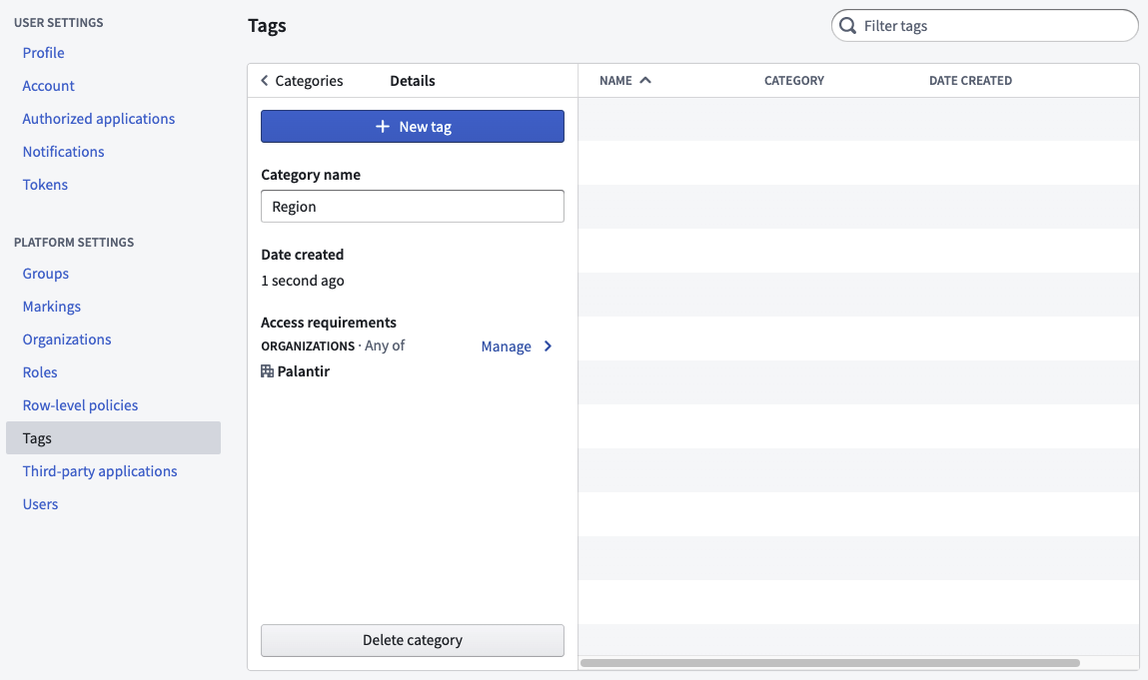
You can manage tags and tag categories in the Tags section of Platform Settings. Select the New tag category to create a new tag category. By default, a new tag category will be restricted to the Organization of which you are a member.
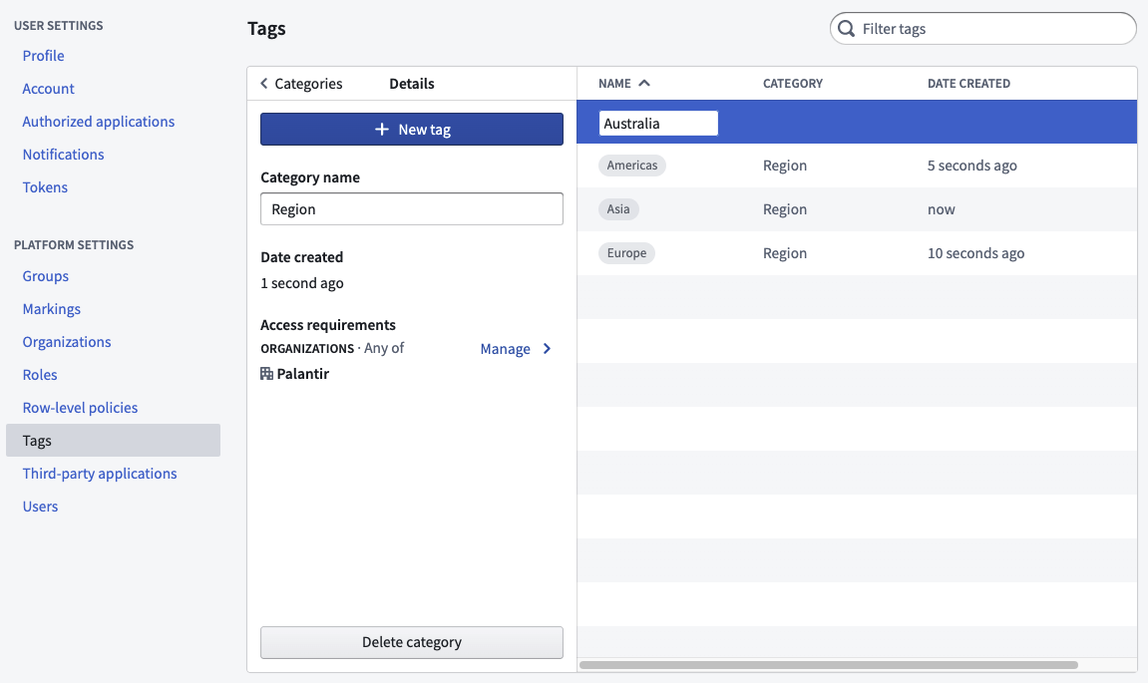
After you create a tag category, you can add multiple tags within the category. You can also add additional Organizations to the tag category if you want to expand access.
To delete a tag category, select the category and then Delete category. Similarly, to delete a tag, select the tag, then Delete tag. You cannot undo delete actions, and the category or tag will be removed from all resources.
Enable tag usage
Only users granted a role with the "Apply tags to resources in Compass" workflow are able to apply tags to resources. If you do not currently hold a role with this workflow, request an administrator to assign it via the Organizations permissions tab in Control Panel.
中文翻译
标签(Tags)
标签是结构化元数据,可应用于资源以实现分类和发现。标签是一种有用的结构,但不会增加或暗示安全权限。
标签按类别(categories)组织;每个类别的可见性可限制为一个或多个组织(Organizations)。例如,为大型跨国公司的销售数据整理时,可创建区域(如“EU”、“APAC”或“NA”)和财年(如“2021”或“2022”)等标签类别。用户随后可在数据目录(Data Catalog)中按标签筛选集合和搜索。
要生成全面的标签,需考虑数据的维度。常见的标签类别包括:
- 数据类型或类别(例如,日志数据与参考表的标签方式可能不同)。
- 源系统(数据集来源的外部系统)。
- 刷新计划(如每日、每周,若为静态数据则无)。
与用例相关的标签也可能有用,例如:
- 区域
- 部门
- 项目
以下是带有标签数据集和标签模块的数据目录示例:
管理标签
您可以在平台设置(Platform Settings)的标签部分管理标签和标签类别。选择新建标签类别以创建新的标签类别。默认情况下,新标签类别将限制为您所属的组织。
创建标签类别后,您可以在该类别中添加多个标签。如需扩大访问范围,还可向标签类别添加其他组织。
要删除标签类别,请选择该类别,然后点击删除类别。同样,要删除标签,请选择该标签,然后点击删除标签。删除操作无法撤销,且该类别或标签将从所有资源中移除。
启用标签使用
只有被授予“在Compass中为资源应用标签”工作流(workflow)角色的用户才能为资源应用标签。如果您当前未持有包含此工作流的角色,请请求管理员通过控制面板(Control Panel)的组织权限选项卡进行分配。