Use Project details panel(使用项目详情面板)
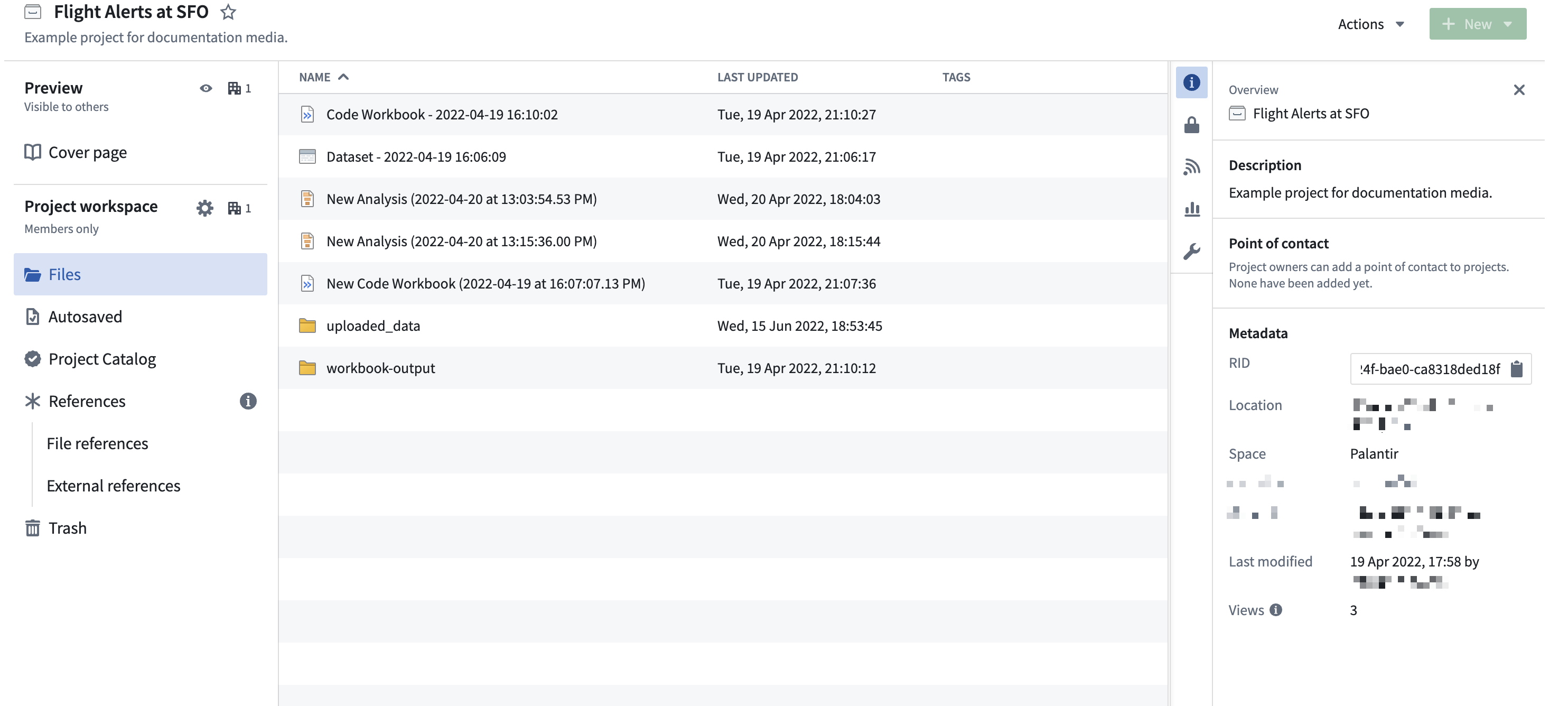
You can open the resource details panel by selecting one of the right-hand side icons on the Project page.
Documentation
This section provides a Markdown-based rich text editor to write documentation at the Project or folder level, similar to all the documentation sections throughout the workspace.
Activity
The Activity log provides a running view of changes made throughout the Project and is only visible at the Project level. For teams building out a new Project or maintaining a long-term Project, the Activity log makes it easier to understand recent activity and collaboration. Note that the Activity log only stores the last month of activity.
Discoverability
If necessary, you can make your Project and its description discoverable to people in other organizations. This functionality is under development.
Access
The Access tab in the resource panel allows you to manage group and user access roles within a Project.

For a Project Owner, this panel provides an interface to add required markings, manage default access, and configure additional access by granting roles to other users and groups.
For users with a Viewer or Editor role, the Access panel shows an overview of the current groups with Project access.
Learn more about how projects and roles organize work and control access in Foundry.
Learn more about checking someone's permissions on a Project, folder, or file by using the Check access panel in the workspace sidebar or the Data Lineage tool.
Resource queues
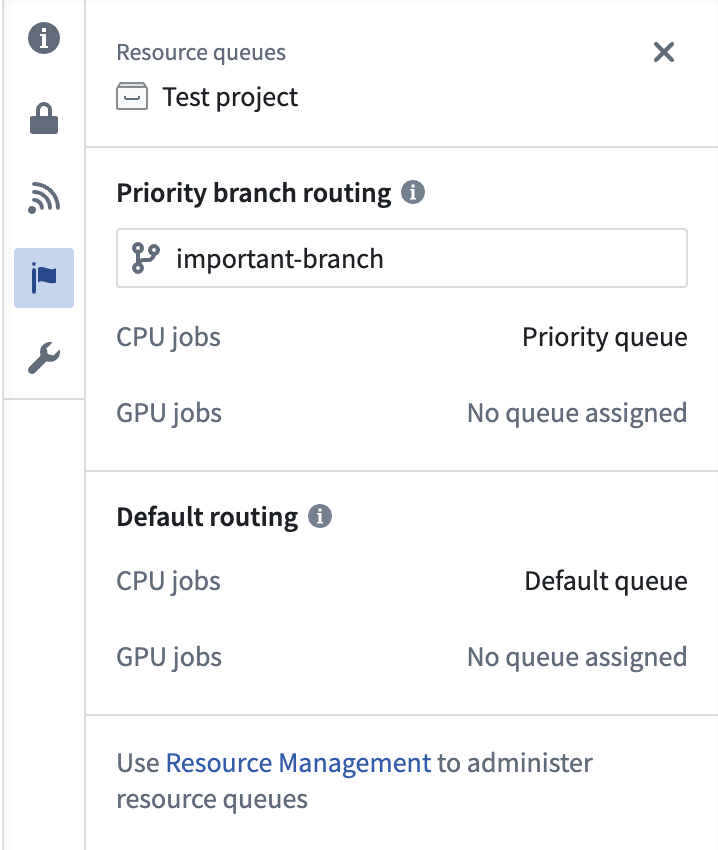
The Resource queues tab allows you to view which resource queues are assigned to the Project.
中文翻译
使用项目详情面板
您可以通过选择项目页面右侧的图标来打开资源详情面板。
文档
此部分提供了一个基于 Markdown 的富文本编辑器,用于在项目或文件夹层级编写文档,与工作区中所有文档部分的操作方式类似。
活动记录
活动日志(Activity log)提供了项目内变更的动态视图,且仅在项目层级可见。对于正在构建新项目或维护长期项目的团队,活动日志有助于更清晰地了解近期动态与协作情况。请注意,活动日志仅存储最近一个月的活动记录。
可发现性
如有需要,您可以让其他组织的人员发现您的项目及其描述。此功能正在开发中。
访问权限
资源面板中的访问权限(Access)选项卡允许您管理项目内的群组和用户访问角色。
对于项目所有者(Owner),此面板提供了添加必要标记、管理默认访问权限以及通过向其他用户和群组授予角色来配置额外访问权限的界面。
对于具有查看者(Viewer)或编辑者(Editor)角色的用户,访问权限面板会显示当前具有项目访问权限的群组概览。
了解更多关于项目与角色如何在 Foundry 中组织工作并控制访问权限的信息。
了解如何通过工作区侧边栏中的检查访问权限面板或数据沿袭工具检查某人对项目、文件夹或文件的权限。
资源队列
资源队列(Resource queues)选项卡允许您查看分配给项目的资源队列。