Data Health(数据健康 (Data Health))
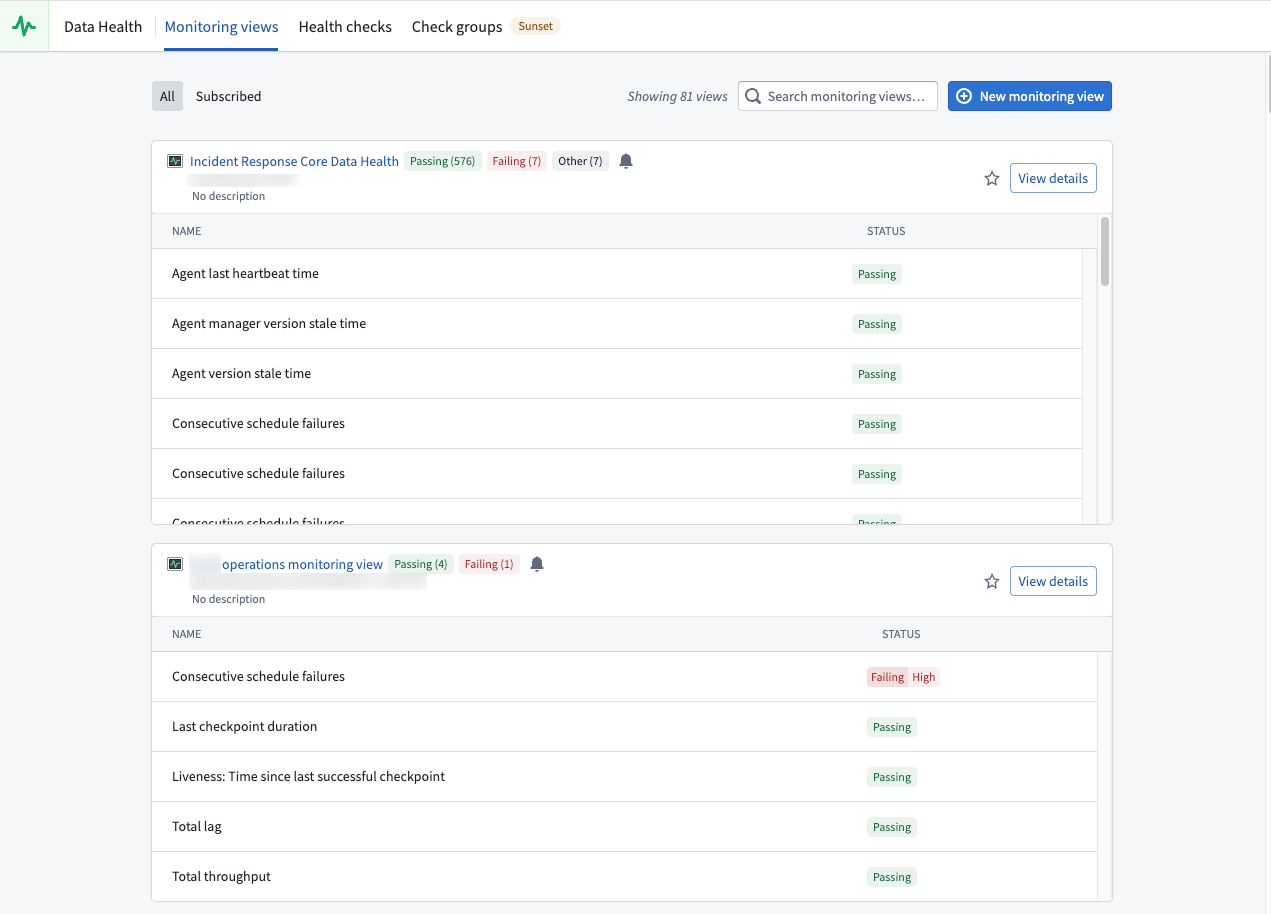
Data Health is a Foundry application for monitoring the health of your platform resources. Use Data Health to monitor and configure robust alerting for datasets, builds, functions, actions, automates and other resource types. When issues are detected, Data Health notifies you through in-platform notifications, email digests, and integrations with external systems such as PagerDuty and Slack.
You can access Data Health from the Foundry sidebar navigation.
Feature areas
Data Health provides two primary feature sets for monitoring your resources:
- Monitoring views: Monitor resources at scale using scope-based monitoring rules. Monitoring views support a wide range of resource types including datasets, schedules, streaming datasets, agents, object types, and more. Use monitoring views when you need coverage that scales automatically as resources are added.
- Health checks: Configure detailed checks on individual resources, including content and schema validation for datasets. Use health checks when you need fine-grained validation of a specific resource's data quality, agnostic of a workflow.
For high-level guidance on setting up effective monitoring, review the section on maintaining pipelines.
When to use each feature
| Feature | Best for | Scope |
|---|---|---|
| Monitoring views | Monitoring many resources across projects with consistent rules | Project, folder, or single resource |
| Health checks | Detailed content and schema validation on individual datasets and schedules | Single resource |
Alerts and notifications
Both monitoring views and health checks generate alerts when issues are detected. You can receive alerts in the following ways:
- Foundry notifications: Subscribe directly to monitoring views or individual health checks to receive in-platform notifications.
- Email digests: Receive aggregated email notifications on a configurable schedule.
- External systems: Send alerts to PagerDuty, Slack, or arbitrary REST endpoints through built-in integrations.
Accessing health checks on resources
You can also access health checks directly from individual resources through the Health tab:
- For datasets: Open a dataset in Dataset Preview and navigate to the Health tab.
- For schedules: Open a schedule in Data Lineage and select Metrics > Health.
In Data Lineage, you can also color datasets by their health check status and view all health checks in the Data Health tab at the bottom of the page.
中文翻译
数据健康 (Data Health)
数据健康是 Foundry 中用于监控平台资源健康状况的应用程序。通过数据健康,您可以监控数据集、构建任务、函数、操作、自动化流程及其他资源类型,并配置稳健的告警机制。当检测到问题时,数据健康会通过平台内通知、邮件摘要以及与 PagerDuty 和 Slack 等外部系统的集成向您发送告警。
您可以从 Foundry 侧边栏导航中访问数据健康。
功能区域
数据健康提供两大核心功能集用于监控资源:
- 监控视图 (Monitoring views):通过基于范围的监控规则大规模监控资源。监控视图支持多种资源类型,包括数据集、调度任务、流式数据集、代理、对象类型等。当您需要随资源添加而自动扩展的覆盖范围时,请使用监控视图。
- 健康检查 (Health checks):对单个资源配置详细检查,包括数据集的内容和架构验证。当您需要对特定资源的数据质量进行细粒度验证(与工作流无关)时,请使用健康检查。
有关设置有效监控的高级指导,请参阅维护管道 (maintaining pipelines)章节。
各功能适用场景
| 功能 | 最佳用途 | 适用范围 |
|---|---|---|
| 监控视图 (Monitoring views) | 使用统一规则跨项目监控大量资源 | 项目、文件夹或单个资源 |
| 健康检查 (Health checks) | 对单个数据集和调度任务进行详细的内容与架构验证 | 单个资源 |
告警与通知
监控视图和健康检查在检测到问题时都会生成告警。您可以通过以下方式接收告警:
- Foundry 通知:直接订阅监控视图或单个健康检查,以接收平台内通知。
- 邮件摘要:按可配置的时间表接收聚合邮件通知。
- 外部系统 (External systems):通过内置集成将告警发送至 PagerDuty、Slack 或任意 REST 端点。
访问资源的健康检查
您还可以通过资源的 健康 (Health) 标签页直接访问健康检查:
- 对于数据集:在数据集预览 (Dataset Preview)中打开数据集,然后导航至 健康 (Health) 标签页。
- 对于调度任务:在数据血缘 (Data Lineage)中打开调度任务,然后选择 指标 (Metrics) > 健康 (Health)。
在数据血缘 (Data Lineage)中,您还可以根据健康检查状态为数据集着色,并在页面底部的数据健康标签页中查看所有健康检查。