Create an application using a different Organization(使用其他组织创建应用)
When developing a service or application in the Developer Console that uses a confidential client, a service user will be created along with your application. Once created, you must grant the service user any necessary permissions to read and write to the Ontology.
By default, the service user will be added as a guest of the organization that is selected in the Developer Console, as shown in the image below.
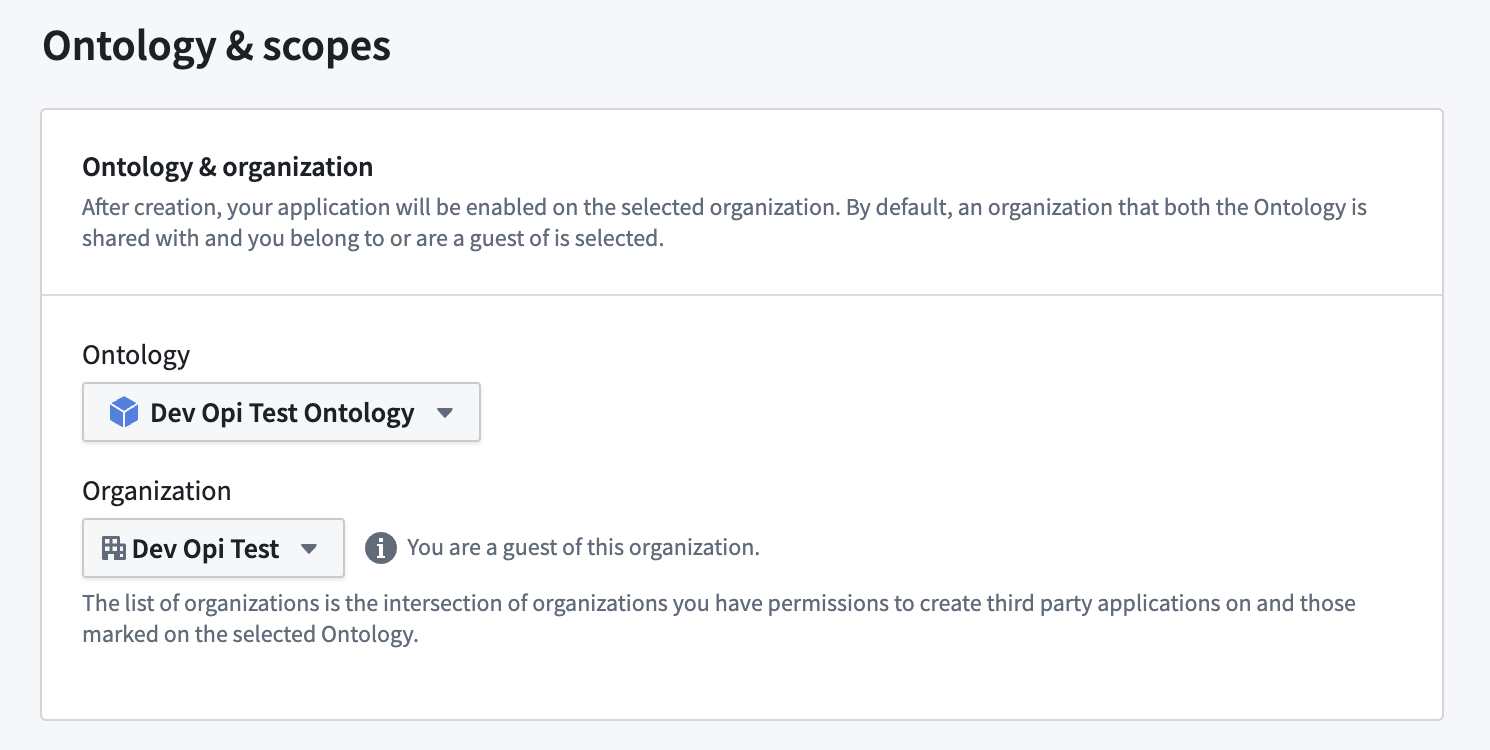
However, if that organization is different from your default organization, you will not be able to see that user or grant permissions to it until you complete the following two steps:
Share the application with your organization
Prepare your application for use in your organization with the following steps:
- In Developer Console, navigate to Sharing & tokens on the left sidebar.
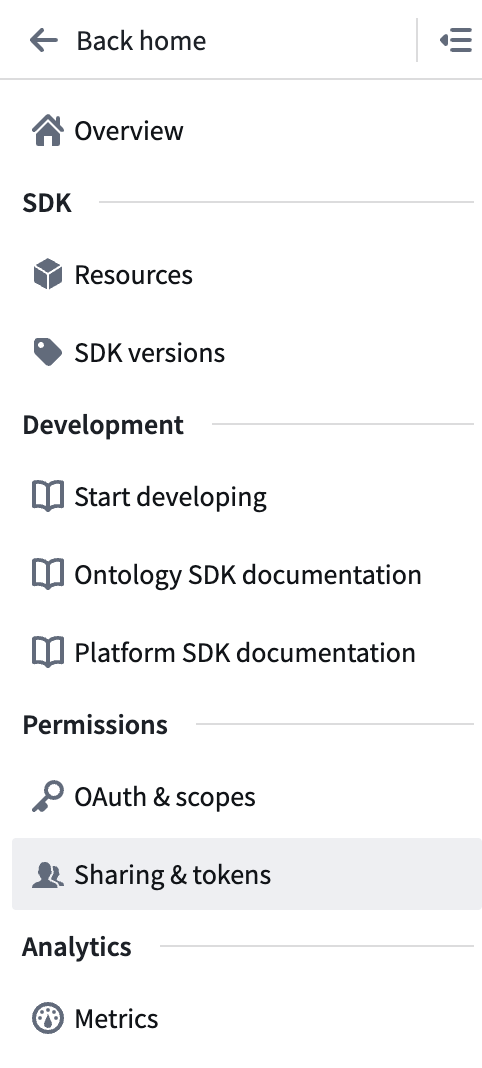
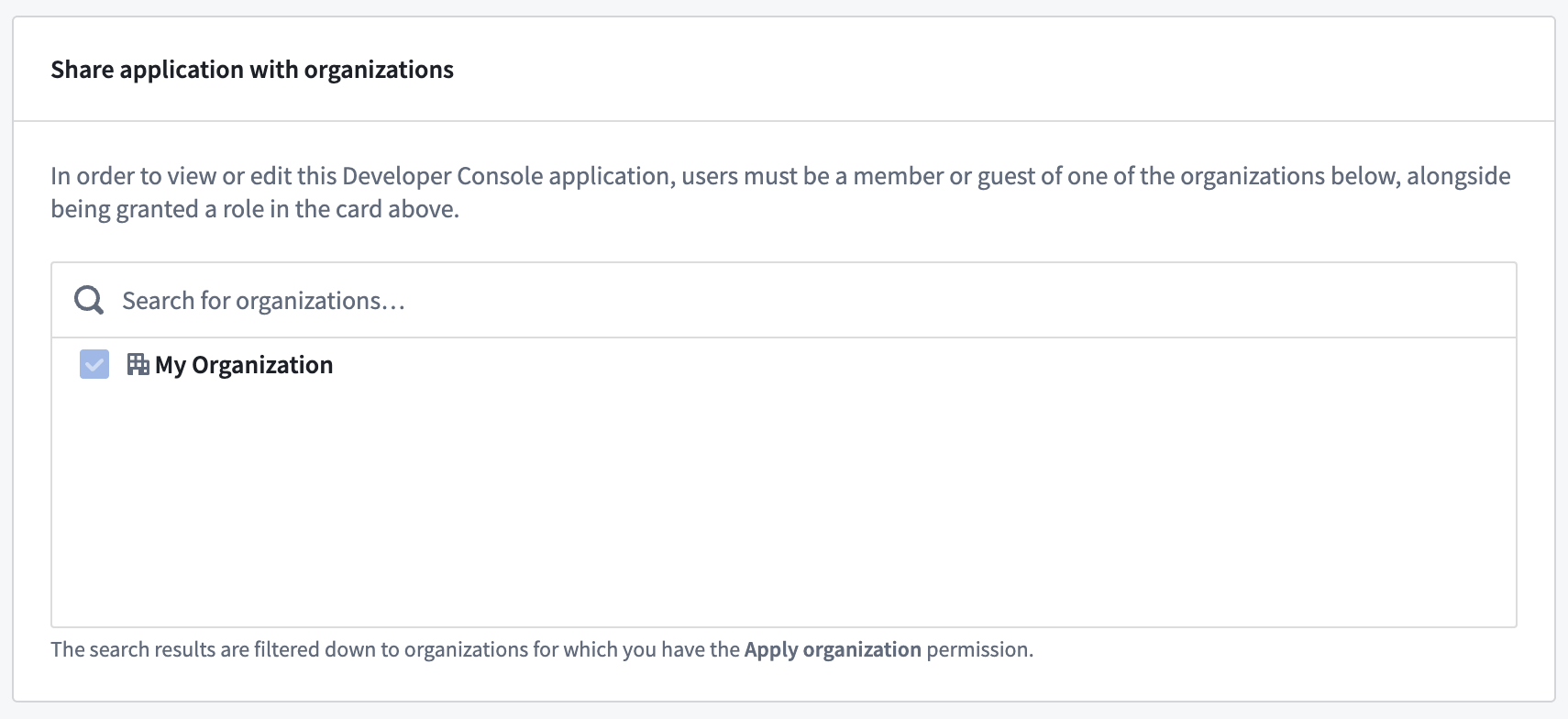
- Use the Share application with organizations interface to add your organization to the list and save your changes.
Enable the application on your organization
Once you have shared the application with your default organization, you can switch back to your default organization and find the application again.
- Open the Third party applications page in Control Panel and find your application.
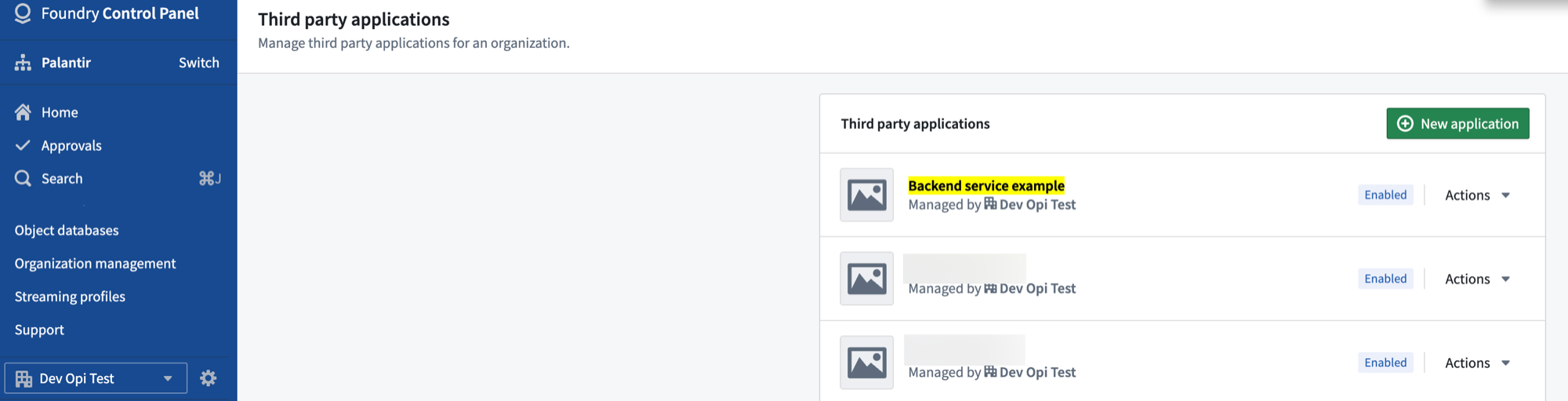
- Select Actions, then Enablement settings.
- At the top of the page, toggle on Enable application.
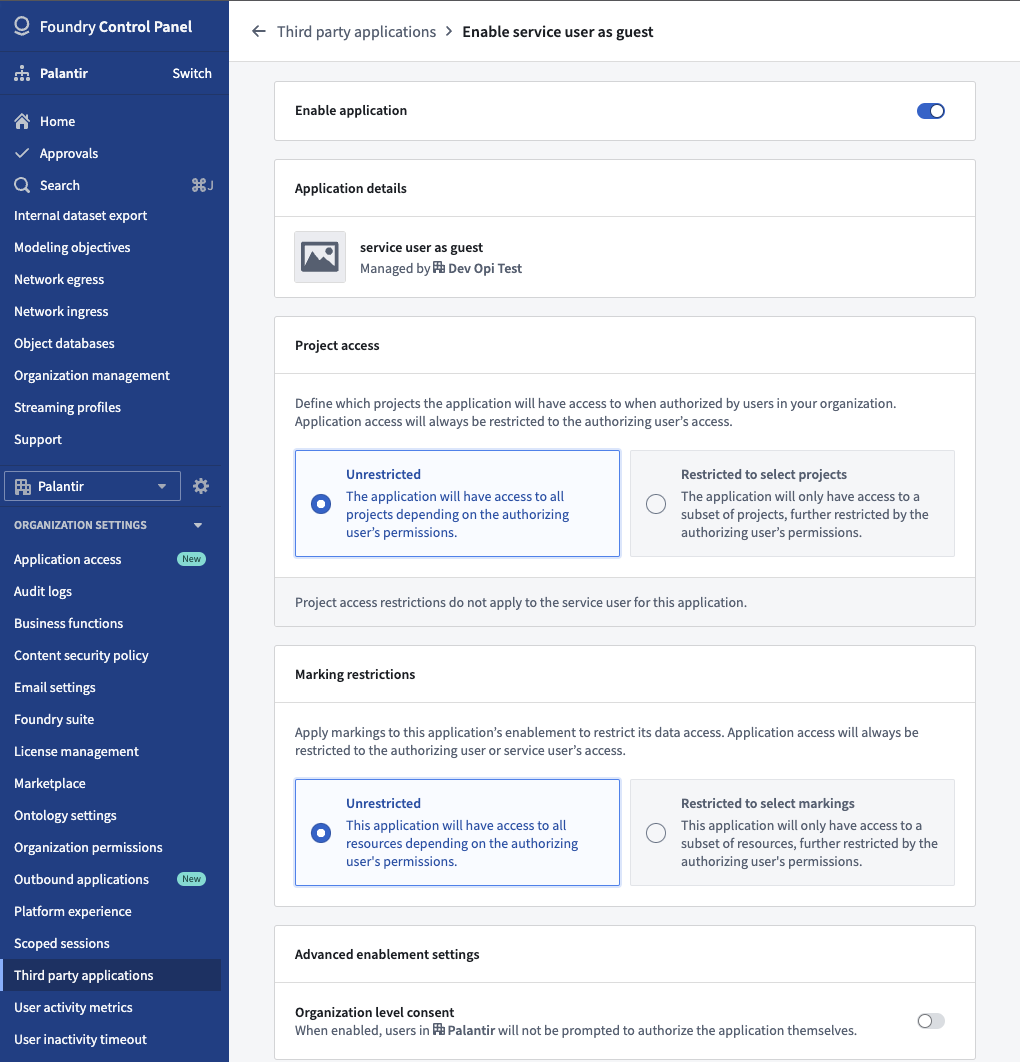
Once you save your changes, the service user will be added as a guest to your organization and you will be able to grant any necessary permissions.
中文翻译
使用其他组织创建应用
在开发者控制台(Developer Console)中开发使用机密客户端(confidential client)的服务或应用时,系统会随应用一同创建一个服务用户(service user)。创建完成后,您必须授予该服务用户读取和写入本体(Ontology)所需的权限。
默认情况下,该服务用户会作为访客(guest)添加到开发者控制台中所选的组织,如下图所示。
然而,如果该组织与您的默认组织不同,您将无法看到该用户或为其授予权限,除非完成以下两个步骤:
与您的组织共享应用
按照以下步骤,为在您的组织中使用应用做好准备:
- 在开发者控制台中,点击左侧边栏的 共享与令牌(Sharing & tokens)。
- 使用 与组织共享应用(Share application with organizations) 界面,将您的组织添加到列表中,然后保存更改。
在您的组织中启用应用
将应用与您的默认组织共享后,您可以切换回默认组织并重新找到该应用。
- 打开控制面板(Control Panel)中的 第三方应用(Third party applications) 页面,找到您的应用。
- 选择 操作(Actions),然后选择 启用设置(Enablement settings)。
- 在页面顶部,打开 启用应用(Enable application) 开关。
保存更改后,服务用户将作为访客添加到您的组织中,您便可以授予其所需的任何权限。