Developer Console(开发者控制台 (Developer Console))
Use Developer Console to build and manage Custom Applications and their associated authorization clients and SDKs. A custom application allows developers to extend Foundry capabilities with custom logic hosted in or outside of Foundry. Legacy Oauth clients are also managed in Developer Console.
Custom applications
The primary components of a custom application are as follows:
- Authorization client: An OAuth client that allows human and service users programmatic access to Foundry.
- SDKs: One or more SDKs generated from resources added to an application. See Application restrictions.
- SDK documentation: Auto-generated API documentation and code snippets tailored to your application's SDK.
- Permissions: User and application-level access controls. See Permissions.
- Metrics: Usage and performance insights for your application. See Application metrics.
- Web hosting (optional): Host a custom frontend on a Foundry subdomain.
- Code repository (optional): A linked code repository resource for application code.
OAuth clients
OAuth clients are a legacy primitive similar to custom applications, but contain only an authorization client and none of the other capabilities listed above. OAuth clients have typically been used to grant unrestricted access to programmatic users. It is recommended that unrestricted applications be used instead of an OAuth client.
Developer Console landing page
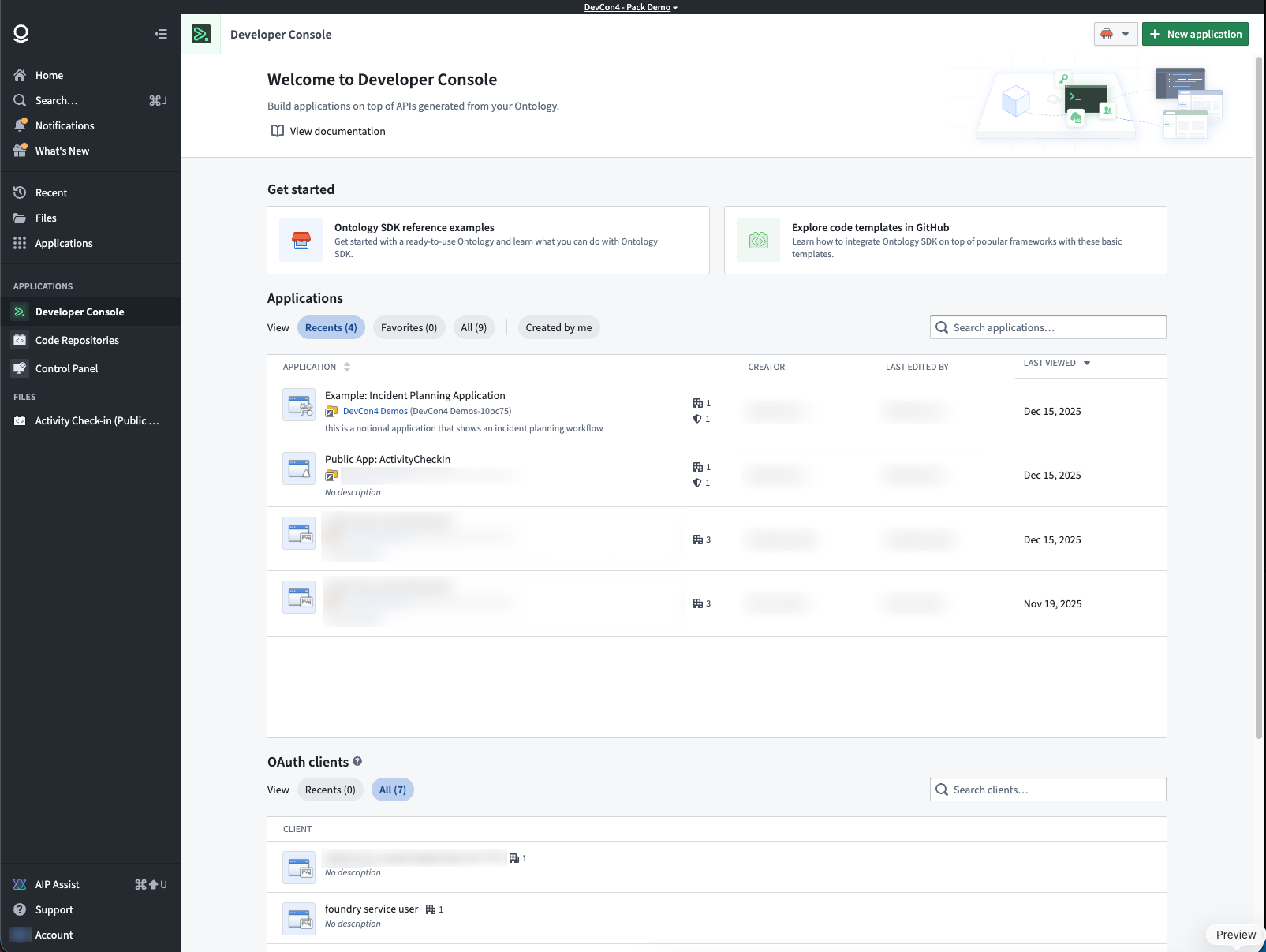
The Developer Console landing page lists the custom applications and OAuth clients that you have access to.
For more information on access requirements, review the permissions documentation.
Application pages
Application overview
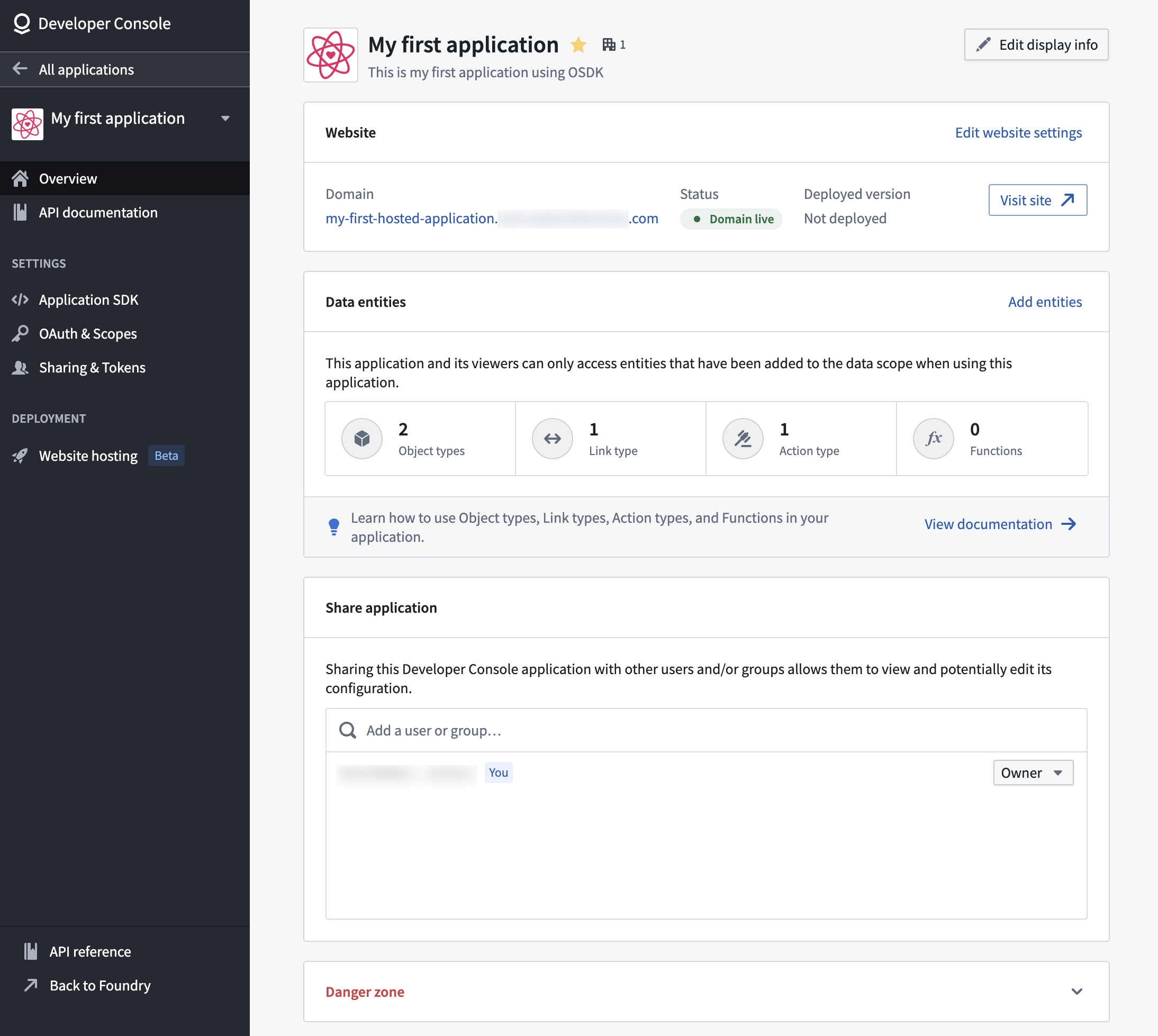
From the application overview page, you can:
- View website hosting status and generated SDK versions.
- See the ontology resources included in your application's OSDK.
- Edit the application metadata or delete the application.
For OAuth clients, see Managing an OAuth client in Developer Console.
OAuth and restrictions
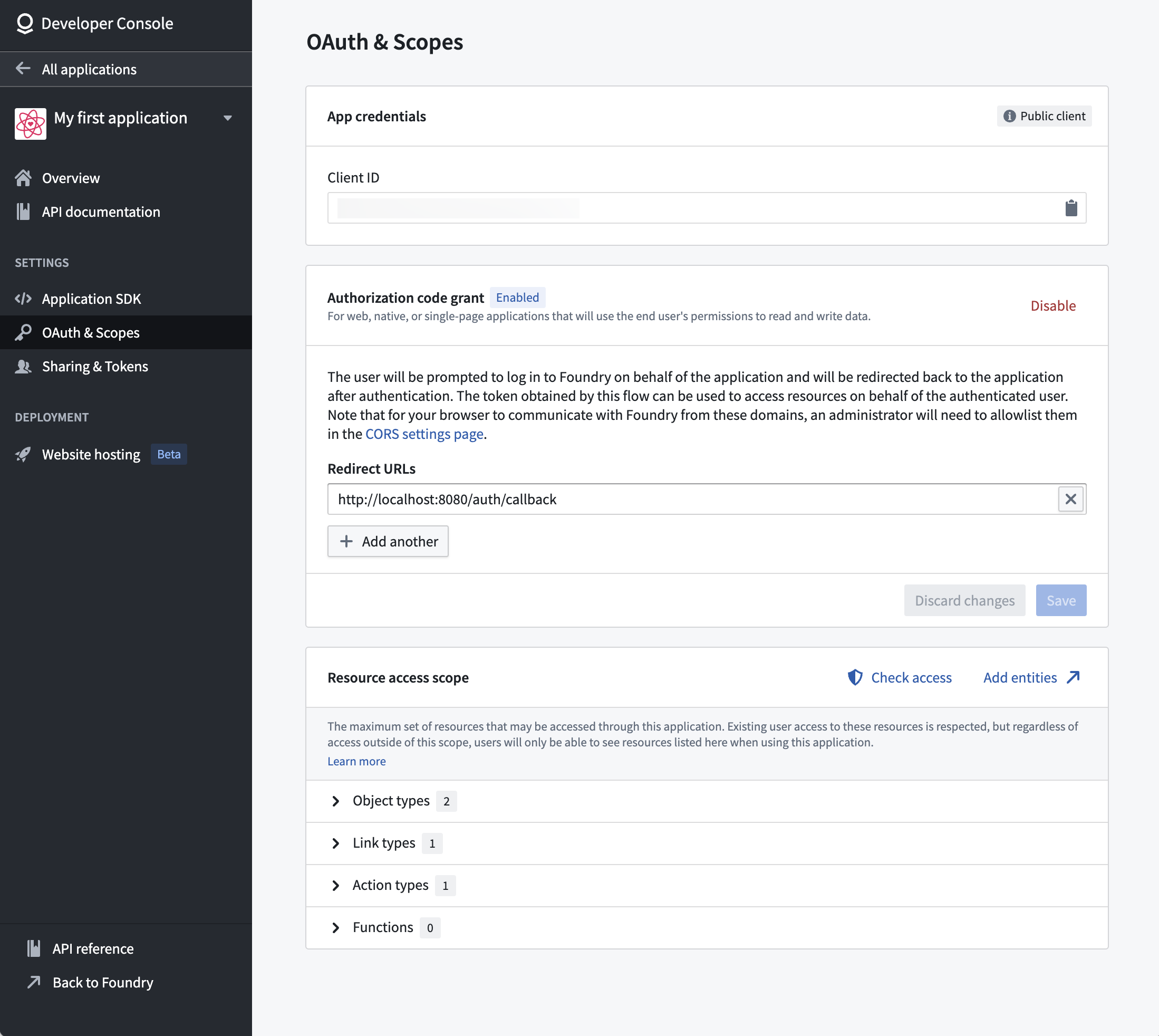
Configure the authentication flow and resource access restrictions for your application. The restrictions ensure tokens only grant access to resources approved for the application.
Learn more about configuring permissions and application restrictions.
SDK documentation
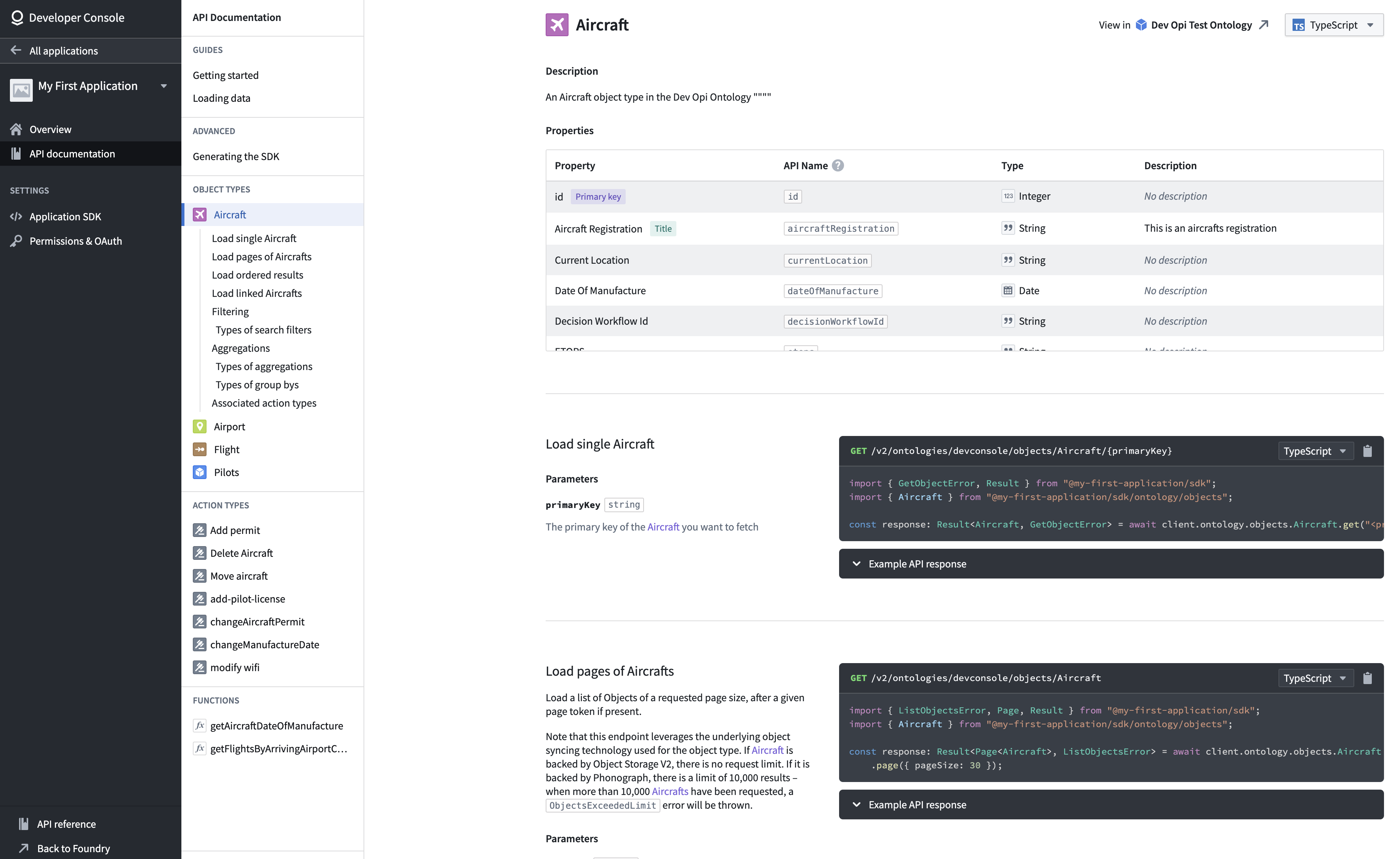
Each application includes auto-generated API documentation tailored to its SDK content. You can access it by selecting API documentation from the left panel.
The API documentation includes:
- Installation guides for your application-specific SDK.
- Code examples for loading individual objects and fetching pages of data.
- Reference materials for each ontology object type, action type, and function.
Use the language dropdown menu to switch between TypeScript, Python, and other supported languages.
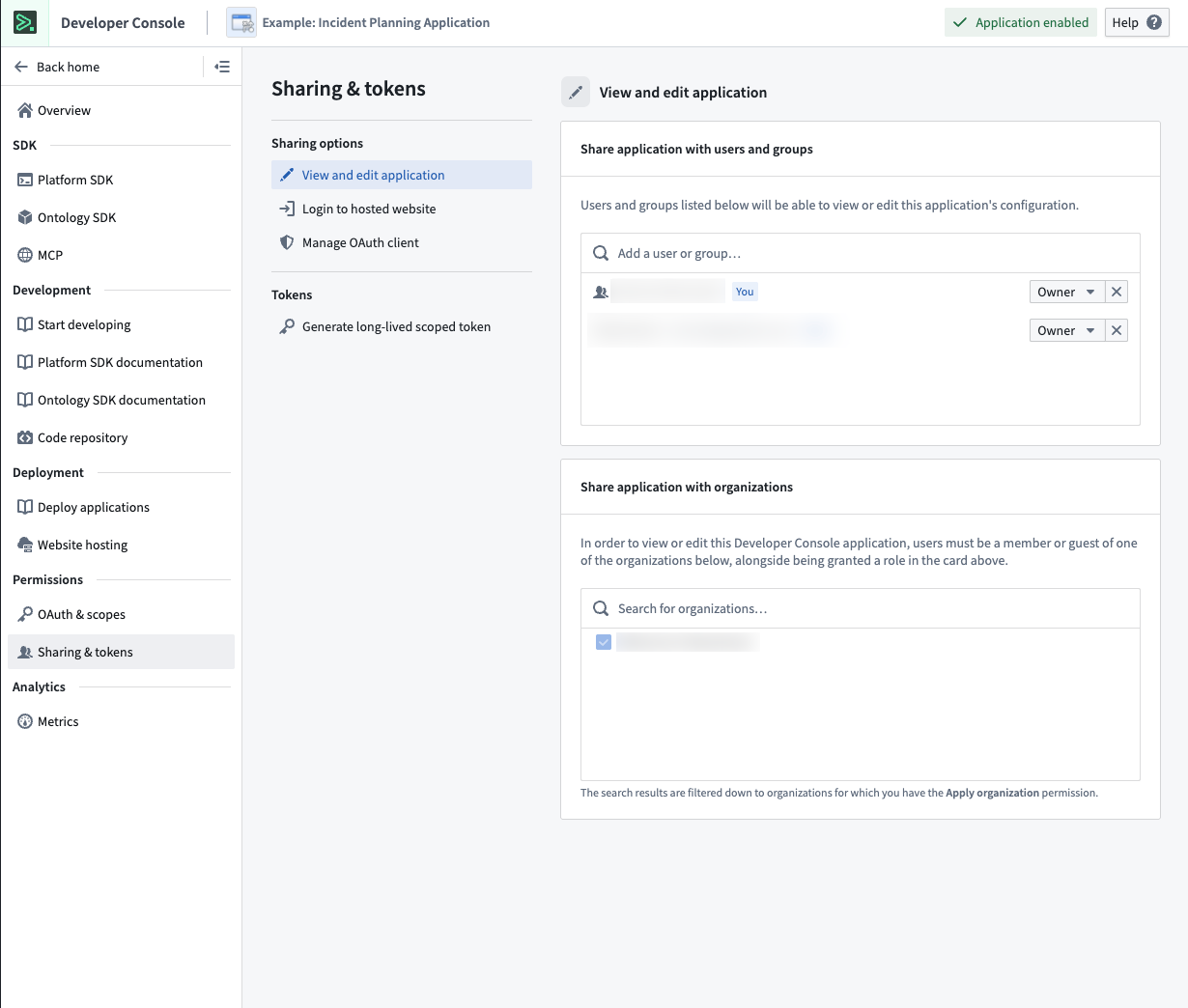
Sharing and tokens
Share your application with users, groups, and organizations. Generate long-lived scoped tokens for programmatic access.
Web hosting
Host frontend-only applications, such as React SPAs, directly on Foundry, eliminating the need for external hosting infrastructure.
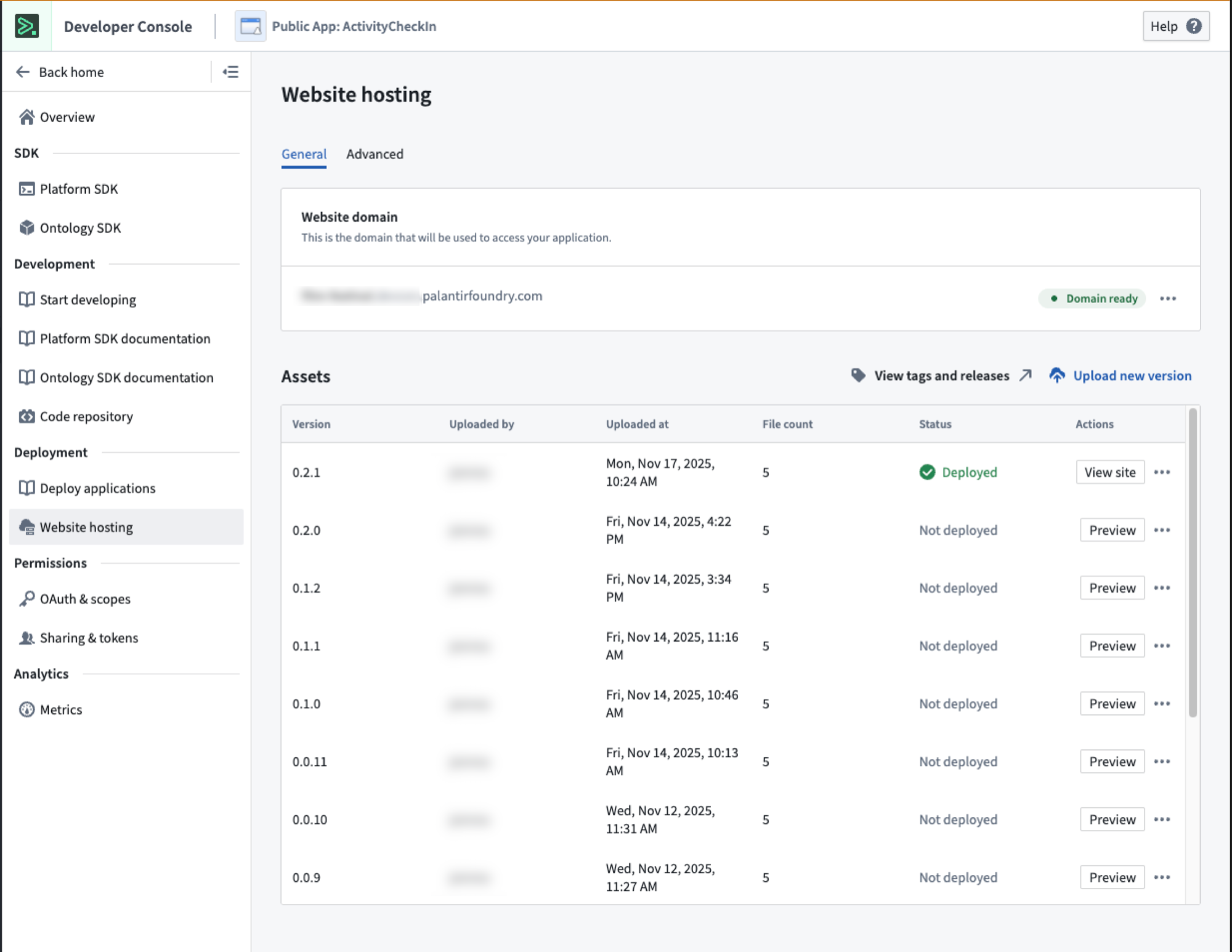
For more detail, review the documentation on hosting an OSDK application on Foundry.
Metrics
Monitor application performance including request volume, success rates, and API latency.
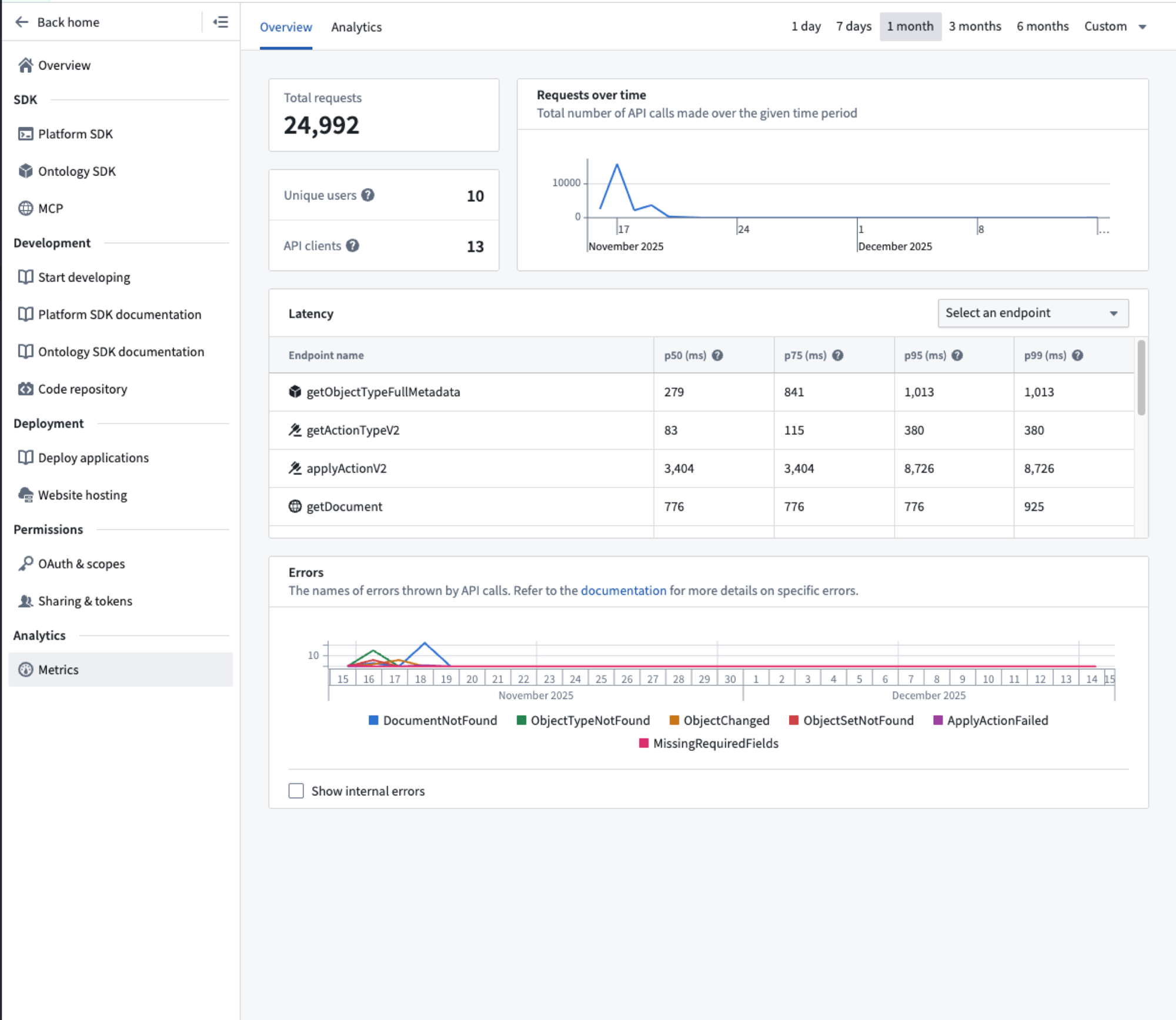
Learn more about application metrics.
Limits
By default, each Developer Console application is limited to a total of 1000 data resources and resource access restrictions. Reach out to a Palantir administrator if you encounter this limitation.
中文翻译
开发者控制台 (Developer Console)
使用开发者控制台来构建和管理自定义应用程序 (Custom Applications) 及其关联的授权客户端和 SDK。自定义应用程序允许开发者通过托管在 Foundry 内部或外部的自定义逻辑来扩展 Foundry 的功能。旧版 OAuth 客户端也在开发者控制台中进行管理。
自定义应用程序 (Custom applications)
自定义应用程序的主要组件如下:
- 授权客户端 (Authorization client): 一个 OAuth 客户端,允许人工用户和服务用户以编程方式访问 Foundry。
- SDK: 从添加到应用程序的资源中生成的一个或多个 SDK。请参阅 应用程序限制 (Application restrictions)。
- SDK 文档 (SDK documentation): 针对您应用程序的 SDK 自动生成的 API 文档和代码片段。
- 权限 (Permissions): 用户和应用程序级别的访问控制。请参阅 权限 (Permissions)。
- 指标 (Metrics): 应用程序的使用情况和性能洞察。请参阅 应用程序指标 (Application metrics)。
- 网站托管 (Web hosting)(可选): 在 Foundry 子域名上托管自定义前端。
- 代码仓库 (Code repository)(可选): 用于应用程序代码的关联代码仓库资源。
OAuth 客户端 (OAuth clients)
OAuth 客户端是一种类似于自定义应用程序的旧版原语,但仅包含授权客户端,不具备上述列出的任何其他功能。OAuth 客户端通常用于向编程用户授予无限制的访问权限。建议使用无限制应用程序 (unrestricted applications) 来代替 OAuth 客户端。
开发者控制台首页 (Developer Console landing page)
开发者控制台首页列出了您有权访问的自定义应用程序和 OAuth 客户端。
有关访问要求的更多信息,请查阅权限文档。
应用程序页面 (Application pages)
应用程序概览 (Application overview)
在应用程序概览页面,您可以:
- 查看网站托管状态和已生成的 SDK 版本。
- 查看包含在您应用程序 OSDK 中的本体资源。
- 编辑应用程序元数据或删除应用程序。
对于 OAuth 客户端,请参阅在开发者控制台中管理 OAuth 客户端。
OAuth 与限制 (OAuth and restrictions)
配置应用程序的身份验证流程和资源访问限制。这些限制确保令牌仅授予对应用程序已批准资源的访问权限。
SDK 文档 (SDK documentation)
每个应用程序都包含针对其 SDK 内容自动生成的 API 文档。您可以通过从左侧面板选择 API 文档 (API documentation) 来访问它。
API 文档包括:
- 针对您应用程序特定 SDK 的安装指南。
- 用于加载单个对象和获取数据页面的代码示例。
- 每个本体对象类型、操作类型和函数的参考资料。
使用语言下拉菜单在 TypeScript、Python 和其他支持的语言之间切换。
共享与令牌 (Sharing and tokens)
与用户、组和组织共享您的应用程序。生成长期有效的限定范围令牌 (scoped tokens) 以进行编程访问。
网站托管 (Web hosting)
直接在 Foundry 上托管纯前端应用程序,例如 React SPA,从而无需外部托管基础设施。
有关更多详细信息,请查阅关于在 Foundry 上托管 OSDK 应用程序的文档。
指标 (Metrics)
监控应用程序性能,包括请求量、成功率和 API 延迟。
限制 (Limits)
默认情况下,每个开发者控制台应用程序的数据资源和资源访问限制总数上限为 1000。如果您遇到此限制,请联系 Palantir 管理员。