Export and import products(导出与导入产品)
Marketplace products can be exported from a local store and imported into another local store. Sharing is possible between any two local Marketplace stores on the same enrollment, or between two different enrollments. For required permissions, refer to export product permissions and import product permissions.
Export a product
:::callout{theme="warning"} Marketplace products may contain sensitive data, and the exported file is not encrypted. Sensitive data can include datasets, media sets, models, and metadata including names, descriptions, and schemas. Keep security in mind when exporting marketplace products. :::
A user with sufficient permissions can export a selection of products from a local store. Marketplace products are exported as a file, which should only be used for short-lived transport and not for permanent storage. We hold the right to introduce breaking changes to the format of this file, making it unable to be imported. It is the exporter's responsibility to verify that the product is allowed to be exported outside of the platform, and to ensure that it is handled securely afterward. The exported file is code signed; any changes to the file in transit will make the file not importable.
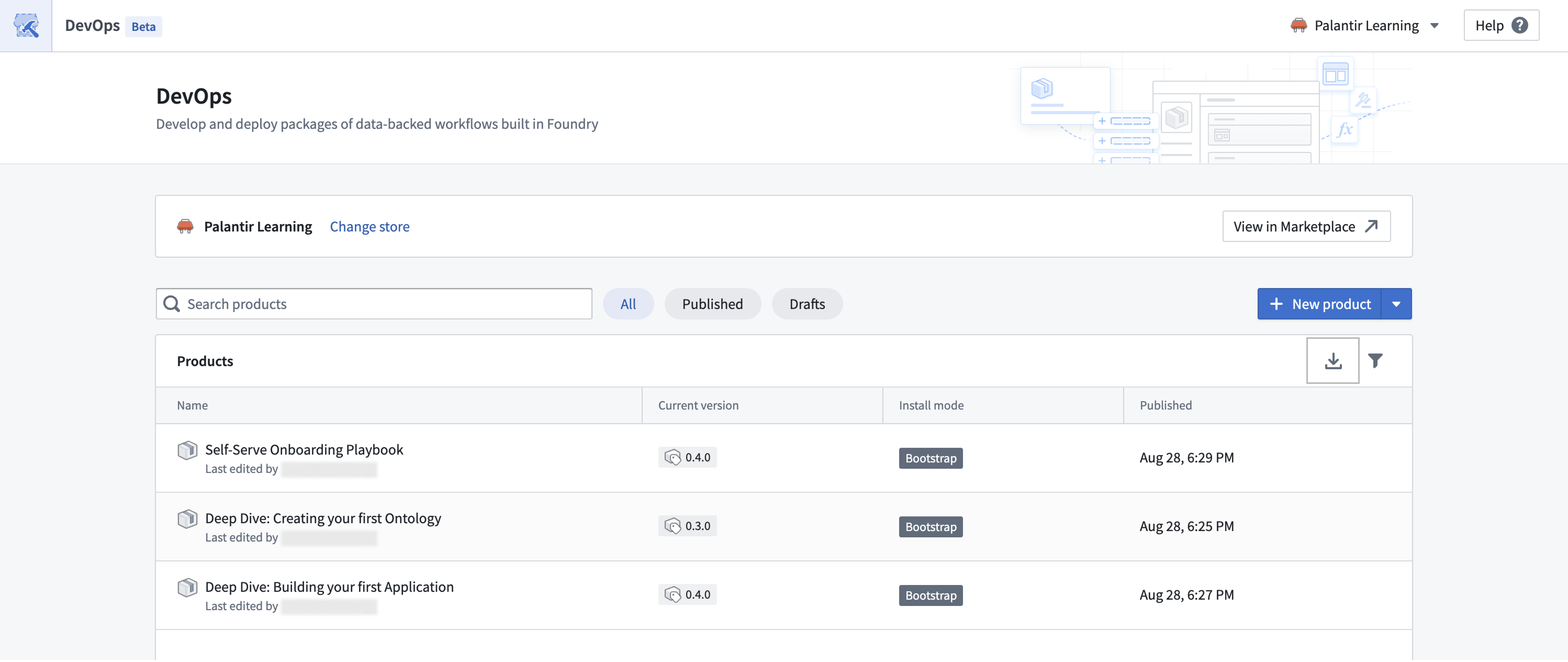
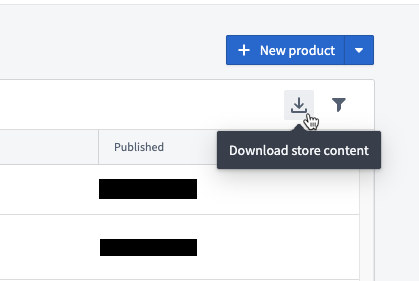
The option to download a store's content is located on the store page, where all of its products are listed. The Download store content option can be found on the right side of the product table header next to the filter icon.
Import a product
:::callout{theme="warning"} Marketplace products may contain sensitive data. Sensitive data can include datasets, media sets, models, and metadata including names, descriptions, and schemas. Make sure you are allowed to import products to your store and keep security in mind when doing so. :::
A user with sufficient permissions can import a Marketplace file exported from another local store. It is the importer's responsibility to verify that the product is allowed to be imported into the platform. In most cases, this means cooperation between the exporter and importer to ensure that only appropriate data is shipped between Marketplace stores.
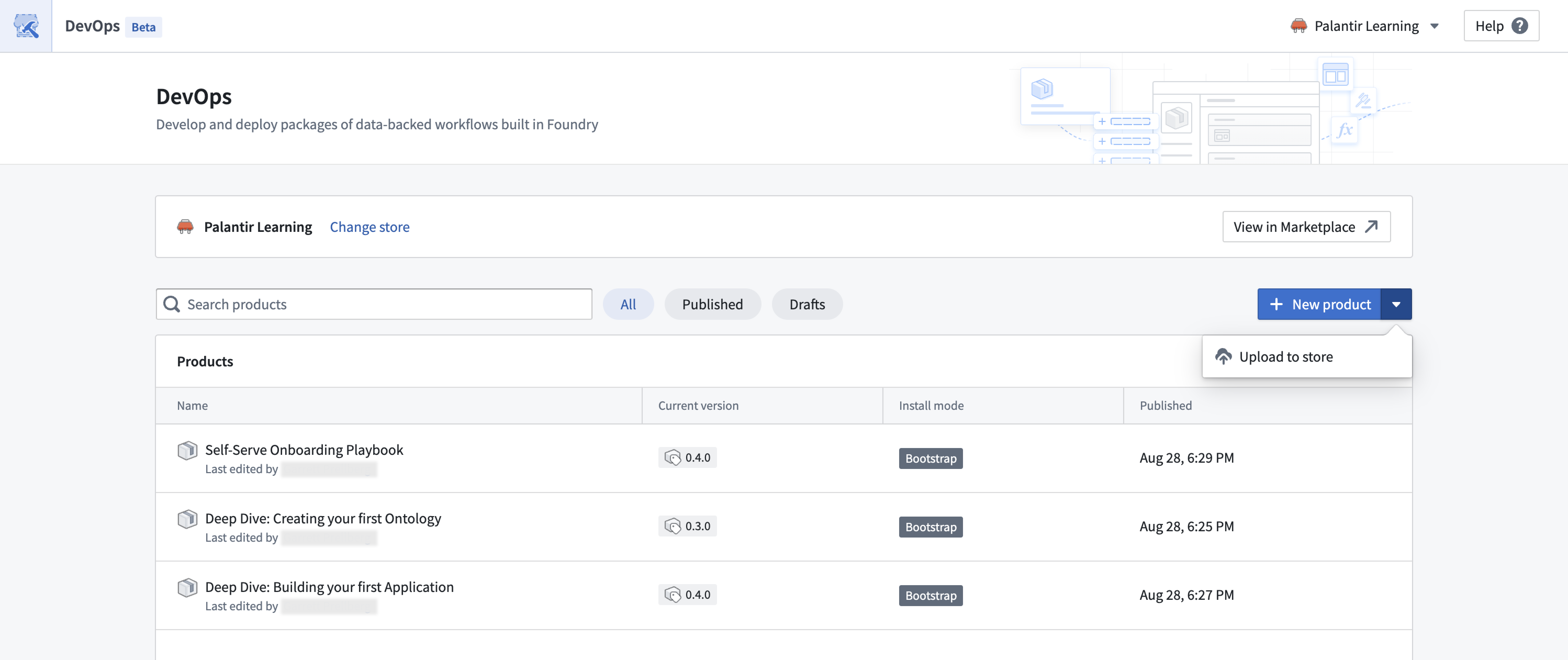
The option to upload store content is also located on the store page, where all store products are listed. The Upload to store option can be accessed from the dropdown next to the New product button above the Products table.
中文翻译
导出与导入产品
Marketplace产品可以从本地商店导出并导入到另一个本地商店。同一注册账户下的任意两个本地Marketplace商店之间,或两个不同注册账户之间均可实现共享。关于所需权限,请参阅导出产品权限和导入产品权限。
导出产品
:::callout{theme="warning"} Marketplace产品可能包含敏感数据,且导出的文件未加密。敏感数据可包括数据集、媒体集、模型以及名称、描述和架构等元数据。导出Marketplace产品时请注意安全。 :::
拥有足够权限的用户可以从本地商店导出选定的产品。Marketplace产品以文件形式导出,该文件仅应用于短期传输,不得用于永久存储。我们保留对该文件格式进行重大更改的权利,届时可能导致文件无法导入。导出者有责任验证该产品是否允许在平台外部导出,并确保后续安全处理。导出的文件经过代码签名;传输过程中对文件的任何修改都将导致文件无法导入。
下载商店内容的选项位于商店页面,该页面列出了所有产品。下载商店内容选项位于产品表格标题右侧,筛选图标旁边。
导入产品
:::callout{theme="warning"} Marketplace产品可能包含敏感数据。敏感数据可包括数据集、媒体集、模型以及名称、描述和架构等元数据。请确保您有权将产品导入到您的商店,并在操作时注意安全。 :::
拥有足够权限的用户可以导入从其他本地商店导出的Marketplace文件。导入者有责任验证该产品是否允许导入到平台中。在大多数情况下,这需要导出者和导入者之间的协作,以确保仅在Marketplace商店之间传输适当的数据。
上传商店内容的选项同样位于商店页面,该页面列出了所有商店产品。上传到商店选项可通过产品表格上方新建产品按钮旁的下拉菜单访问。