Input presets(输入预设)
To make installation configuration faster and more reliable, you can use presets and defaults on product inputs:
- Presets: Define a set of allowed values for an input. If a preset is made mandatory, installers must choose from the provided options and custom values are not allowed.
- Defaults: Specify one of the presets as the initial value for an input when starting an installation.
These features help enforce best practices, reduce errors, and speed up the installation process. During installation, inputs with defaults are auto-mapped, reducing manual work for installers.
Adding presets and defaults
When packaging your product, select an input in the table. You can set presets and defaults from the sidebar. From the sidebar, you can choose the method used for the preset.
- None: No preset will be used for the input.
- Source: Use the same input that your source entities depend on. If this changes over time, the preset will be automatically updated.
- Overrides: Manually provide a list of presets.
Once the presets are configured, you can then optionally select which preset should be used as the default.
- Source: Selected under the Use as default option in Advanced settings.
- Overrides: Hover over your desired default. Use the ... dropdown menu and set the override as the default.
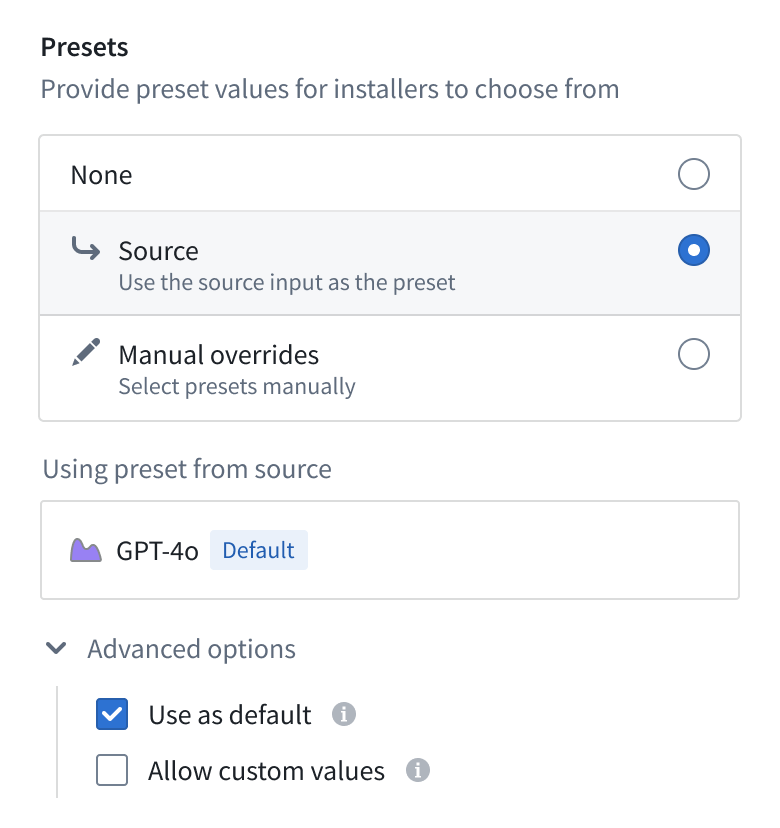
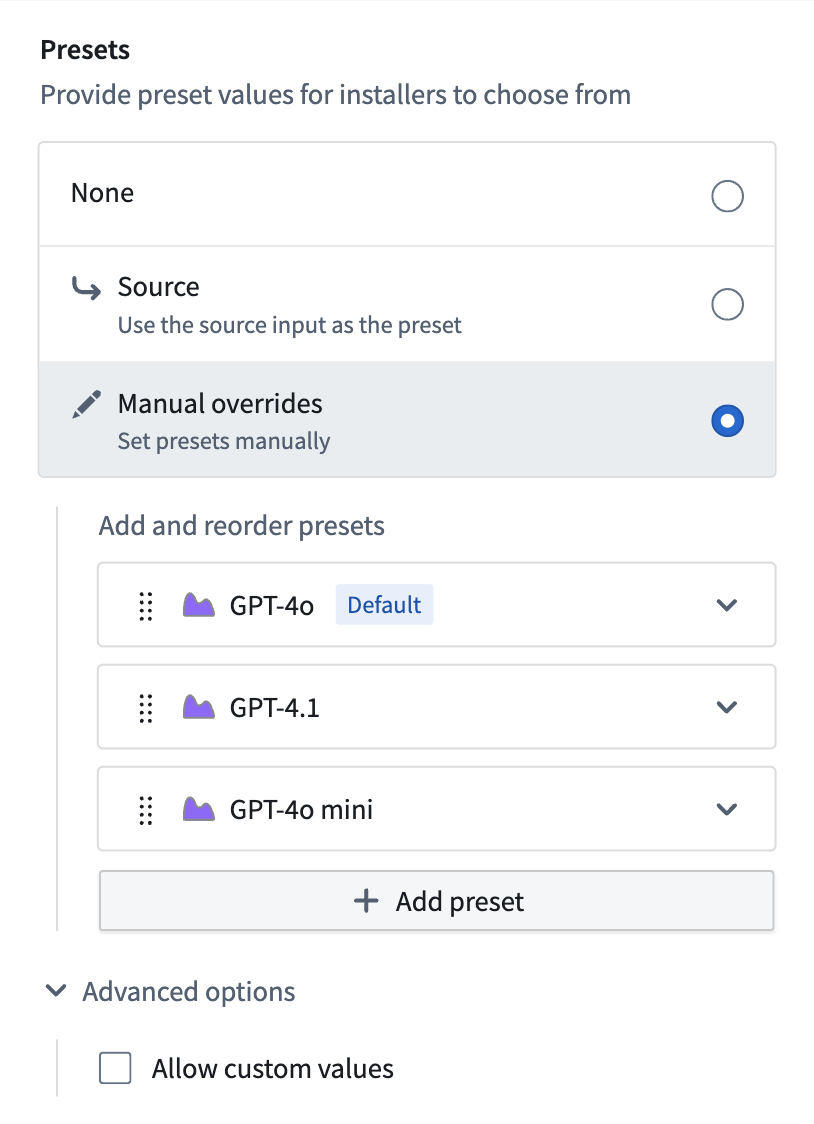
You can bulk set Source presets for inputs. To do this, select the inputs in the table and use the Set presets option in the page footer.
Installation using presets and defaults
Once set, installers will be directed towards using presets to populate inputs. Where configured, installers may provide their own input values.
Some preset types (for example, Ontology entities) use API-name based presets, which means they will be looked-up in the target installation location (space and ontology). Review Cross-environment compatibility for more details.
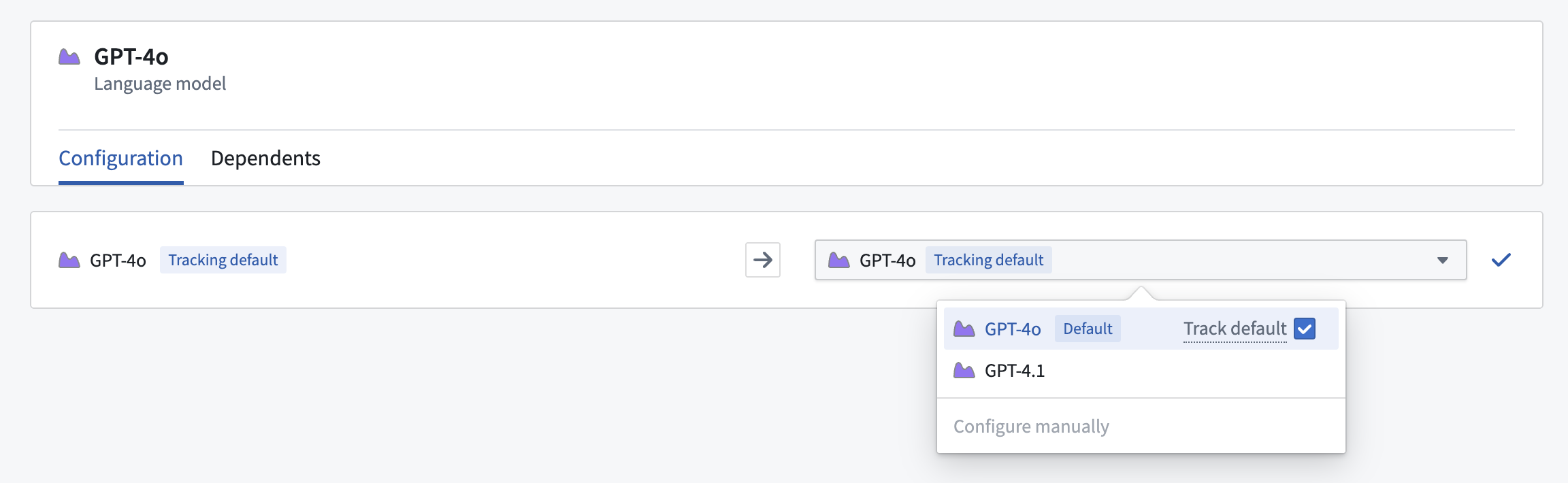
Installers may choose to Track default, which will automatically update the input if the default changes during upgrades to different product versions.
Cross-environment compatibility
Specific input types use locators (like API names) to ensure presets and defaults are functional across environments and enrollments. For example, object type presets use their API name, to find the corresponding object type in the target ontology during installation.
Where supported, this will be shown during the packaging process.
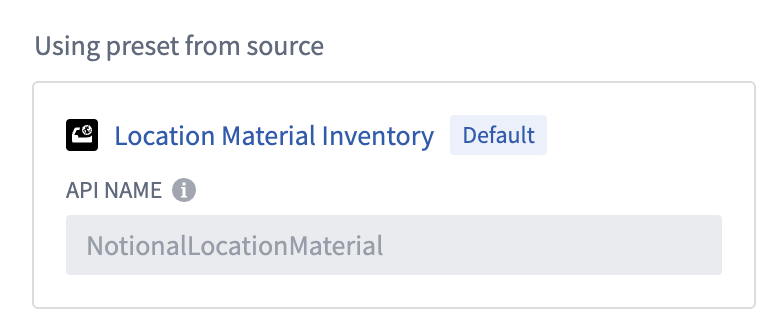
If the target installation environment does not have a resource satisfying the preset (for example, no object type with the required API name or no dataset with the required RID), then the preset will not be available for selection. If Allow custom values is checked for such an input, the installer can provide their own resource for the input and proceed with the installation. However if custom values are not allowed, the installer will not be able to install the product.
中文翻译
输入预设
为了加快安装配置速度并提高可靠性,您可以在产品输入中使用预设和默认值:
- 预设(Presets): 为输入定义一组允许的值。如果预设被设为必填,安装者必须从提供的选项中选择,不允许使用自定义值。
- 默认值(Defaults): 指定某个预设作为安装启动时输入的初始值。
这些功能有助于遵循最佳实践、减少错误并加快安装过程。在安装过程中,带有默认值的输入会自动映射,从而减少安装者的手动操作。
添加预设和默认值
打包产品时,在表格中选择一个输入。您可以从侧边栏设置预设和默认值。 从侧边栏中,您可以选择预设使用的方法。
- 无(None): 该输入不使用预设。
- 源(Source): 使用源实体所依赖的相同输入。如果该输入随时间变化,预设将自动更新。
- 覆盖(Overrides): 手动提供预设列表。
配置预设后,您可以选择性地指定哪个预设应作为默认值使用。
- 源(Source): 在高级设置(Advanced settings) 的用作默认值(Use as default) 选项下选择。
- 覆盖(Overrides): 悬停在您想要的默认值上。使用 ... 下拉菜单,将该覆盖值设为默认值。
您可以批量设置输入的源(Source) 预设。为此,在表格中选择输入,然后使用页面底部的设置预设(Set presets) 选项。
使用预设和默认值进行安装
设置完成后,安装者将被引导使用预设来填充输入。在已配置的情况下,安装者也可以提供自己的输入值。
某些预设类型(例如本体实体)使用基于API名称的预设,这意味着它们会在目标安装位置(空间和本体)中进行查找。更多详情请参阅跨环境兼容性。
安装者可以选择跟踪默认值(Track default),这样当升级到不同产品版本时,如果默认值发生变化,输入将自动更新。
跨环境兼容性
特定输入类型使用定位器(如API名称)来确保预设和默认值在不同环境和注册中都能正常工作。例如,对象类型预设使用其API名称,在安装过程中在目标本体中查找对应的对象类型。
在支持的情况下,打包过程中会显示相关信息。
如果目标安装环境中没有满足预设的资源(例如,没有所需API名称的对象类型,或没有所需RID的数据集),则该预设将无法选择。如果此类输入勾选了允许自定义值(Allow custom values),安装者可以提供自己的资源并继续安装。但如果不允许自定义值,安装者将无法安装该产品。