Manage store tags(管理商店标签(store tags))
Marketplace products can now be tagged to allow a smooth store-browsing experience and improve product discovery for installers. Tags are labels that can be applied to products and a Category is a collection tags. These can be used to filter products in the Marketplace store. For required permissions, refer to edit store tags permissions.
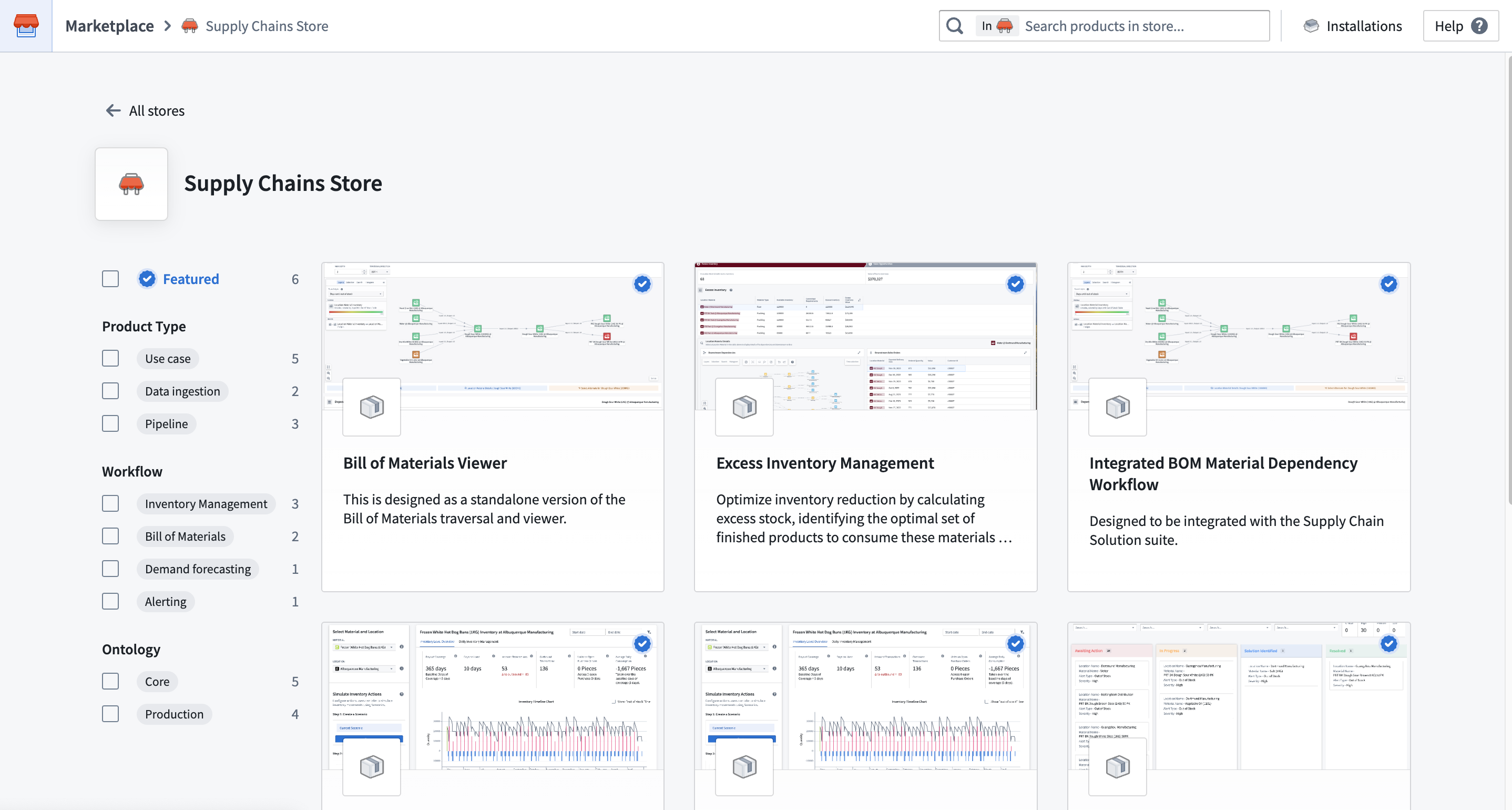
Configuring categories and tags on the store
Tags are defined on the store level and only exist within the given store. Tags are organized into categories. These can be configured via the Settings option located on the DevOps homepage.
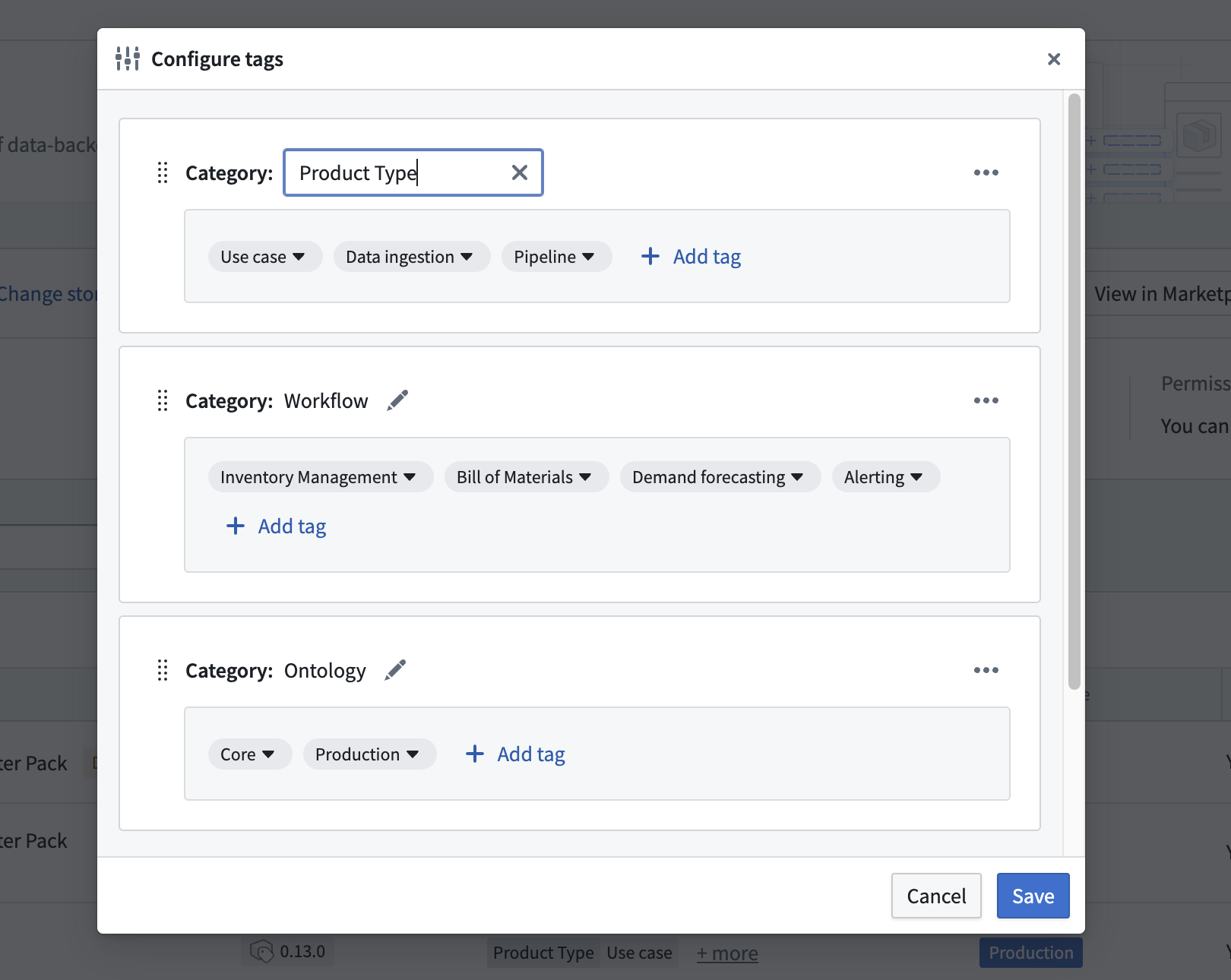
The names of categories and tags can be edited after being created, but there cannot be duplicate category names within a store, or duplicate tag names within a category. Categories and tags can only be permanently deleted, which also deletes any relevant tags from products it has been applied to. Once deleted, categories and tags cannot be restored, and tags will need to be re-created and re-added to products. Categories can be re-ordered here to control the ordering of the categories filters in the Marketplace Store.
Applying tags on products
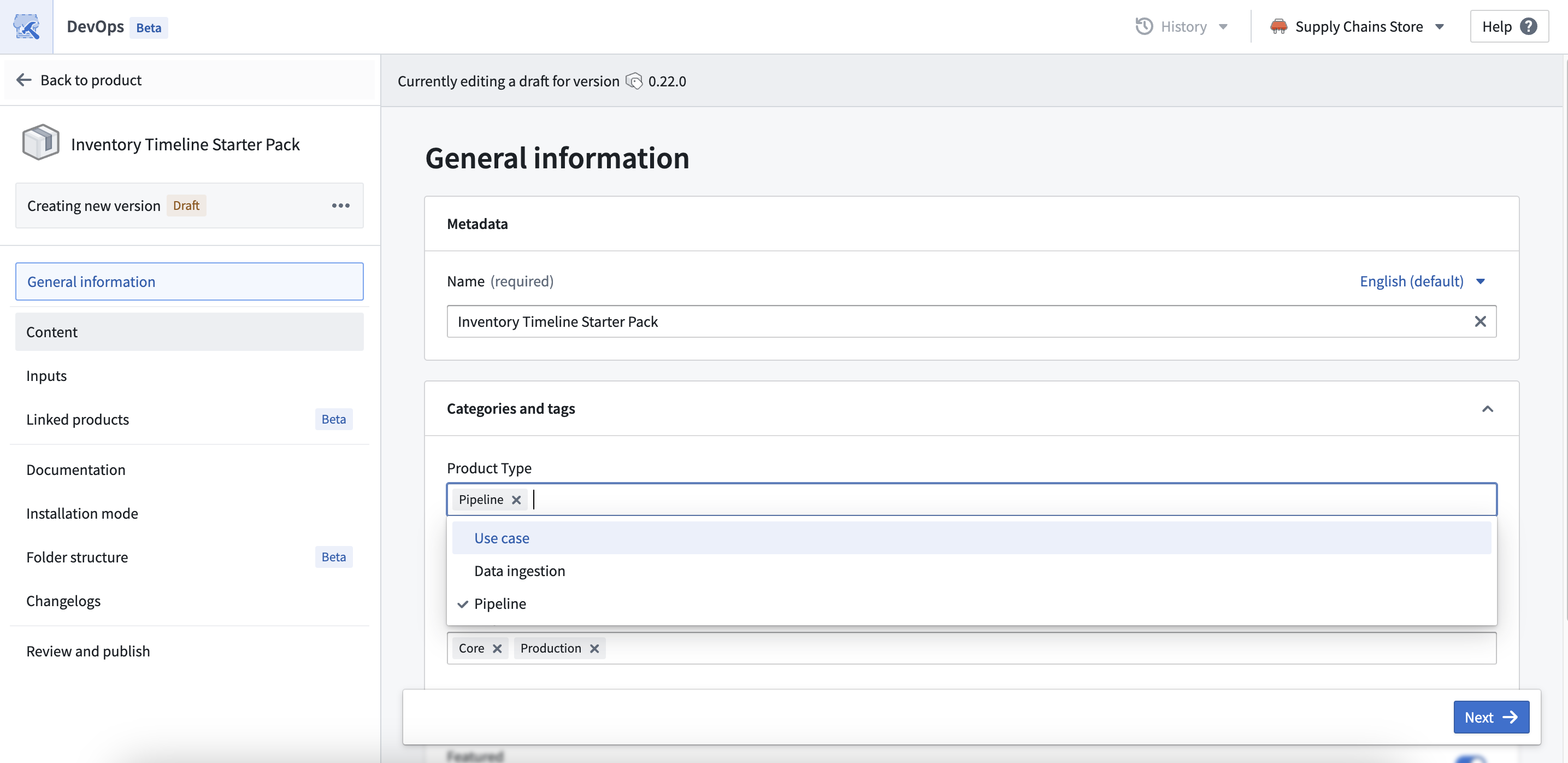
Once tags have been defined on the store, they can then be applied to the relevant products. To apply tags, you have to create and publish a new version of the product.
中文翻译
管理商店标签(store tags)
Marketplace 产品现在可以添加标签,以提供流畅的商店浏览体验,并帮助安装人员更轻松地发现产品。标签(Tags) 是应用于产品的标记,而类别(Category) 则是标签的集合。这些标签和类别可用于在 Marketplace 商店 中筛选产品。有关所需权限,请参阅 编辑商店标签权限。
在商店中配置类别和标签
标签在商店级别定义,并且仅存在于特定商店中。标签按类别组织。可以通过 DevOps 主页上的 设置(Settings) 选项进行配置。
类别和标签的名称在创建后可以编辑,但一个商店内不能有重复的类别名称,一个类别内也不能有重复的标签名称。类别和标签只能永久删除,删除后也会从已应用这些标签的产品中移除相关标签。一旦删除,类别和标签无法恢复,标签需要重新创建并重新添加到产品中。在此处可以重新排列类别顺序,以控制 Marketplace 商店中类别筛选器的显示顺序。
在产品上应用标签
在商店中定义标签后,即可将其应用于相关产品。要应用标签,您需要创建并发布产品的新版本。