Package multiple products(打包多个产品)
In Foundry DevOps, a draft can contain multiple products that are packaged at the same time. When a draft contains multiple products, DevOps guarantees that linked products are calculated in the correct dependency order, eliminating the need to manually sequence packaging.
Create a draft with multiple products
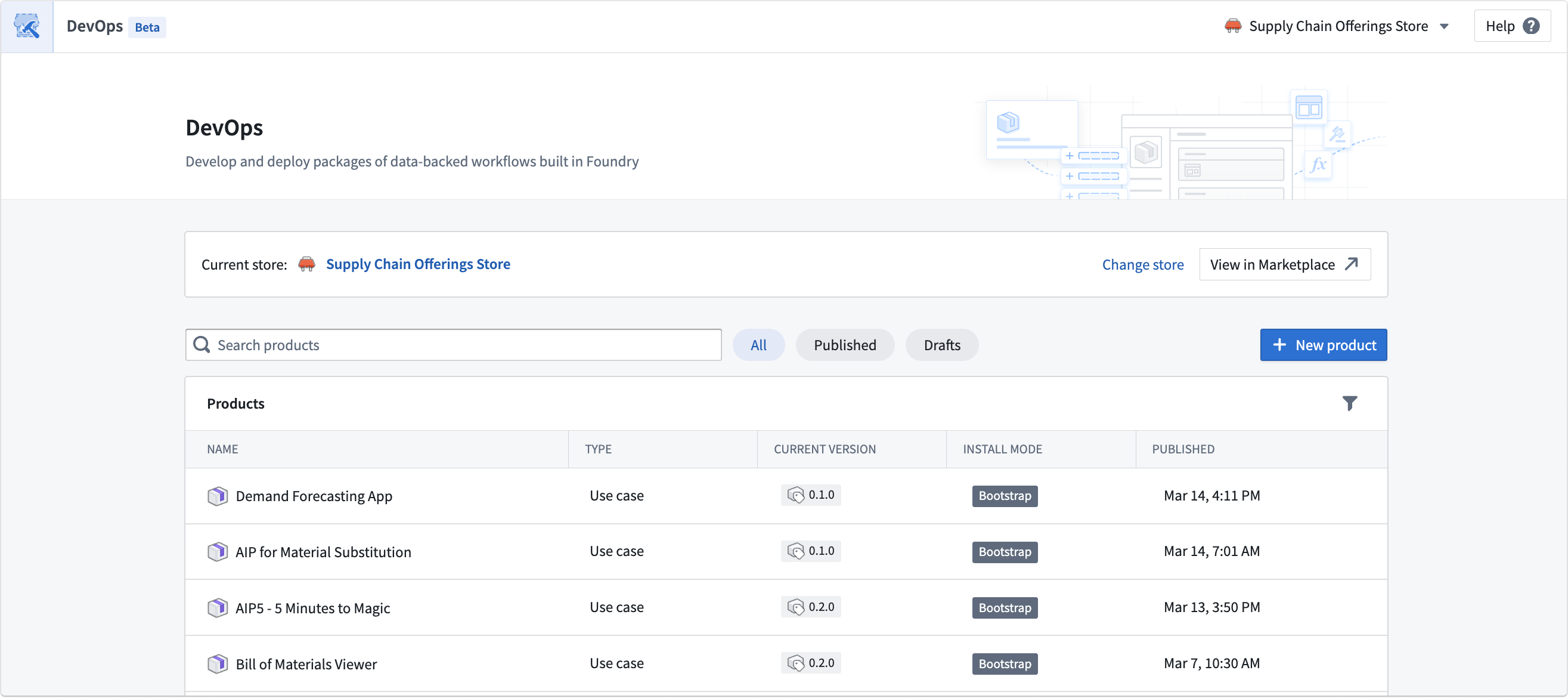
To begin, navigate to your store and select Create new group.
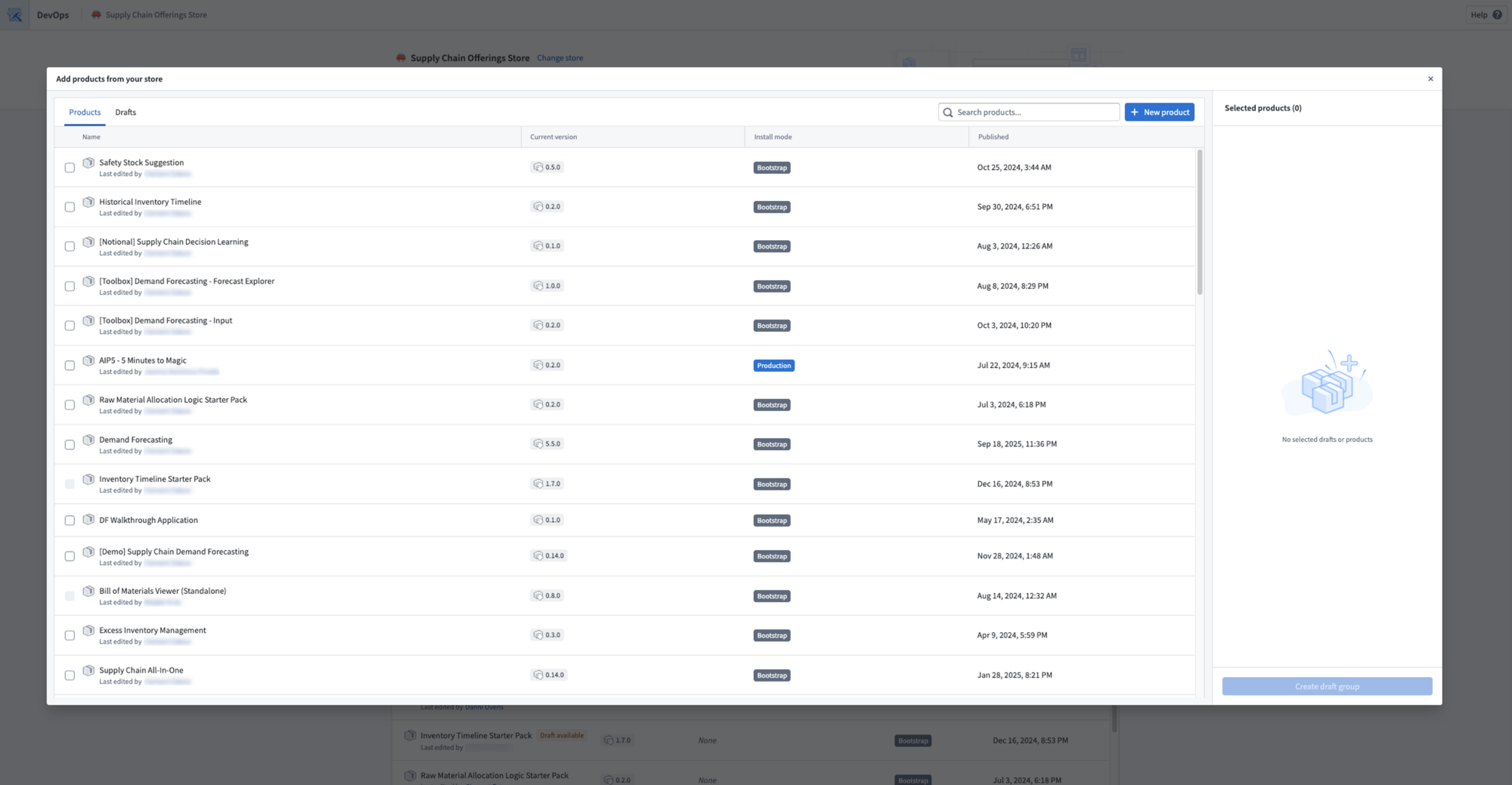
Select existing products that require a new version, or create new products. You can also move existing drafts from other groups into the new draft group.
Each product in the draft can be configured independently with its own outputs, inputs, and settings. Refer to Create a product for more details.
Linked products graph
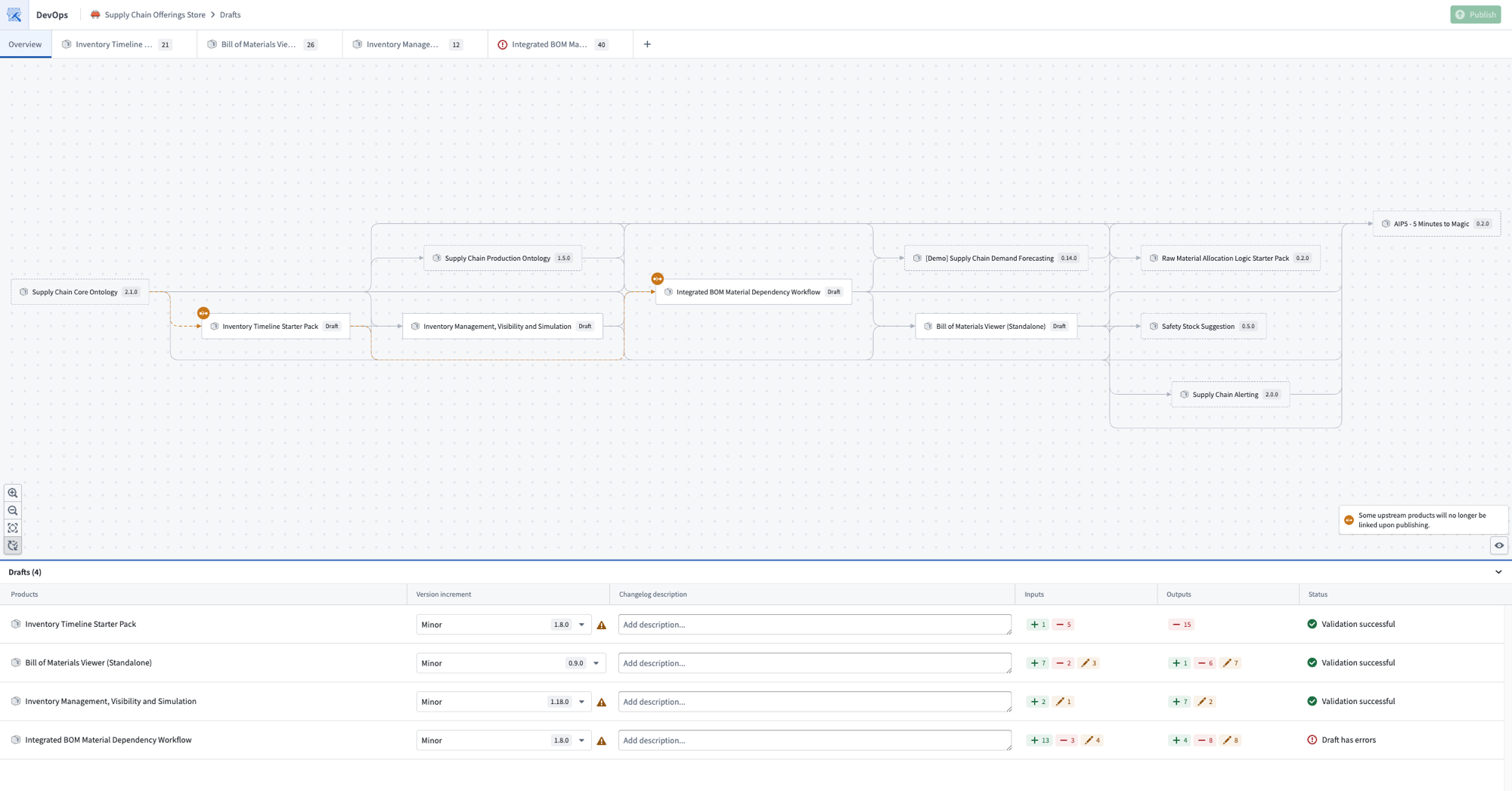
The Overview page of a draft displays a graph of the products in the current draft alongside their upstream and downstream linked product dependencies.
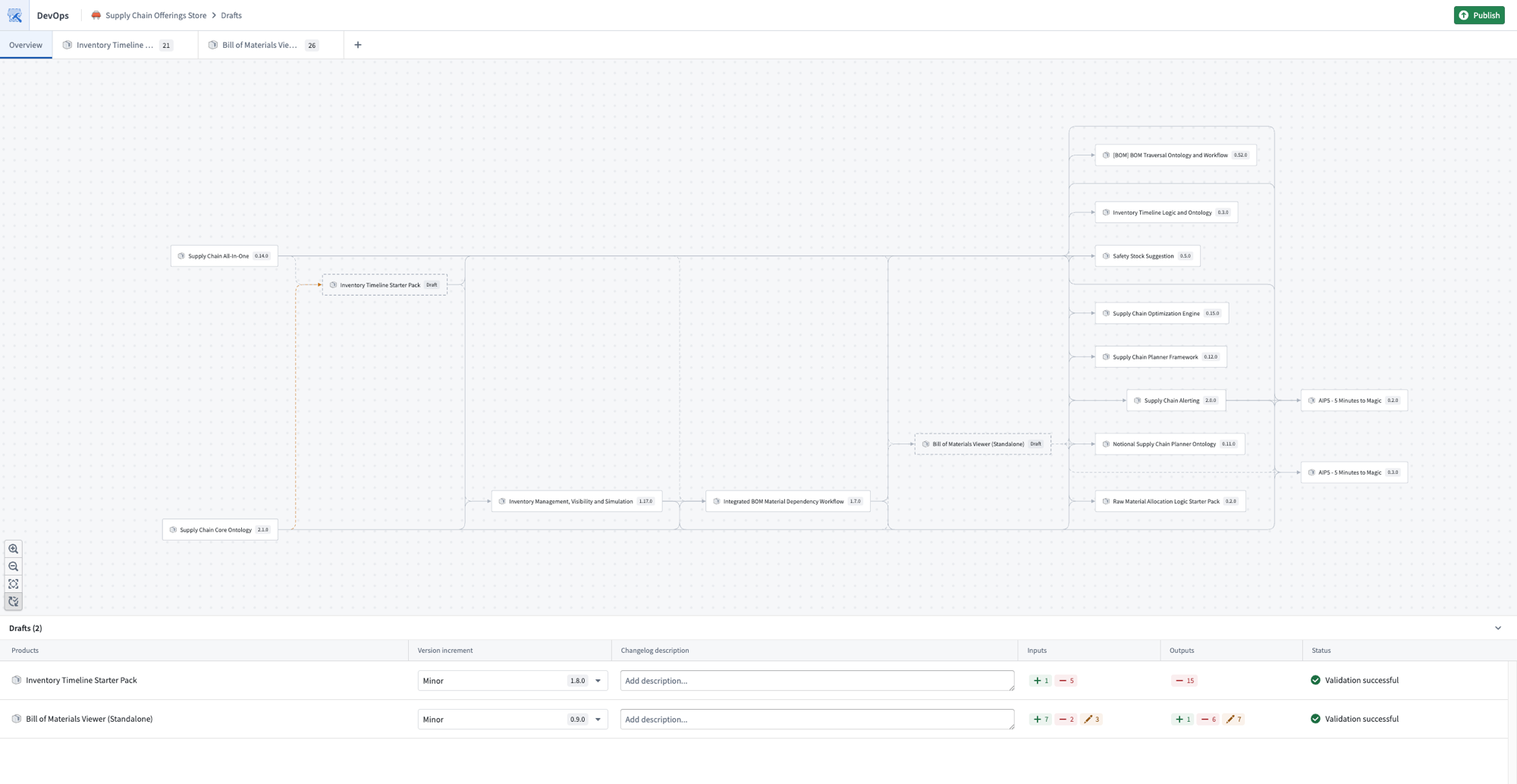
When a draft contains multiple products, DevOps automatically resolves dependencies between them. Linked products are packaged in the correct order so that upstream products are processed before downstream products that depend on them. This eliminates the need to manually determine and sequence packaging to resolve cross-product dependencies.
You can also use the graph as an entry point to add or remove products from the current draft.
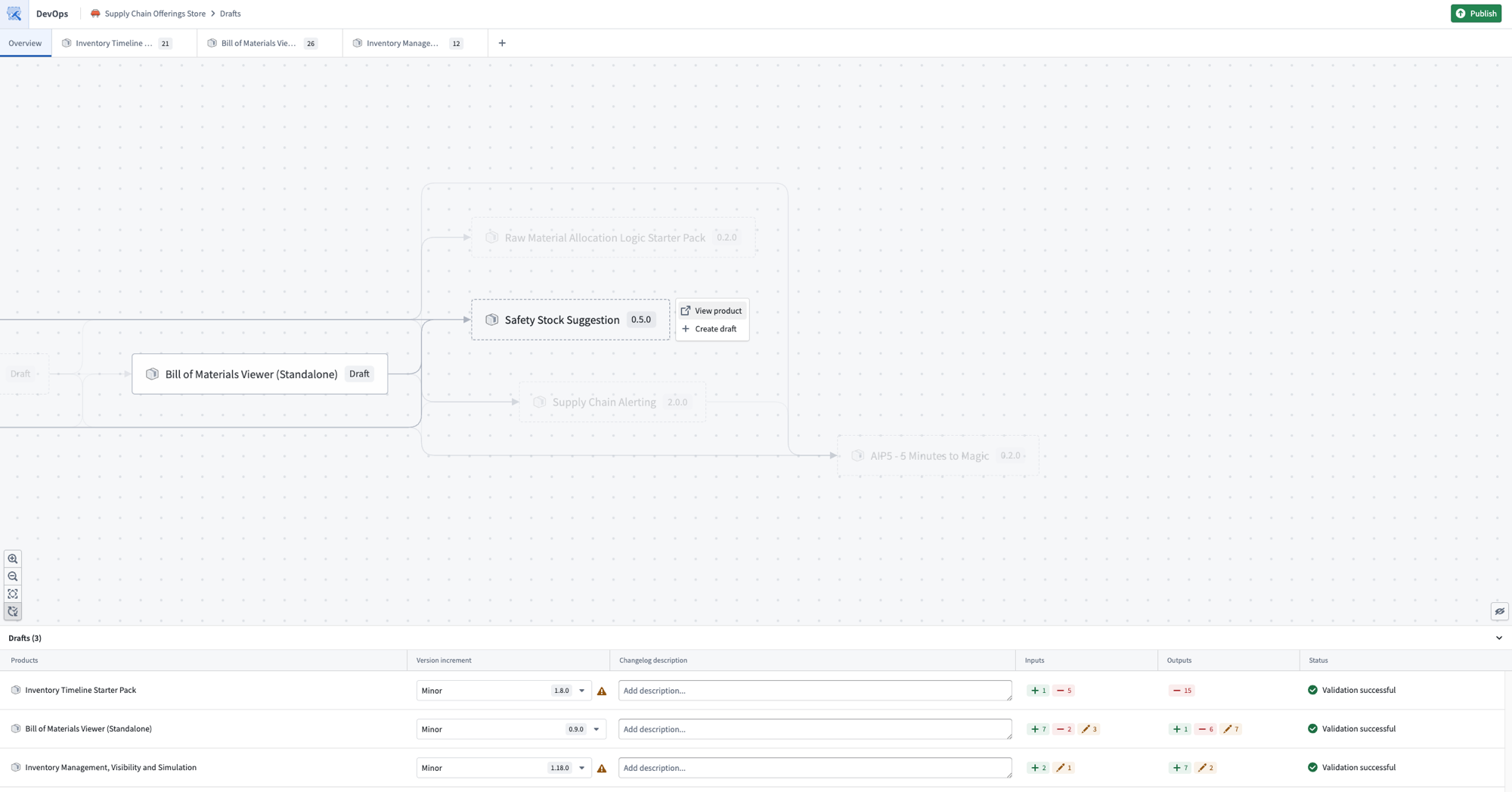
The graph also displays warnings when linked product relationships are broken. These can often be resolved by adding the affected product to the current draft and resolving any missing inputs or outputs.
Move input to output of another draft
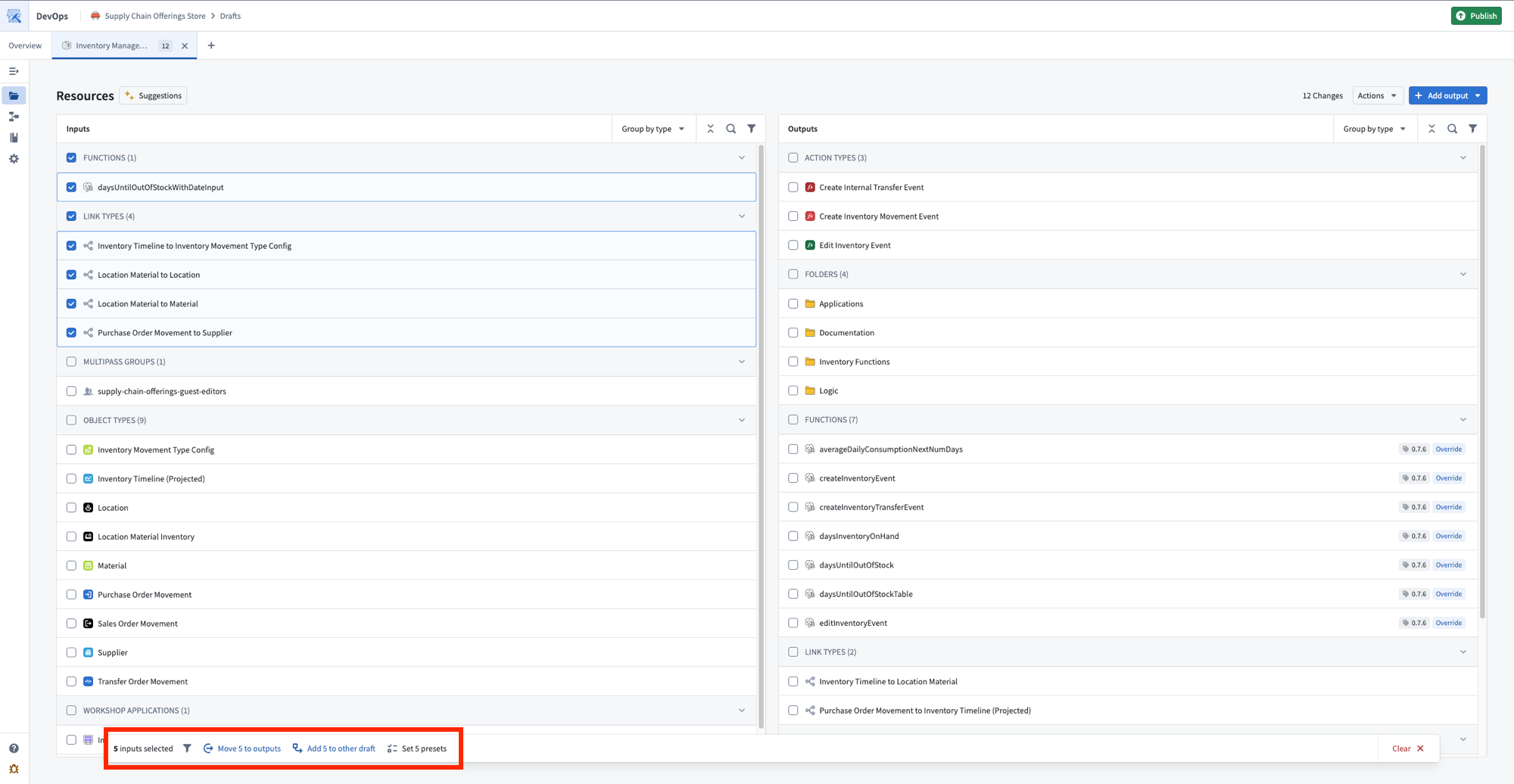
It is possible to move the inputs of one draft to another draft within the draft group. This is helpful if you want the inputs of one product to be fulfilled by the outputs of an upstream linked product. Select one or more inputs and choose Add {N} to other draft from the toolbar at the bottom of your screen.
Publish
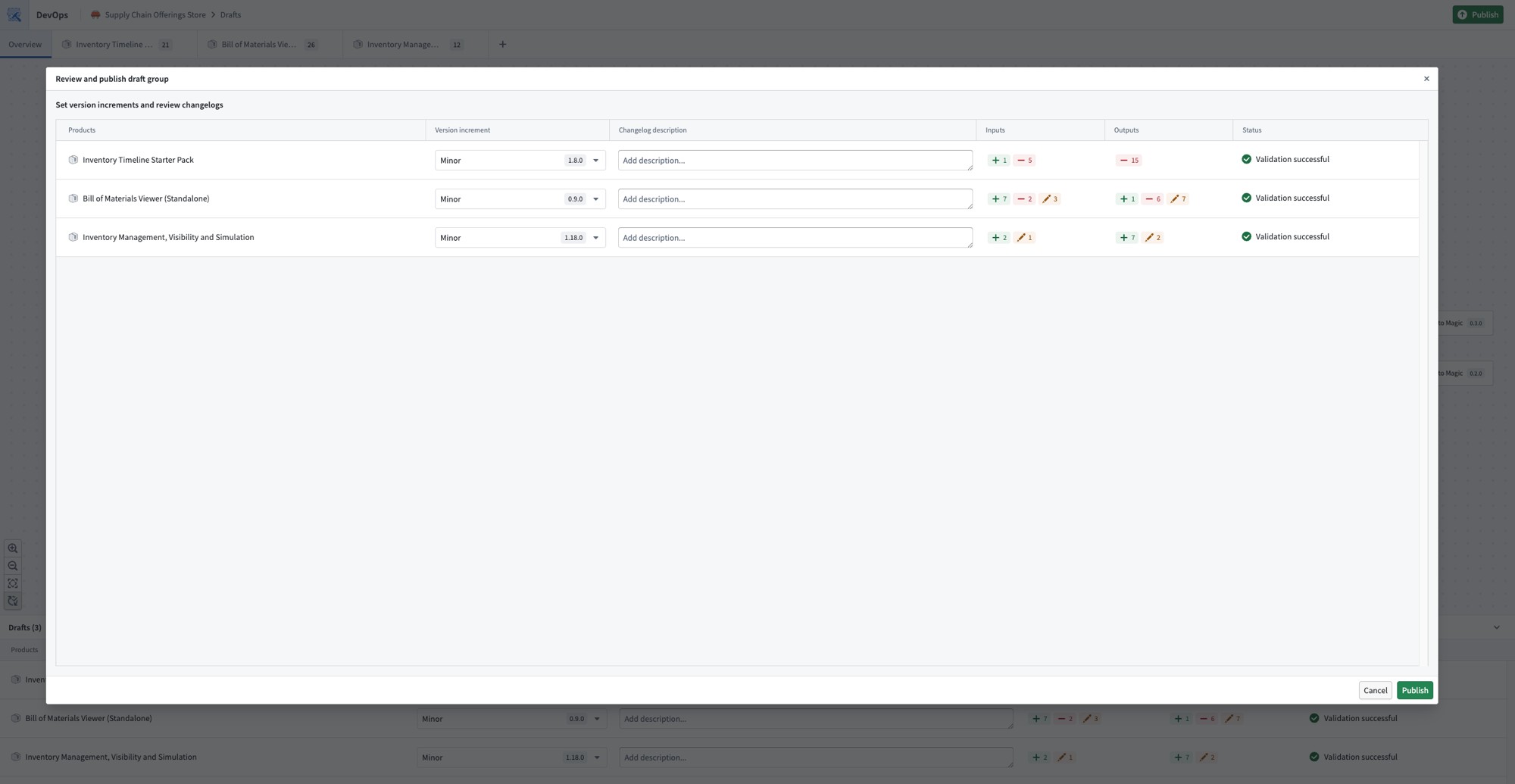
Once you are satisfied with the products in your draft, select Publish. DevOps publishes the products in dependency order, ensuring that linked products are available before any products that depend on them.
中文翻译
打包多个产品
在 Foundry DevOps 中,一个草稿(draft)可以包含多个同时打包的产品。当草稿包含多个产品时,DevOps 会确保关联产品(linked products)按照正确的依赖顺序进行计算,无需手动编排打包顺序。
创建包含多个产品的草稿
首先,导航至您的商店并选择 创建新分组(Create new group)。
选择需要新版本的现有产品,或创建新产品。您也可以将其他分组的现有草稿移至新的草稿分组。
草稿中的每个产品都可以独立配置其输出、输入和设置。更多详情请参阅创建产品(Create a product)。
关联产品关系图
草稿的 概览(Overview) 页面会显示当前草稿中产品的依赖关系图,以及其上游和下游的关联产品依赖关系。
当草稿包含多个产品时,DevOps 会自动解析它们之间的依赖关系。关联产品会按正确顺序打包,确保上游产品在其依赖的下游产品之前处理。这消除了手动确定和编排打包顺序以解决跨产品依赖关系的需求。
您还可以将关系图作为入口点,向当前草稿添加或移除产品。
当关联产品关系中断时,关系图还会显示警告。通常可以通过将受影响的产品添加到当前草稿并解决缺失的输入或输出来解决这些问题。
将输入移至另一个草稿的输出
可以将一个草稿的输入移至草稿分组内的另一个草稿。如果您希望某个产品的输入由上游关联产品的输出来满足,这将非常有用。选择一个或多个输入,然后从屏幕底部的工具栏中选择 将 {N} 添加到其他草稿(Add {N} to other draft)。
发布
当您对草稿中的产品满意后,选择 发布(Publish)。DevOps 会按依赖顺序发布产品,确保关联产品在其依赖的产品之前可用。