Transforms type hints(Transforms 类型提示(Type Hints))
The Palantir extension for Visual Studio Code includes a linter to ensure the correct usage of transform parameter types in your Python code. This linter suggests code actions to add or update transform parameter type hints, ensuring that the Python language server provides accurate code completions.
Usage
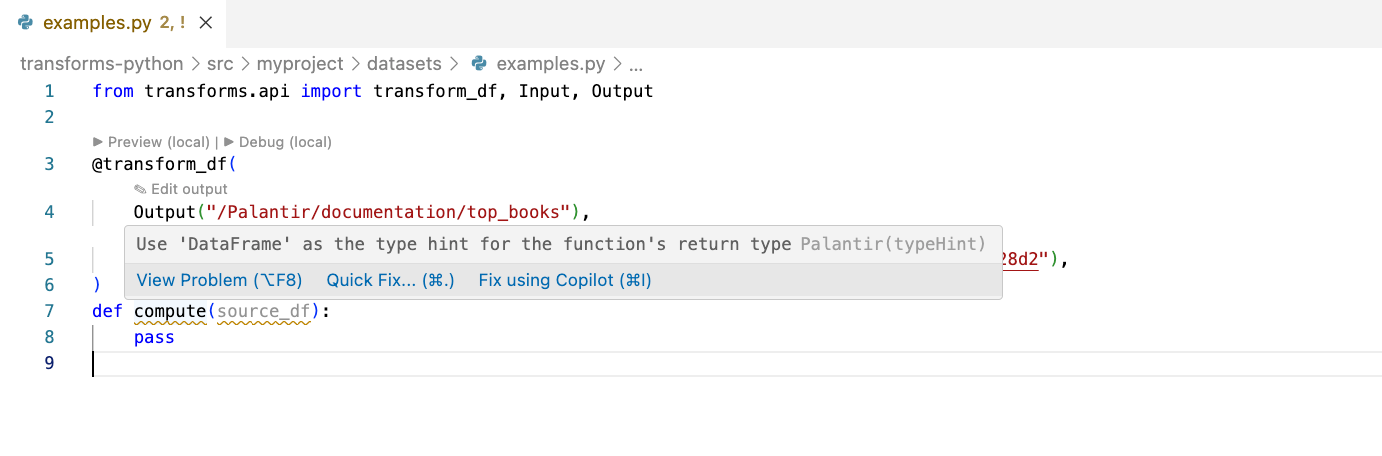
The linter displays warnings for missing or incorrect type hints:
You can fix the warnings by selecting Quick Fix and choosing one of the suggested code actions:
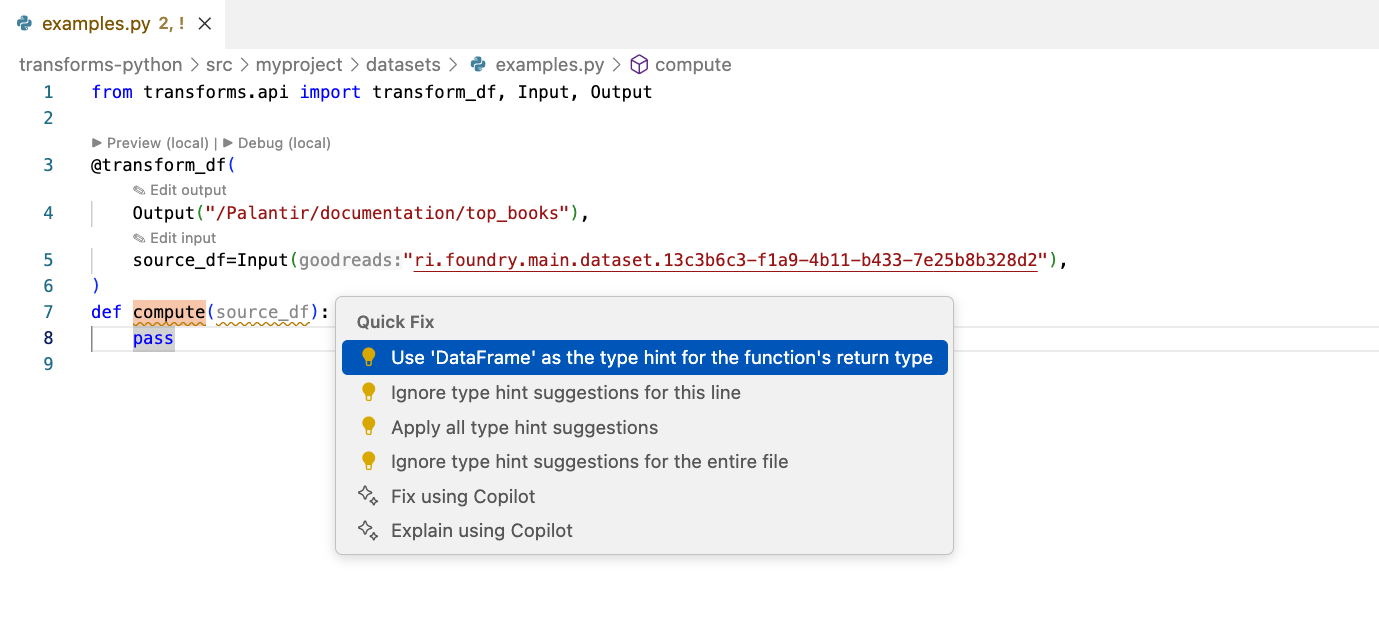
The linter automatically inserts the required import statements and adds the correct type hints to the function parameters.
Disable type hints
You can disable type hint suggestions globally in the settings, or use inline comments to instruct the linter to skip specific lines or files.
Disable type hints in settings
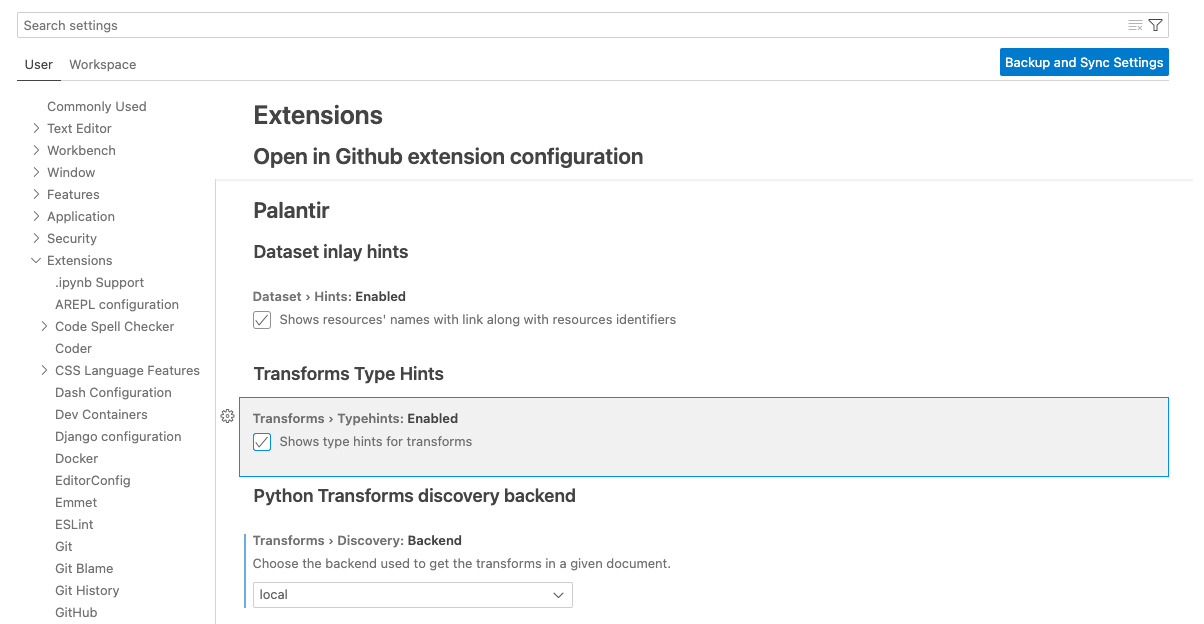
To disable type hints, go to Settings > Extensions > Palantir > Transforms > Language Server > Diagnostics, and uncheck the box. This is equivalent to adding "palantir.transforms.languageServer.diagnostics.enabled": false to your settings.json file.
Disable type hints with inline comments
You can disable type hint suggestions inline by using special comments. The linter supports the following comments:
| Comment | Behavior |
|---|---|
# palantir: ignore |
Ignores all type hints if placed at the beginning of the file; ignores type hints for the specific line if placed elsewhere |
# palantir: ignore-next-line |
Ignores type hints in the next line |
# type: ignore |
Ignores all type hints if placed at the beginning of the file; ignores type hints for the specific line if placed elsewhere |
# noqa |
Ignores type hints in the same line |
中文翻译
Transforms 类型提示(Type Hints)
Palantir 为 Visual Studio Code 提供的扩展中包含一个 linter(代码检查工具),用于确保 Python 代码中转换参数类型的正确使用。该 linter 会建议代码操作来添加或更新转换参数的类型提示,从而确保 Python 语言服务器能够提供准确的代码补全功能。
使用方法
当类型提示缺失或不正确时,linter 会显示警告信息:
您可以通过选择 快速修复(Quick Fix) 并选择建议的代码操作来修复这些警告:
linter 会自动插入所需的 import 语句,并为函数参数添加正确的类型提示。
禁用类型提示
您可以在设置中全局禁用类型提示建议,或使用行内注释指示 linter 跳过特定行或文件。
在设置中禁用类型提示
要禁用类型提示,请前往 设置(Settings)> 扩展(Extensions)> Palantir > Transforms > Language Server > Diagnostics,然后取消勾选该复选框。这相当于在您的 settings.json 文件中添加 "palantir.transforms.languageServer.diagnostics.enabled": false。
使用行内注释禁用类型提示
您可以通过使用特殊注释来行内禁用类型提示建议。linter 支持以下注释:
| 注释 | 行为 |
|---|---|
# palantir: ignore |
如果放在文件开头,则忽略所有类型提示;如果放在其他位置,则忽略该行的类型提示 |
# palantir: ignore-next-line |
忽略下一行的类型提示 |
# type: ignore |
如果放在文件开头,则忽略所有类型提示;如果放在其他位置,则忽略该行的类型提示 |
# noqa |
忽略同一行的类型提示 |