Resource Types in Upgrade Assistant(升级助手(Upgrade Assistant)中的资源类型)
Compass resources
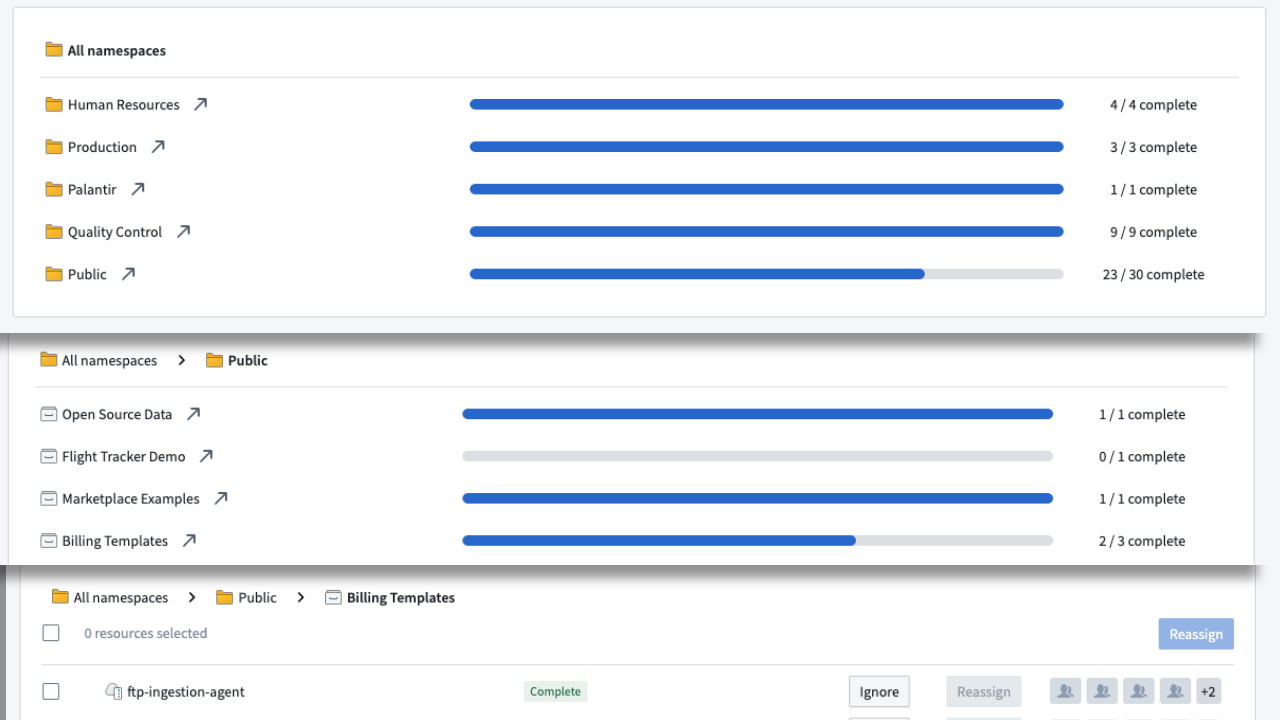
Compass resources can be datasets, code repositories, data connection sources and agents, or any other resource usually accessible through Compass. These resources are displayed in a hierarchical view, first displaying the space, then the Project, then a list of resources.
Enrollment resources
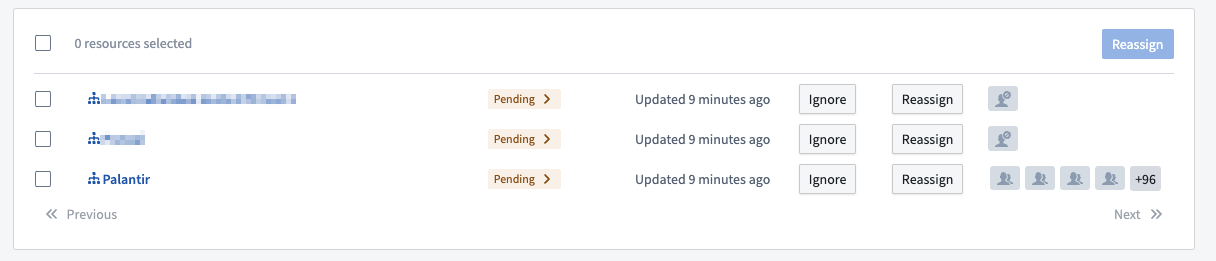
Enrollments are displayed with a specific  icon.
icon.
Enrollment resources are never updated automatically and must be manually marked as resolved by a Maintenance Operator.
The Pending > label has an arrow indicating that enrollments need to be manually marked as compliant.
Other resources
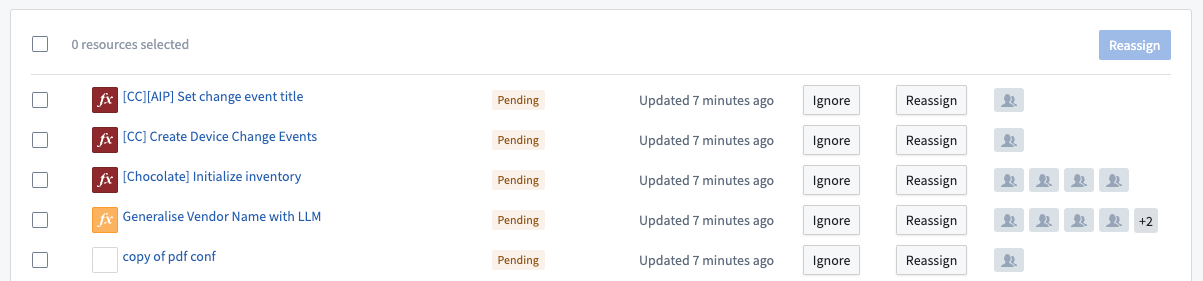
Other resources are displayed in a list. Depending on the specific resource type, we may display additional information such as the name of the resource, the type of the resource, the Project it belongs to, and so on.
中文翻译
升级助手(Upgrade Assistant)中的资源类型
Compass资源(Compass resources)
Compass资源可以是数据集、代码仓库、数据连接源和代理,或任何其他通常可通过Compass访问的资源。这些资源以层级视图展示,首先显示空间(space),然后是项目(Project),最后是资源列表。
注册资源(Enrollment resources)
注册(Enrollment)资源以特定的 图标显示。
注册资源永远不会自动更新,必须由维护操作员(Maintenance Operator)手动标记为已解决。
待处理(Pending) > 标签带有一个箭头,表示注册需要手动标记为合规。
其他资源(Other resources)
其他资源以列表形式显示。根据具体的资源类型,我们可能会显示额外信息,例如资源名称、资源类型、所属项目(Project)等。