Linter(Linter(代码检查工具))
The Linter application checks the state of Foundry for anti-patterns and suggests ways to move resources to a better state. You can use these recommendations to reduce cost, and increase pipeline stability and resilience.
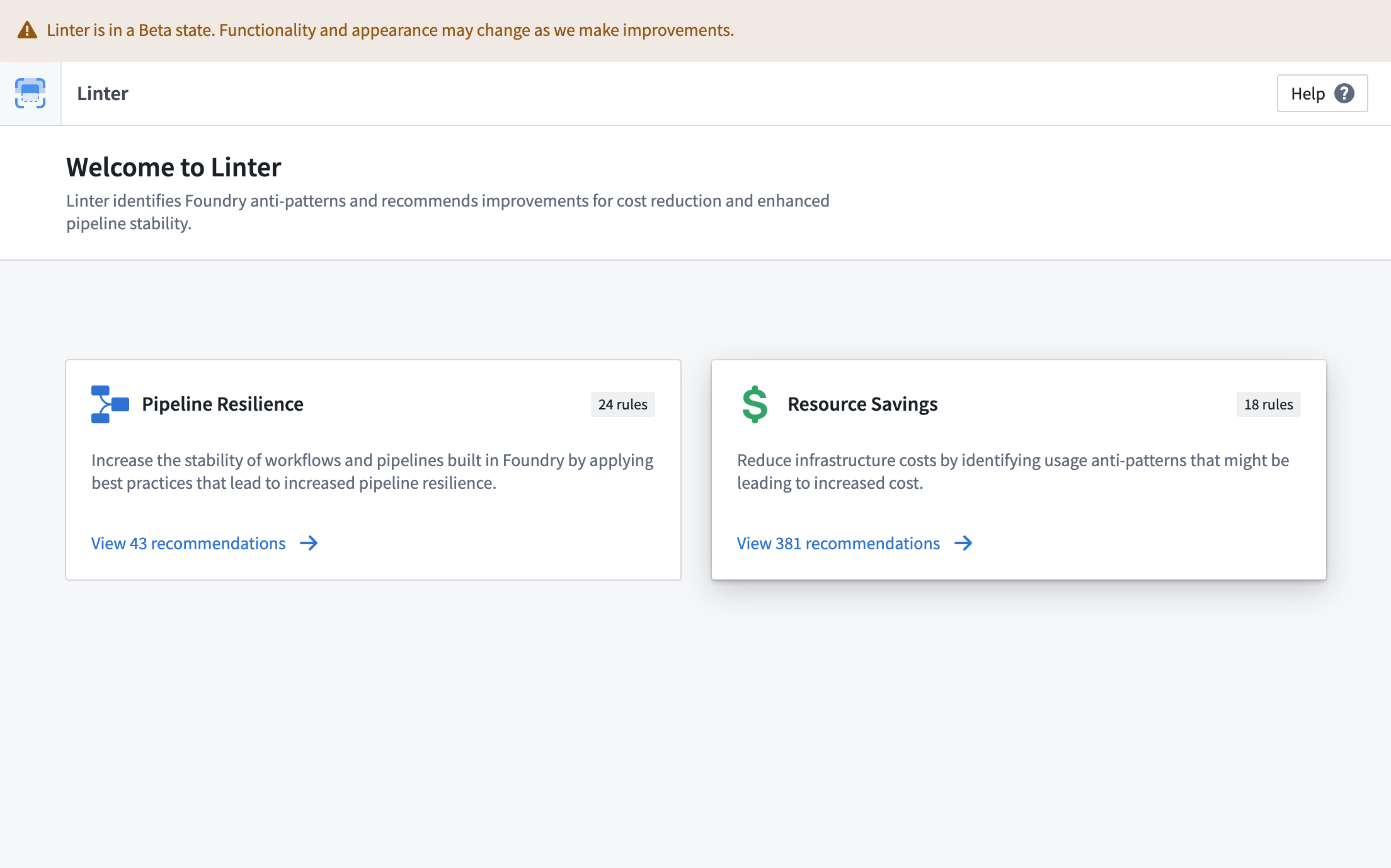
With Linter, you can better understand the wide range of capabilities that Foundry has to offer while monitoring any platform updates that could benefit your use case objectives.
The state of any Foundry enrollment changes over time: more data is added, applications are built, and user actions are performed. As Foundry offerings grow and evolve, Linter recognizes time, cost, and resource-saving recommendations to ensure the delivery method for your use case output is optimized towards your goals. For example, if an optional upgrade or migration may produce a benefit (such a readability, cost, or maintainability), Linter could recommend the upgrade based on the rule criteria you set.
Linter performs a regularly-occurring sweep to gather a reactive analysis of the state of Foundry. The sweep identifies a list of resources that match predefined rules and produces a list of recommendations based on the results of the sweep. The recommendations are sorted by estimates of the impact they could make across your Foundry enrollment. Because Foundry capabilities are frequently changing, the results of a Linter sweep are dynamic and will change from day to day.
Consider a use case that requires a valuable prototype as soon as possible. You may first choose to optimize your output for speed to deliver something quickly. Later, as the project goes into production and gains users, you may want to optimize for other objectives, including reliability, data latency, or cost. By optimizing Linter towards specific recommendation modes based on your use case objectives and configuring rules to run across your enrollment, you can ensure that your use case is always working towards the desired output.
Glossary
Below are terms that will help you navigate Linter.
-
Resource scope: A set of Foundry resources that will be swept by Linter according to a sweep schedule. Resource scopes are defined by spaces, and rules are run against resources in a space.
-
Rule scope: A set of rules that will be run against the resources in scope.
-
Sweep schedule: A configuration for Linter that defines the resource scope and the rule scope. Sweep schedules must belong to a space, which is their default resource scope.
-
Sweep: A single run of a sweep schedule. Sweeps run based on an environment-wide schedule. They store basic metadata about the sweep, such as the sweep status, queue start and end times, and any errors that may have caused the sweep to fail.
-
Rule: A set of pre-defined logic that is evaluated against the resource scope to produce a set of recommendations. Rules change and evolve over time as the products and capabilities in Foundry change. Rules can be grouped together in pre-defined rule presets such as the
PIPELINE_COST_RULESpreset. -
Recommendation: A suggestion associated with a specific rule, resource, and project. Recommendations provide a description that defines the recommendation, what resources are affected, and how to apply the recommendation.
-
Fix Proposal: A proposal created by Linter for implementing a recommendation. Fix proposals do not make changes to underlying resources, so they are safe to create and can be accepted and applied by a user. An example of a fix proposal is a pull request for a profile change that can be merged after user approval.
The following documentation includes a description of the modes in which Linter operates, the pre-defined rules that determine Linter recommendations, and instructions for modifying the operation of the analysis.
To start using Linter, go to <your-Foundry-enrollment-URL>/workspace/linter/ or search for the Linter application. You may need an enrollment administrator to first enable the application in the Application access section of Control Panel.
中文翻译
Linter(代码检查工具)
Linter 应用会检查 Foundry 平台状态,识别反模式(anti-patterns)并提出将资源优化至更佳状态的建议。您可利用这些建议降低成本,提升流水线稳定性与弹性。
借助 Linter,您可以更全面地了解 Foundry 提供的广泛功能,同时监控可能有助于实现用例目标的平台更新。
任何 Foundry 注册环境的状态都会随时间变化:数据不断新增、应用持续构建、用户操作频繁执行。随着 Foundry 产品功能的增长与演进,Linter 会识别出节省时间、成本和资源的建议,确保您的用例输出交付方式始终朝着目标优化。例如,若某项可选升级或迁移可能带来收益(如可读性、成本或可维护性提升),Linter 将根据您设定的规则标准推荐该升级。
Linter 会定期执行扫描,对 Foundry 状态进行响应式分析。扫描会识别符合预设规则的资源列表,并根据扫描结果生成建议清单。这些建议会按其对整个 Foundry 注册环境可能产生的影响程度进行排序。由于 Foundry 功能频繁更新,Linter 的扫描结果具有动态性,每日可能发生变化。
假设某个用例需要尽快产出有价值的原型。您最初可能优先优化交付速度以快速产出成果。后续当项目进入生产环境并积累用户后,您可能希望针对可靠性、数据延迟或成本等其他目标进行优化。通过根据用例目标将 Linter 优化至特定的建议模式,并配置规则在注册环境中运行,您可以确保用例始终朝着预期输出方向推进。
术语表
以下术语将帮助您理解 Linter 的操作逻辑:
-
资源范围(Resource scope): 根据扫描计划由 Linter 扫描的一组 Foundry 资源。资源范围通过空间定义,规则将针对空间内的资源执行。
-
规则范围(Rule scope): 针对范围内资源执行的一组规则。
-
扫描计划(Sweep schedule): Linter 的配置项,用于定义资源范围与规则范围。扫描计划必须归属于某个空间,该空间即为其默认资源范围。
-
扫描(Sweep): 扫描计划的单次执行。扫描基于环境级计划运行,会存储扫描状态、队列起止时间、可能导致扫描失败的错误等基本元数据。
-
规则(Rule): 一组预定义逻辑,针对资源范围进行评估后生成建议。随着 Foundry 产品与功能的变更,规则会持续更新演进。规则可组合为预定义的规则预设,例如
PIPELINE_COST_RULES预设。 -
建议(Recommendation): 与特定规则、资源和项目关联的优化建议。建议包含定义说明、受影响的资源以及实施方法。
-
修复方案(Fix Proposal): Linter 为实施建议而创建的方案。修复方案不会修改底层资源,因此可安全创建,并由用户批准后应用。例如,针对配置文件变更的拉取请求(pull request)即是一种修复方案,用户批准后可合并。
以下文档包含 Linter 运行的模式说明、决定 Linter 建议的预定义规则,以及修改分析操作的指南。
要开始使用 Linter,请访问 <your-Foundry-enrollment-URL>/workspace/linter/ 或搜索 Linter 应用。您可能需要注册环境管理员先在控制面板的 Application access 部分启用该应用。