Global Branching application(全局分支管理应用)
The Global Branching application enables you to maintain your organization's branches. You can use the Global Branching application as a centralized hub for your branches and proposals, allowing you to create new branches, view branches and proposals, and approve and merge proposals.
Homepage
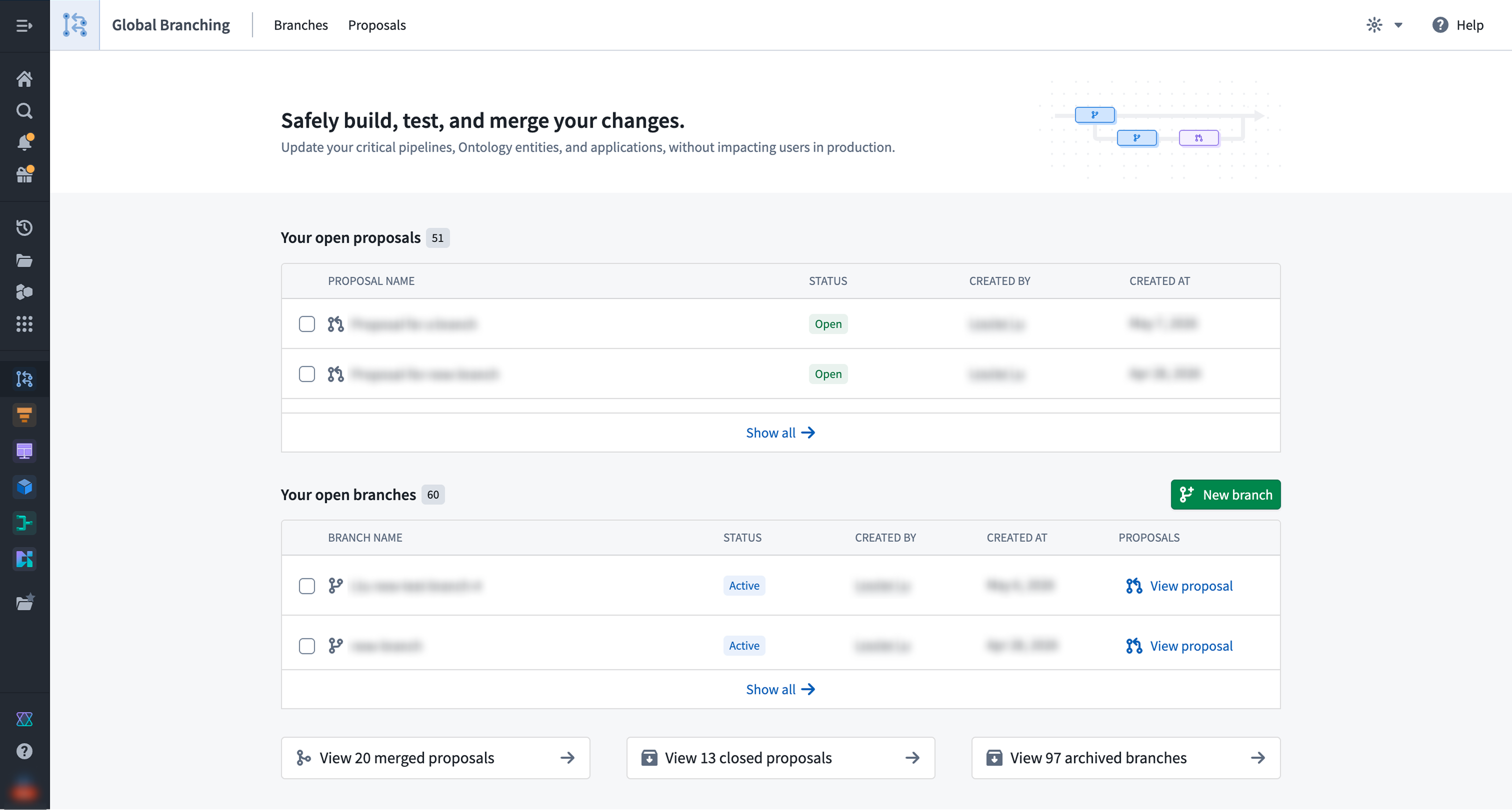
The homepage provides you with an overview of your proposals and branches.
Under the Your open proposals section, you can view and access your active proposals. Proposals serve as a mechanism for reviewing and approving changes made in a branch.
Under the Your open branches section, you can view and access your open branches. Branches are a separate environment where you can experiment and test ideas without affecting main. From this section, you can create a proposal, archive an existing branch, or create a new global branch. Note that archiving a branch with an open proposal will also close that proposal.
:::callout{theme="neutral"} Open branches include both active and inactive branches. :::
At the bottom of the page, you have access to shortcuts that navigate to your merged proposals, closed proposals, or archived branches. Selecting one brings you to the relevant tab.
Branches
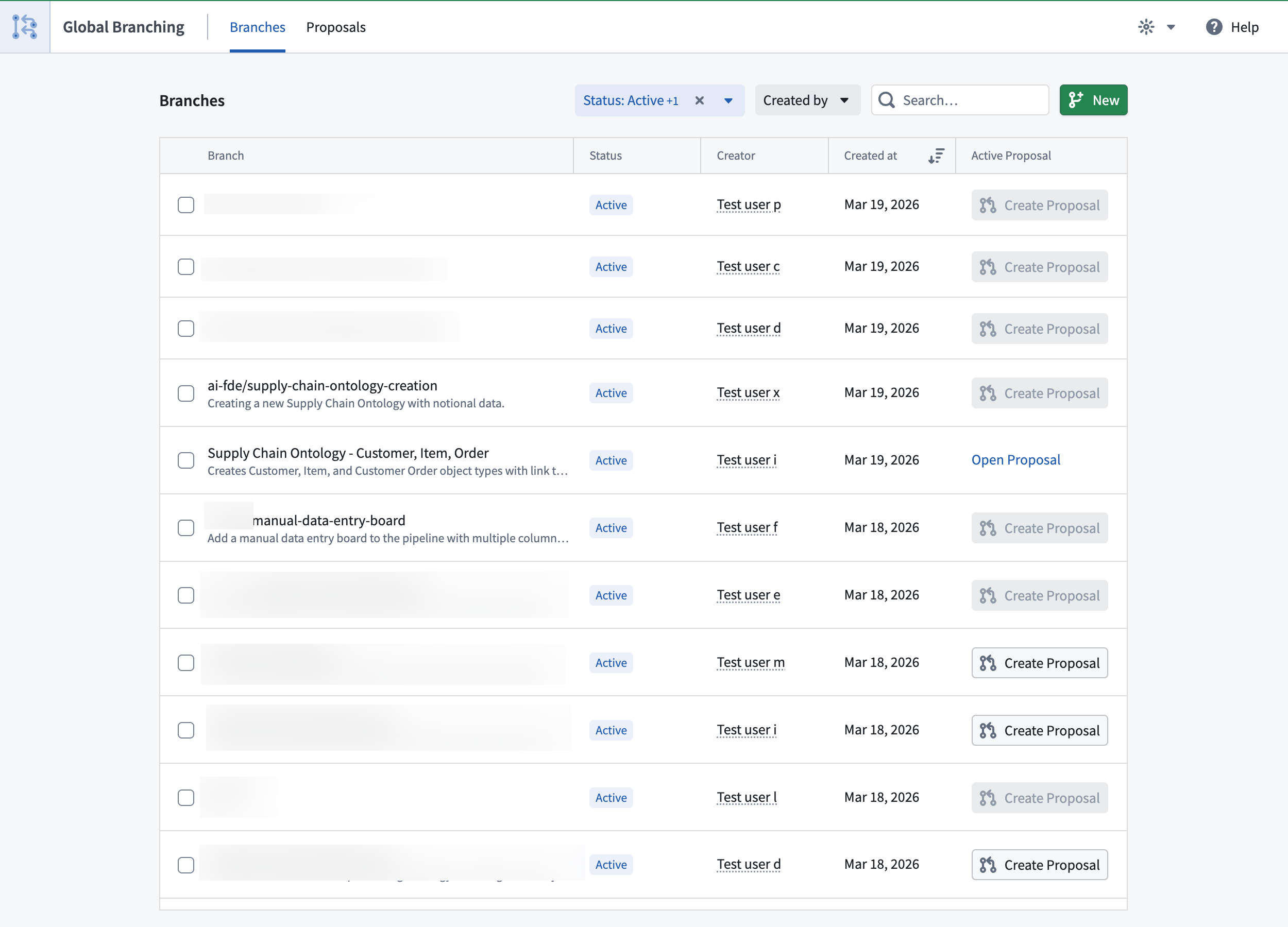
The Branches tab lets you view all branches that you have access to, and lists their name, status, creator, and creation date. You may also navigate to a proposal associated with a branch, or create a proposal for a branch directly from this list.
You can take the following actions:
- New: Create a new branch.
- Archive: Archive an open branch. This will close any open proposals.
- Filter: Filter branches by Status and Creator, and use the search bar to find branches by their names.
To navigate to a specific branch page with more detailed information, select its corresponding row.
Branch page
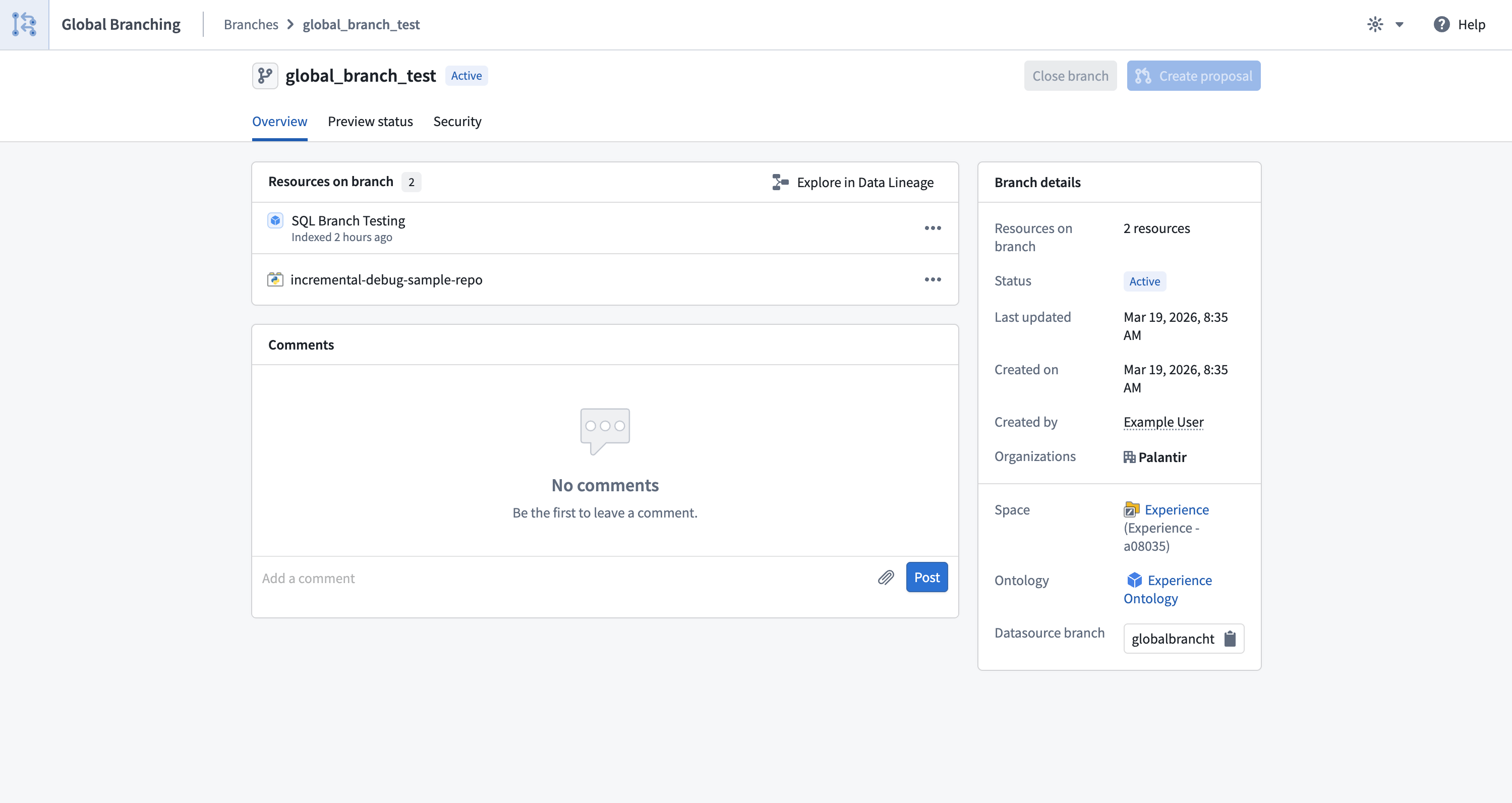
The branch Overview tab offers consolidated information about a branch and allows you to create a proposal or navigate to the associated existing proposal. Details include:
- The branch's name and current status.
- The resources that have undergone modifications.
- High-level information about the branch, including the last time the branch was updated, branch creation date, branch creator, selected space, organizations, and ontology.
- A comments section.
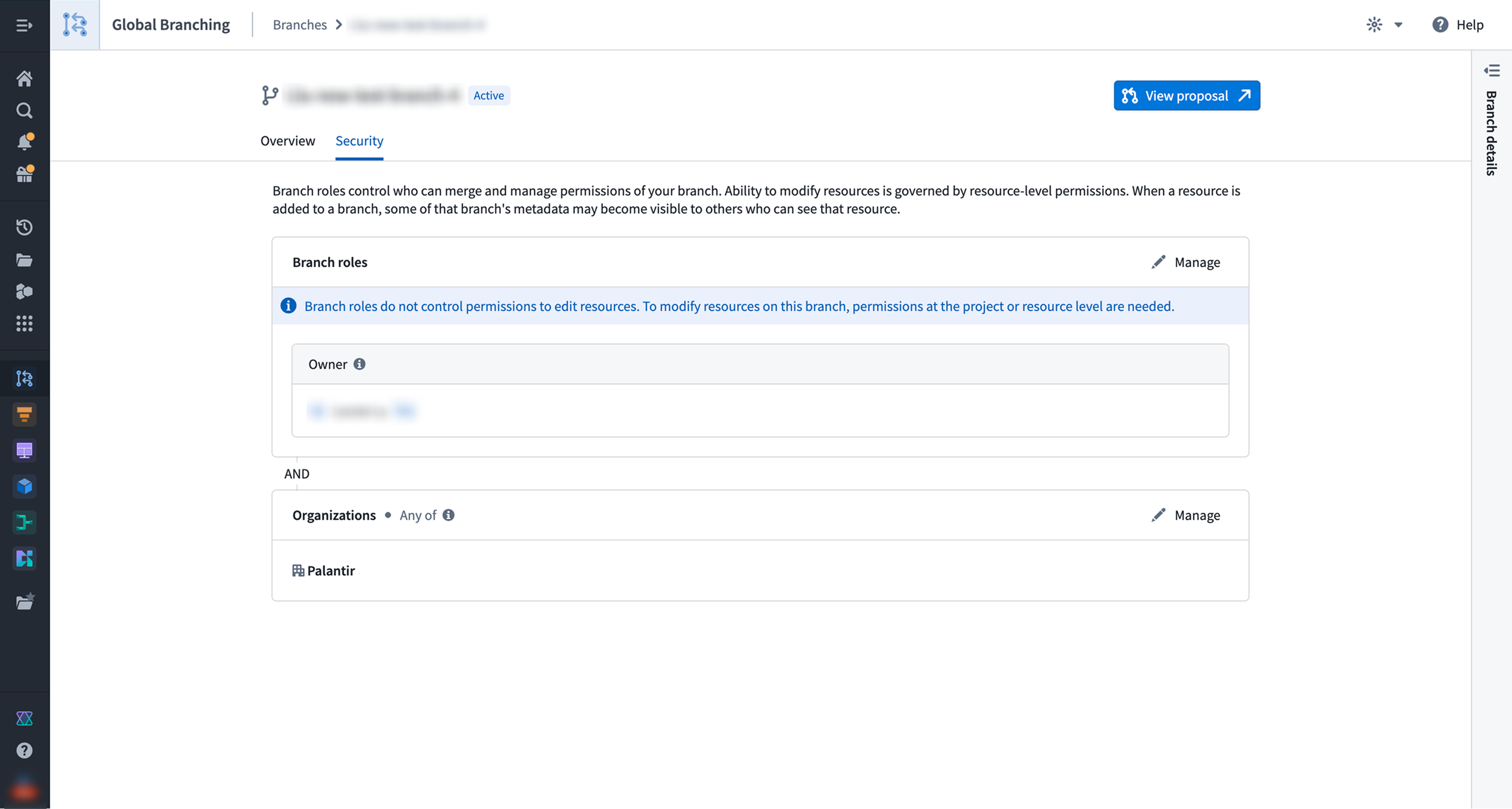
The branch Security tab allows branch owners and space administrators to manage role assignments. Refer to branch security for more information.
Proposals
The Proposals tab lets you view proposals that you have permission to access and lists their name, status, creator, and creation date.
You can take the following actions:
- Filter: Filter proposals by Status and Creator, and use the search bar to find proposals by their names.
- Close: Close a proposal by selecting the checkbox located to the left of the proposal.
To navigate to a specific proposal page with more detailed information, select its corresponding row.
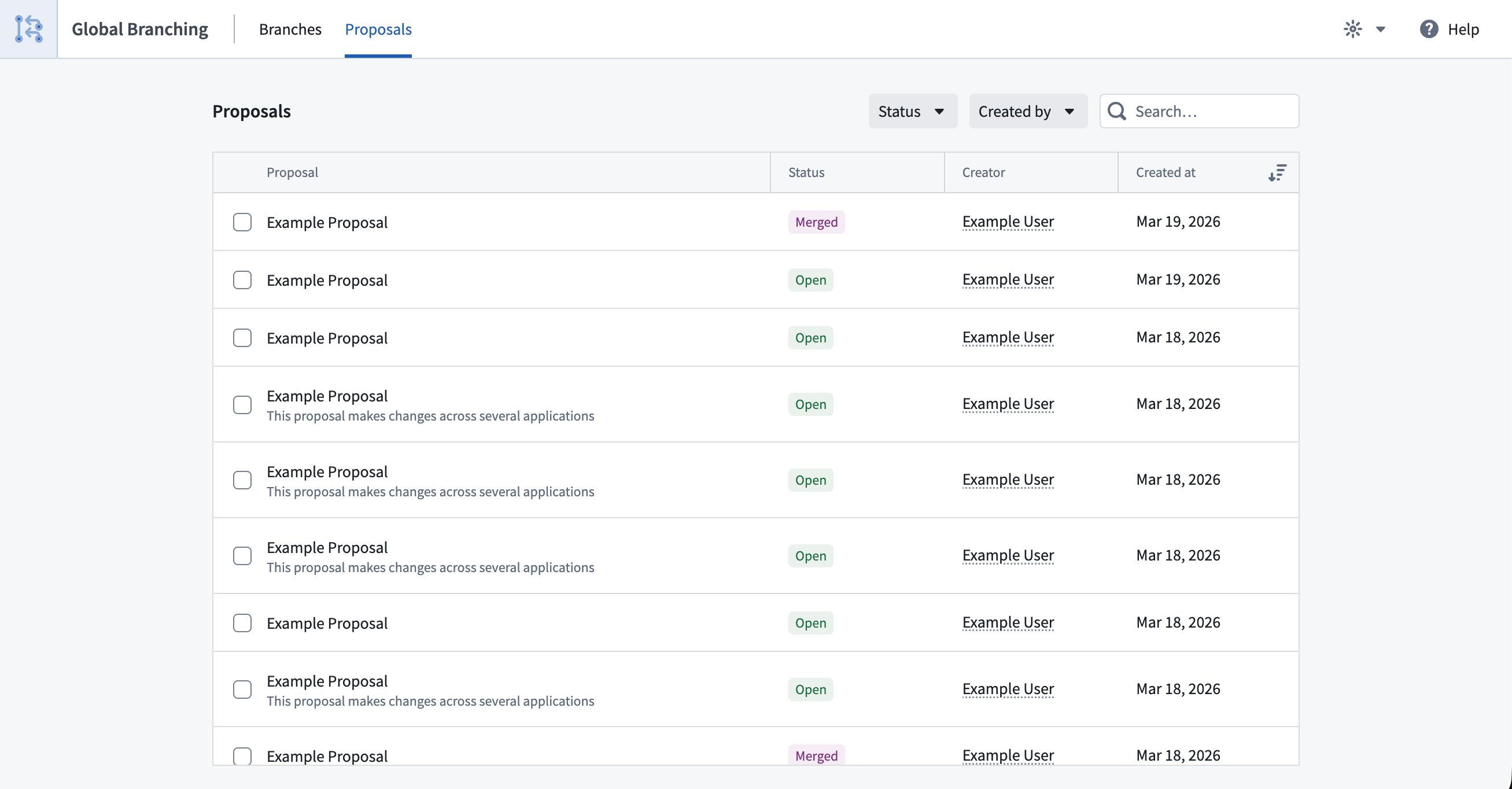
Selecting a proposal will provide detailed information about that proposal.
Proposal page
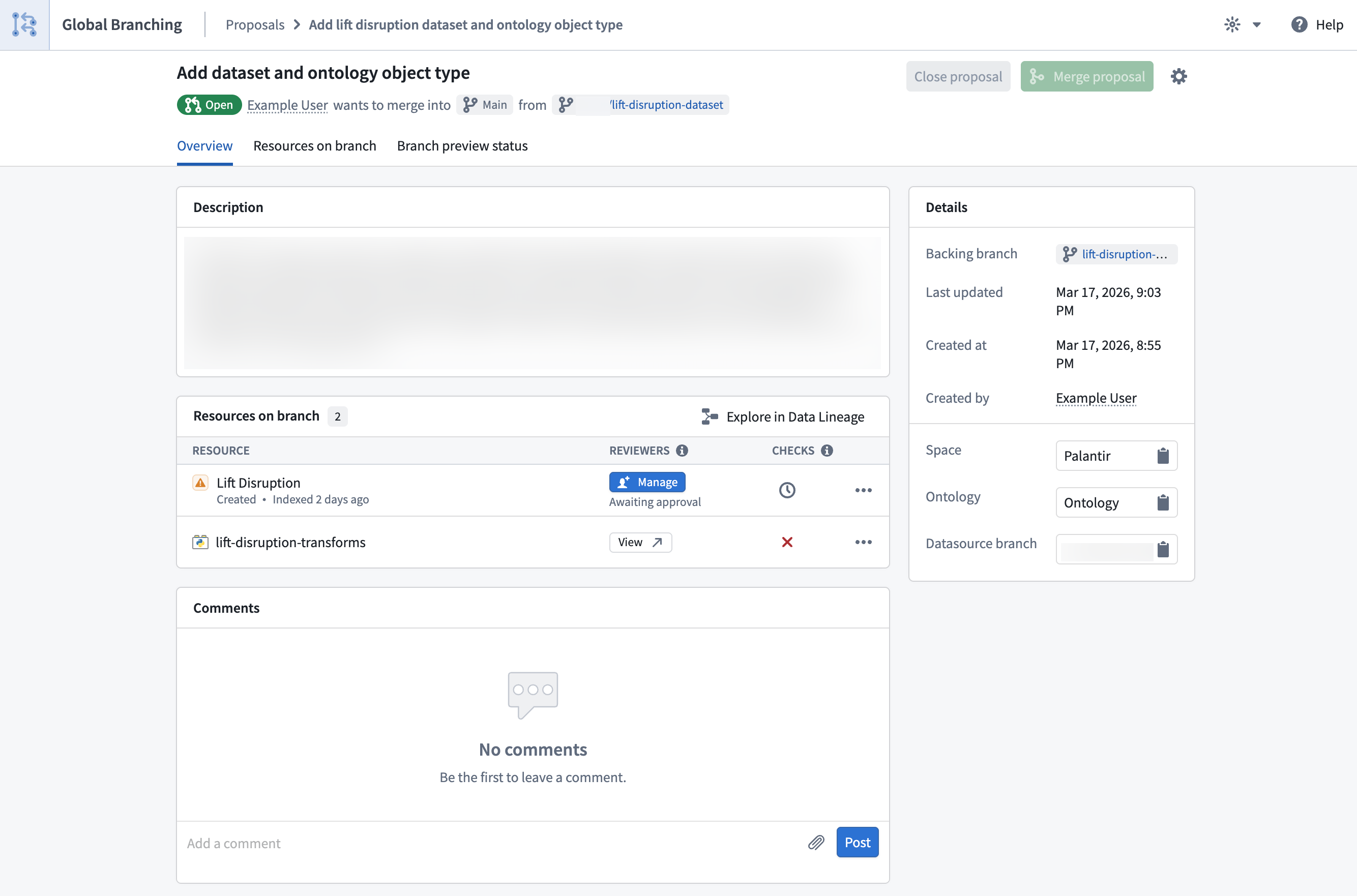
The proposal Overview tab consolidates information about your proposal and allows you to track its status throughout the entire development process, from editing and testing to reviewing and merging. The central section of the Overview tab is a list of resources modified on the corresponding branch. For each resource in the list:
- Manage reviewers according to the resource's approval policies. Refer to adding reviewers to proposals and resource protection and approval policies for more information.
- Navigate to the resource's review experience.
- View check statuses and resolve any failing checks. Review checks for a better understanding of this feature.
- View the more options menu (
...) for additional actions such as removing the resource from the branch.
You can also open your modified resources in Workflow Lineage and Data Lineage.
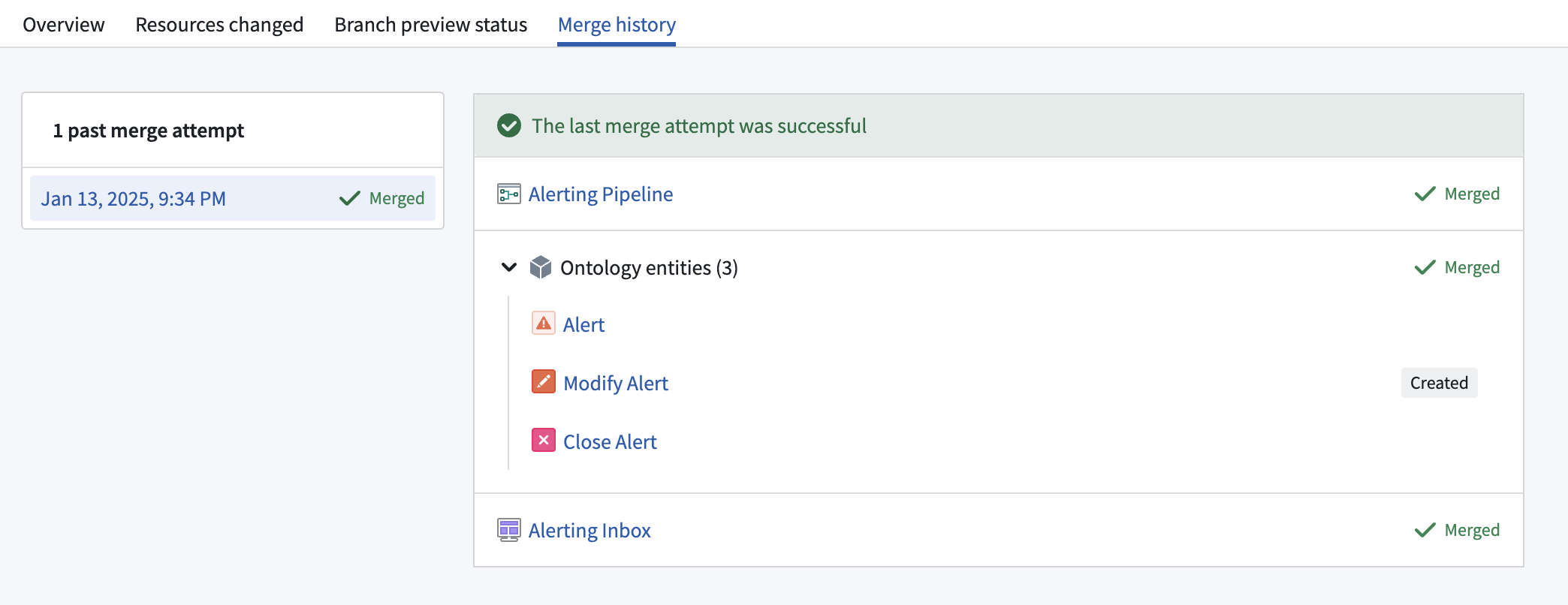
The Merge history tab centralizes information about the proposal merge attempts and displays any errors encountered while merging a specific resource. This tab will only appear after the first merge attempt.
中文翻译
全局分支管理应用
全局分支管理应用(Global Branching application)使您能够维护组织中的分支。您可以将全局分支管理应用作为分支和提案的集中管理中心,用于创建新分支、查看分支和提案,以及审批和合并提案。
首页
首页为您提供提案和分支的概览信息。
在您的开放提案部分,您可以查看和访问当前活跃的提案。提案(Proposal)是一种审查和批准分支变更的机制。
在您的开放分支部分,您可以查看和访问当前开放的分支。分支(Branch)是一个独立的环境,您可以在其中进行实验和测试想法,而不会影响main主分支。在此部分,您可以创建提案、归档现有分支或创建新的全局分支。请注意,归档带有开放提案的分支也会同时关闭该提案。
:::callout{theme="neutral"} 开放分支包括活跃分支和非活跃分支。 :::
页面底部提供了快捷方式,可导航至已合并的提案、已关闭的提案或已归档的分支。选择任一快捷方式即可跳转到相应的标签页。
分支
分支标签页允许您查看所有有权限访问的分支,并列出其名称、状态、创建者和创建日期。您还可以从此列表中导航到与分支关联的提案,或直接为分支创建提案。
您可以执行以下操作:
- 新建: 创建新分支。
- 归档: 归档开放分支。这将关闭所有开放的提案。
- 筛选: 按状态和创建者筛选分支,并使用搜索栏按名称查找分支。
要导航到包含更详细信息的特定分支页面,请选择对应的行。
分支页面
分支概览标签页提供分支的综合信息,并允许您创建提案或导航到关联的现有提案。详细信息包括:
- 分支的名称和当前状态。
- 已进行修改的资源。
- 分支的高级信息,包括上次更新时间、创建日期、创建者、所选空间、组织和本体论(Ontology)。
- 评论区域。
分支安全标签页允许分支所有者和空间管理员管理角色分配。有关更多信息,请参阅分支安全。
提案
提案标签页允许您查看有权限访问的提案,并列出其名称、状态、创建者和创建日期。
您可以执行以下操作:
- 筛选: 按状态和创建者筛选提案,并使用搜索栏按名称查找提案。
- 关闭: 选中提案左侧的复选框来关闭提案。
要导航到包含更详细信息的特定提案页面,请选择对应的行。
选择提案将显示该提案的详细信息。
提案页面
提案概览标签页整合了提案的相关信息,并允许您跟踪其在从编辑、测试到审查和合并的整个开发过程中的状态。概览标签页的中央区域列出了对应分支上已修改的资源。对于列表中的每个资源:
- 根据资源的审批策略管理审查者。有关更多信息,请参阅向提案添加审查者和资源保护与审批策略。
- 导航到资源的审查体验。
- 查看检查状态并解决任何失败的检查。请参阅检查以更好地理解此功能。
- 查看更多选项菜单(
...),用于执行其他操作,例如从分支中移除资源。
您还可以在工作流谱系(Workflow Lineage)和数据谱系(Data Lineage)中打开已修改的资源。
合并历史标签页集中显示提案的合并尝试信息,并展示合并特定资源时遇到的任何错误。此标签页仅在首次合并尝试后出现。