Branch taskbar(分支任务栏(Branch taskbar))
The branch taskbar is incorporated in applications that integrate with Global Branching. The taskbar signals to users that they are operating in the context of a branch.
From the taskbar, you can view your active branch, switch between branches, examine modified resources, and navigate each stage of the proposal creation, review, and merging workflow.
The branch taskbar is displayed as a blue bar at the bottom of supported applications.

In unsupported applications, the taskbar is displayed as a gray bar.
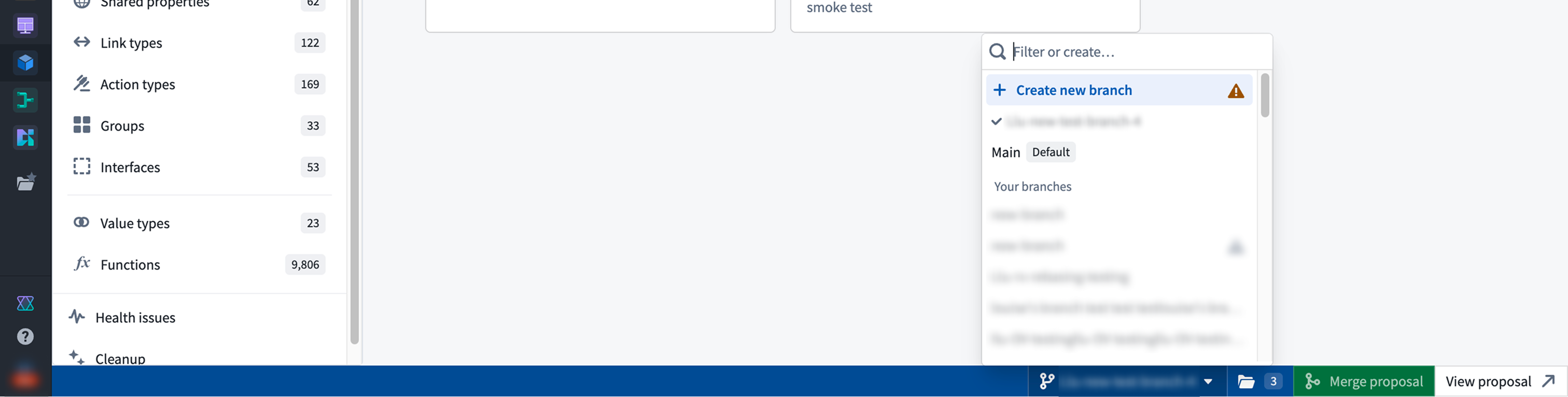
Branch selector
The branch selector facilitates switching between existing branches, including the main branch. It also allows for branch creation.
Modified resource panel
The resource panel lets you view and navigate to any modified resources on your branch. Once a proposal is created, you can manage reviewers and view checks status.
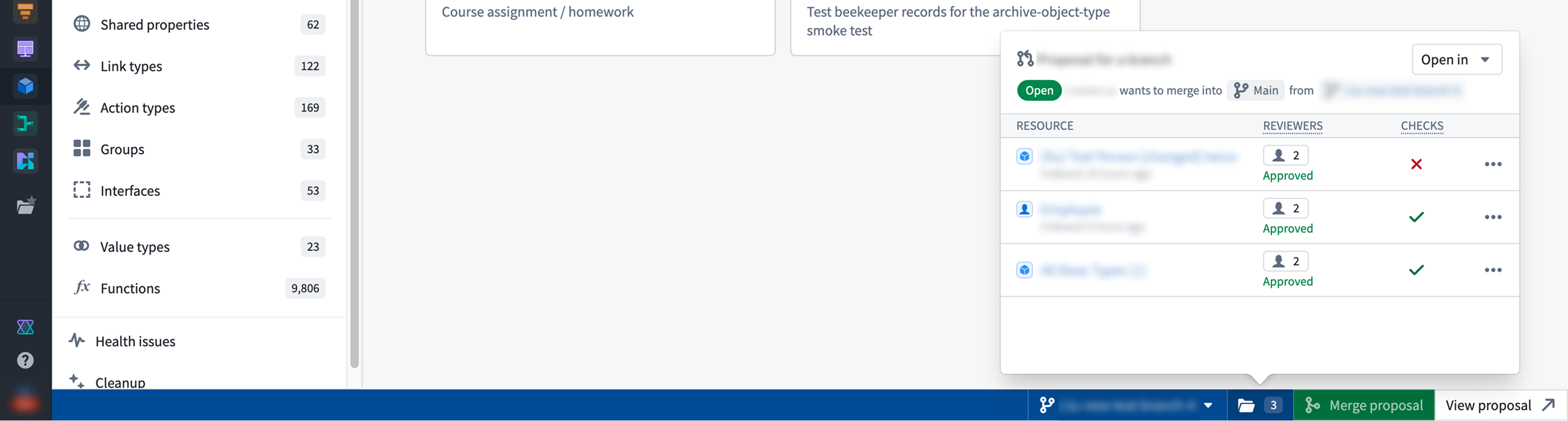
You can also open your modified resources in Workflow Lineage and Data Lineage from the resource panel.
Create proposals and merge changes
The Create proposal option generates a proposal for the existing branch. Once created, you can navigate to it by selecting View proposal. When all checks have passed, the Merge proposal option will be enabled.
中文翻译
分支任务栏(Branch taskbar)
分支任务栏集成在支持全局分支(Global Branching)的应用程序中。该任务栏向用户提示他们当前正在分支上下文中进行操作。
通过任务栏,您可以查看当前活跃分支、切换分支、检查已修改的资源,以及导航提案创建、审核和合并工作流的各个阶段。
分支任务栏在支持的应用程序中显示为底部的蓝色条。
在不支持的应用程序中,任务栏显示为灰色条。
分支选择器(Branch selector)
分支选择器便于在现有分支(包括 main 分支)之间切换,同时也支持创建新分支。
已修改资源面板(Modified resource panel)
资源面板允许您查看并导航到分支上所有已修改的资源。创建提案后,您可以管理审核人并查看检查状态。
您还可以从资源面板中,在工作流谱系(Workflow Lineage)和数据谱系(Data Lineage)中打开已修改的资源。
创建提案与合并更改
创建提案(Create proposal) 选项可为现有分支生成提案。创建完成后,您可以选择 查看提案(View proposal) 进行导航。当所有检查通过后,合并提案(Merge proposal) 选项将变为可用。