Create an endpoint set(创建端点集(Endpoint Set))
Follow the instructions below to create a new endpoint set:
- Select Files from the workspace navigation bar and find your desired project or folder.
- Select New > Endpoint set in the top right to create a new endpoint set in the current project or folder. The new endpoint set will inherit permissions from its parent project or folder.

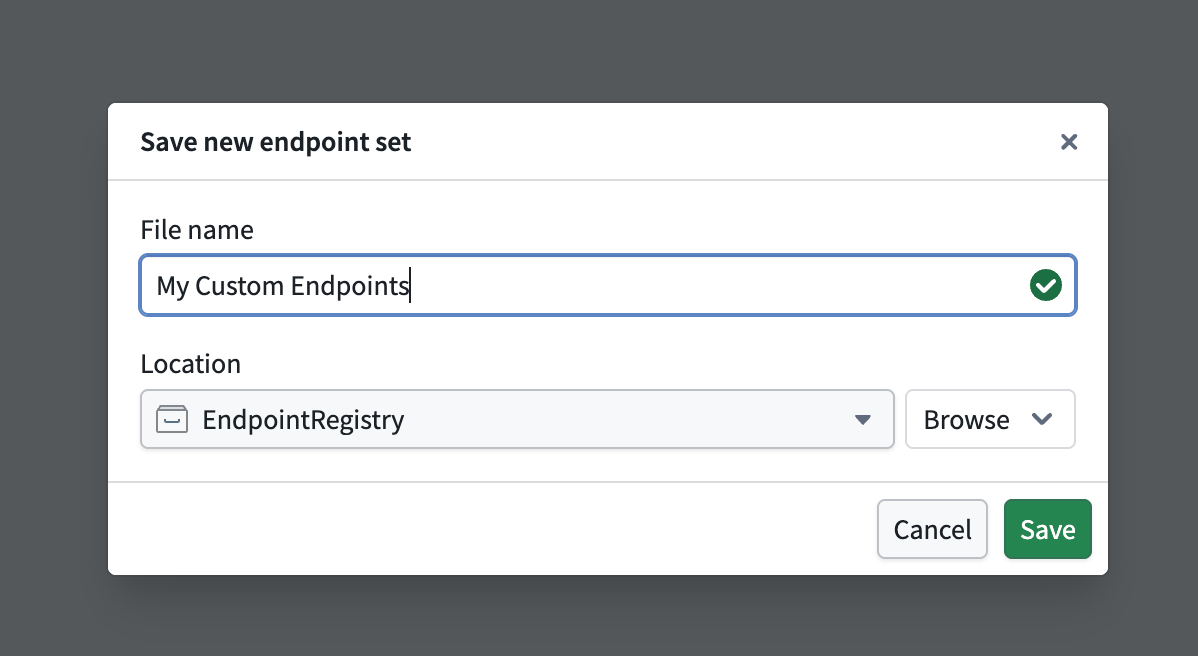
- In the Save new endpoint set dialog, input a name for your endpoint set and save it. This creates a new empty endpoint set resource.
Register a subdomain to host your endpoints
In production workflows, all custom endpoints are served from a user-specified subdomain. This subdomain acts as the host for your endpoint set release, enabling access to deployed endpoints that execute foundry logic.
To request a new endpoint hosting subdomain, follow the instructions below:
- Navigate to Overview > Endpoint domain in your selected endpoint set, and specify a subdomain name.
- Select Request endpoint hosting domain in the top right and acknowledge the instructions to create a subdomain registration request.
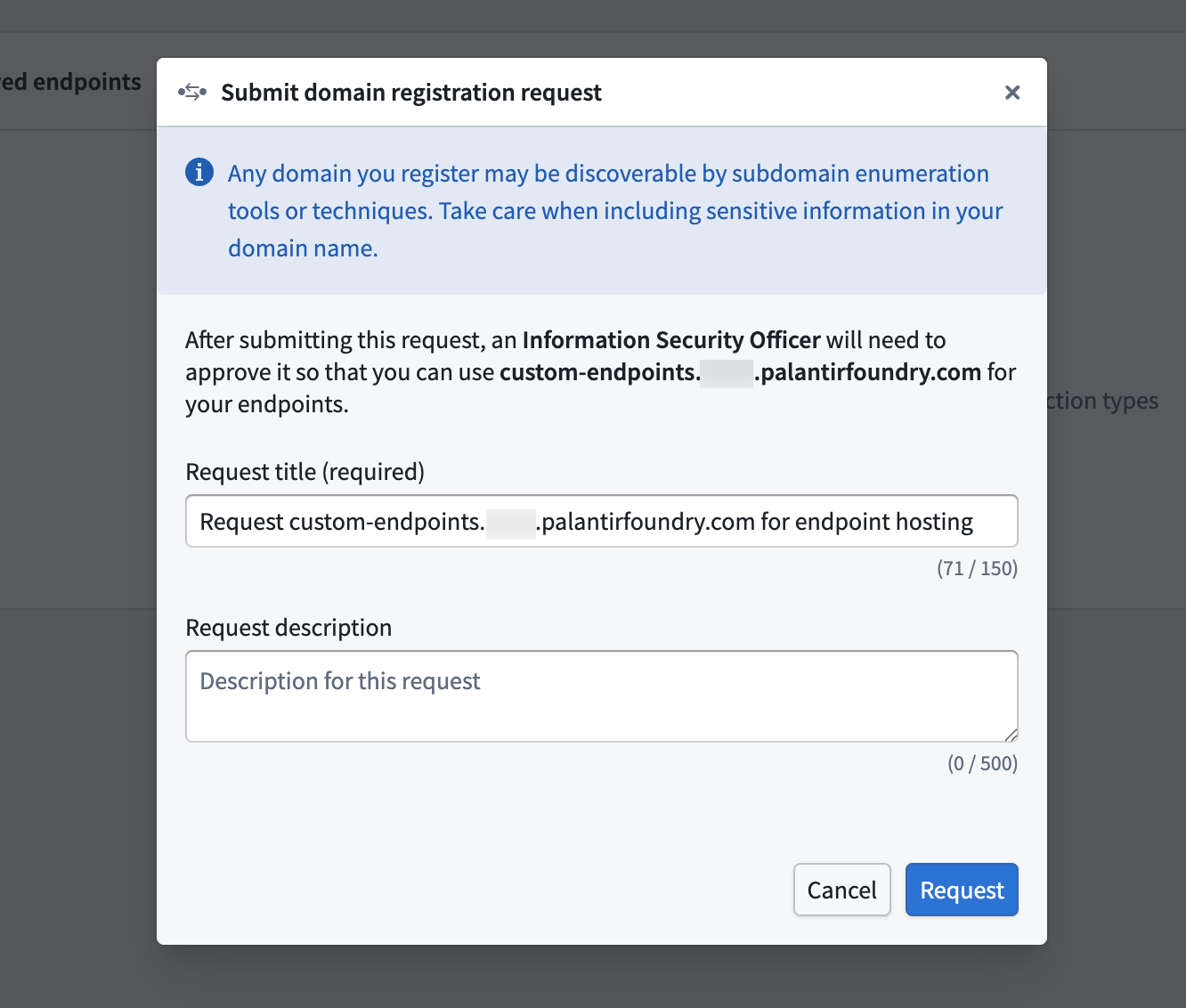
- Await approval for your subdomain registration request from your enrollment administrator.
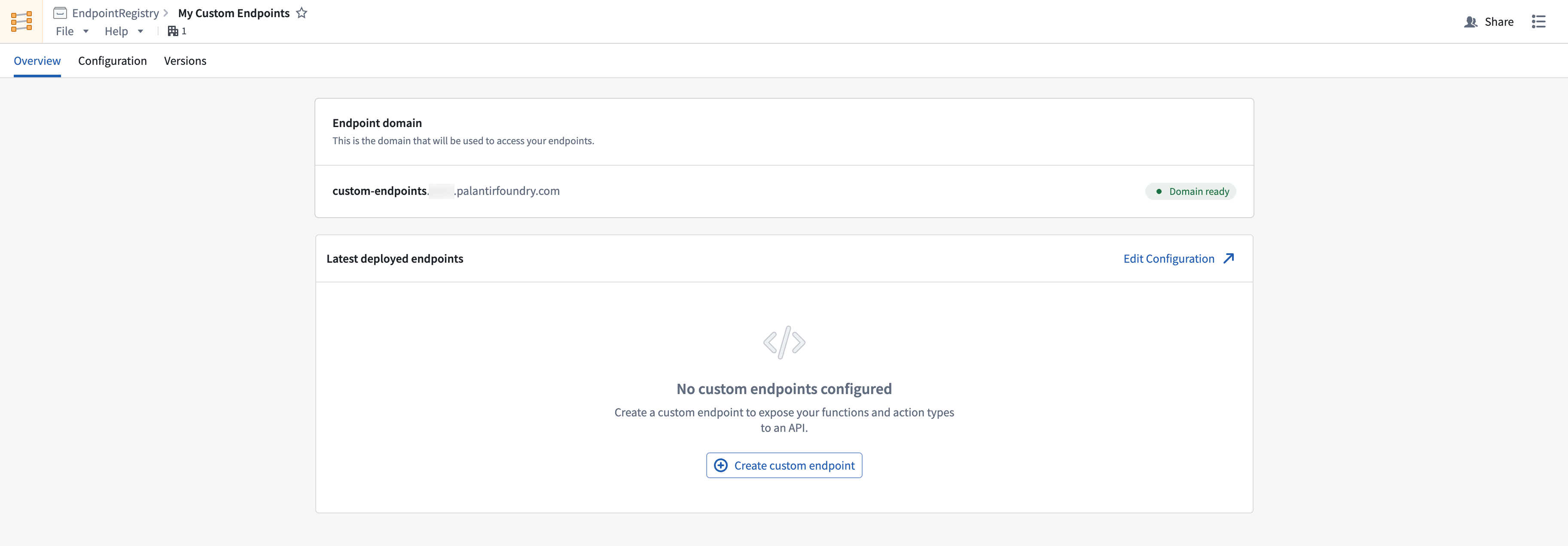
After registering and recieving approval for your subdomain, you should see a Domain ready tag next to your deployed subdomain. While waiting for approval, you can continue to configure and test your endpoint definitions. Review the custom endpoint definition documentation for more details.
中文翻译
创建端点集(Endpoint Set)
按照以下说明创建新的端点集:
- 在工作区导航栏中选择 文件(Files),找到所需项目或文件夹。
- 点击右上角的 新建 > 端点集(New > Endpoint set),在当前项目或文件夹中创建新的端点集。新端点集将继承其父项目或文件夹的权限。
- 在 保存新端点集(Save new endpoint set) 对话框中,为端点集输入名称并保存。这将创建一个新的空端点集资源。
注册子域名以托管端点
在生产工作流中,所有自定义端点均通过用户指定的子域名提供服务。该子域名作为端点集发布的主机,使已部署的端点能够执行 Foundry 逻辑。
如需申请新的端点托管子域名,请按照以下说明操作:
- 在所选端点集中导航至 概览 > 端点域名(Overview > Endpoint domain),并指定子域名名称。
- 点击右上角的 请求端点托管域名(Request endpoint hosting domain),确认相关说明以创建子域名注册请求。
- 等待注册管理员批准您的子域名注册请求。
子域名注册并获批后,您将在已部署的子域名旁看到 域名就绪(Domain ready) 标签。在等待审批期间,您可以继续配置和测试端点定义。更多详情请参阅自定义端点定义文档。