Define custom endpoints(定义自定义端点(Custom Endpoints))
After creating an endpoint set, you can configure new endpoint definitions that expose Foundry functions and actions.
Follow the instructions below to create a new endpoint definition:
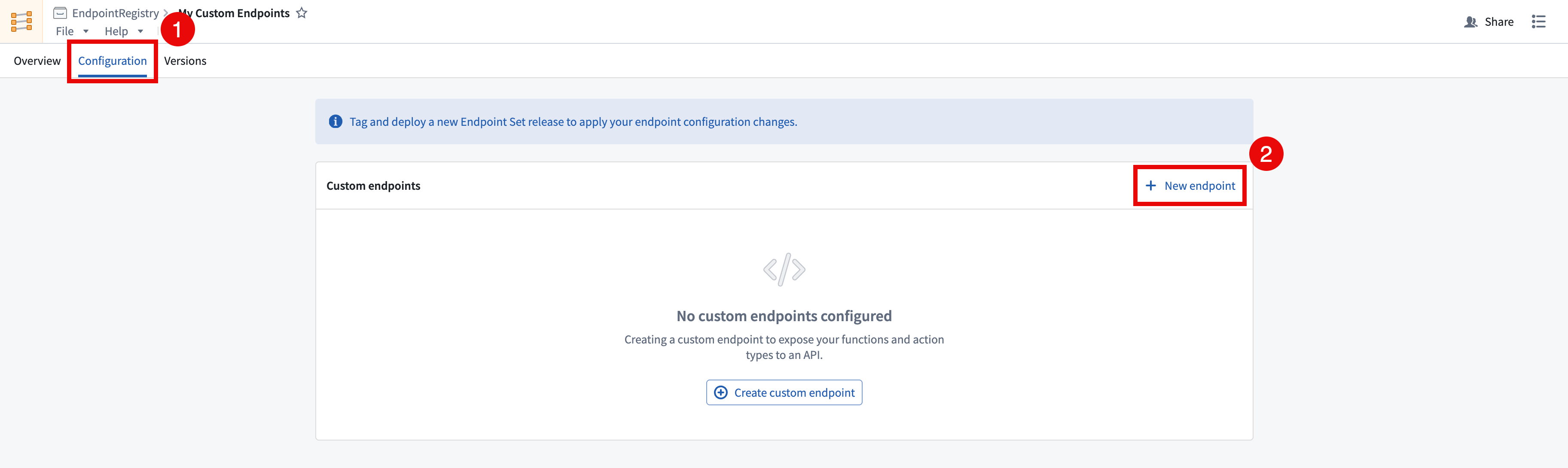
- In the Custom Endpoints application, open the endpoint set that you want to add custom endpoints to and navigate to the Configuration tab.
- Select + New endpoint in the top right of the Custom endpoints table. This will open the Create a custom endpoint wizard. Note that newly created endpoint definitions will not be accessible until a release is created and deployed.
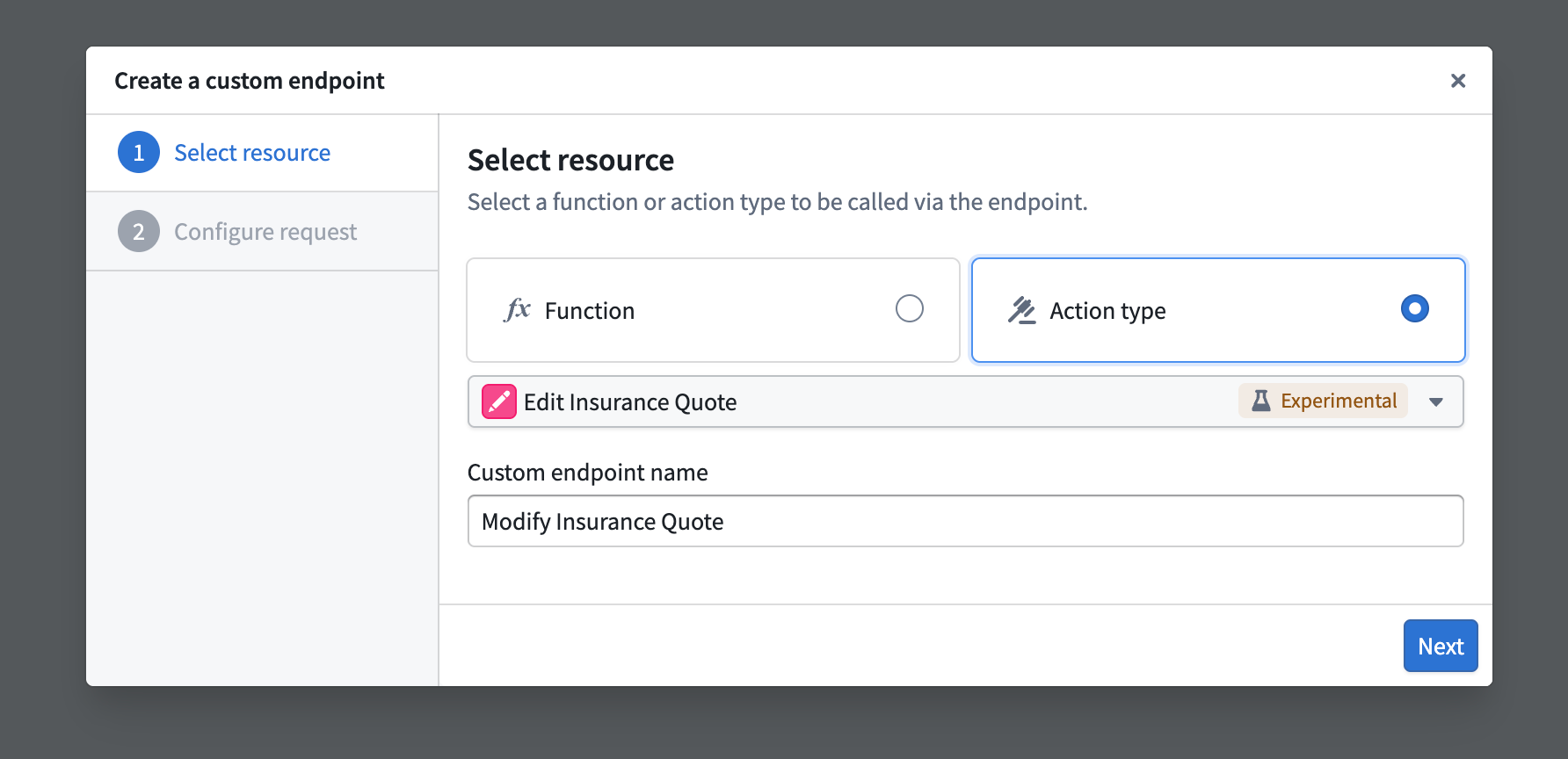
- In the Create a custom endpoint wizard, input your endpoint's name and select a backing action or function to be executed by your endpoint.
-
After selecting a backing function or action, you will be asked to map each parameter to a newly defined endpoint parameter. The following configuration options are currently supported:
-
User-defined request types:
GET,POST,PUT,DELETE, andPATCH. - User-defined endpoint routes: Host a new endpoint on your application's subdomain, allowing you to define a custom path with path parameters conforming to your organization' standards, such as
/form/{formId}/section/{sectionId}. - User-defined query parameters: Define query parameters that will pass in additional information to the underlying function when specified.
- User-defined header parameters: Provide additional headers in your request that can be handled and mapped to function inputs.
- User-defined request body: Custom request body shape definitions for
POST,PUT,PATCH, andDELETErequests.
:::callout{theme="neutral"}
All parameters must be mapped in the custom endpoint definition, including optional parameters. Some JSON parameters can only be mapped to the endpoint's requestBody.
:::
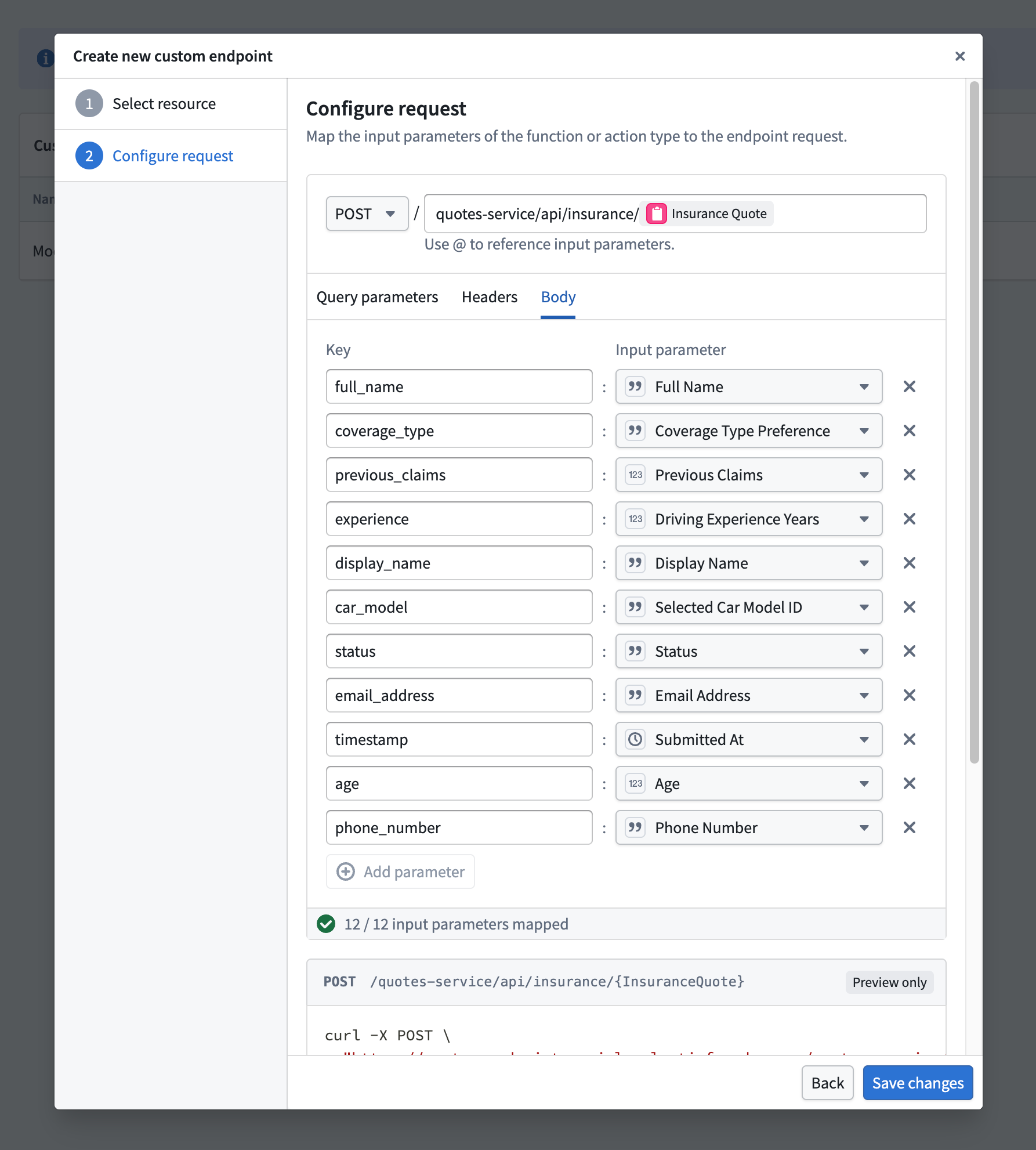
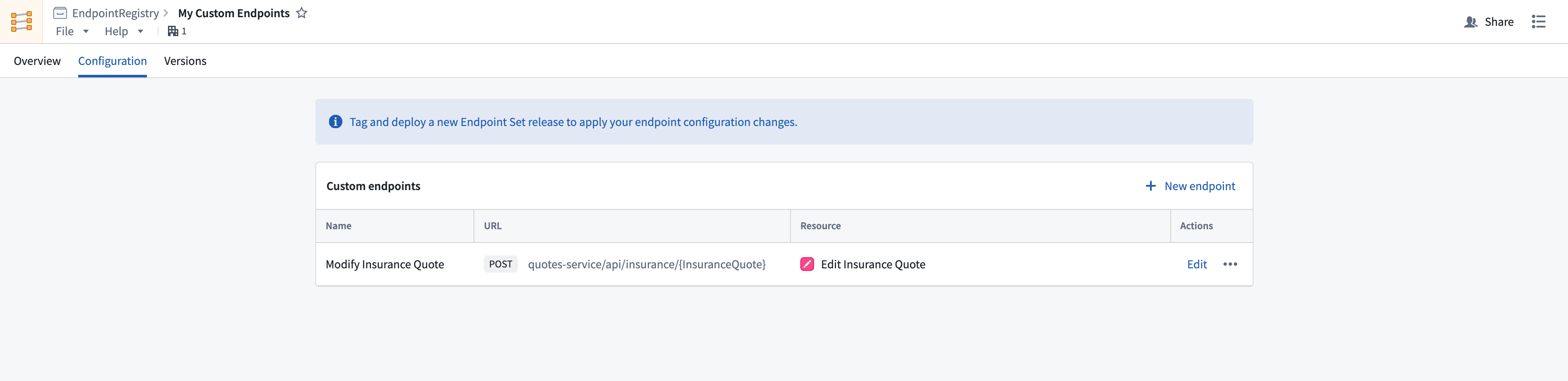
5. After selecting a resource and configuring the request remapping, select Create Endpoint to save the new endpoint’s definition.
中文翻译
定义自定义端点(Custom Endpoints)
创建端点集(Endpoint Set)后,您可以配置新的端点定义,以暴露Foundry函数(Functions)和操作(Actions)。
请按照以下说明创建新的端点定义:
- 在自定义端点(Custom Endpoints)应用中,打开要添加自定义端点的端点集,然后导航至配置(Configuration)选项卡。
- 选择自定义端点(Custom endpoints)表格右上角的+ 新建端点(New endpoint)。这将打开创建自定义端点(Create a custom endpoint)向导。请注意,新创建的端点定义在创建并部署发布版本(Release)之前将无法访问。
- 在创建自定义端点向导中,输入端点名称,并选择将由端点执行的后台操作(Action)或函数(Function)。
-
选择后台函数或操作后,系统将要求您将每个参数映射到新定义的端点参数。目前支持以下配置选项:
-
用户定义的请求类型(User-defined request types):
GET、POST、PUT、DELETE和PATCH。 - 用户定义的端点路由(User-defined endpoint routes): 在应用的子域上托管新端点,允许您定义符合组织标准的自定义路径及路径参数,例如
/form/{formId}/section/{sectionId}。 - 用户定义的查询参数(User-defined query parameters): 定义查询参数,在指定时将向底层函数传递额外信息。
- 用户定义的标头参数(User-defined header parameters): 在请求中提供额外的标头(Headers),这些标头可以被处理并映射到函数输入。
- 用户定义的请求体(User-defined request body): 为
POST、PUT、PATCH和DELETE请求自定义请求体形状定义。
:::callout{theme="neutral"}
所有参数(包括可选参数)都必须在自定义端点定义中进行映射。某些JSON参数只能映射到端点的requestBody。
:::
5. 选择资源并配置请求重映射后,选择创建端点(Create Endpoint)以保存新端点的定义。