Use custom endpoints in your applications(在应用程序中使用自定义端点)
:::callout{theme="warning"} Custom endpoints are currently only supported by unrestricted applications in Developer Console. Restricted applications do not currently support custom endpoints. :::
After you have created, configured, published, and deployed your endpoint set to a subdomain, the next step is integrating existing endpoints with an unrestricted custom application so that third-party applications can authenticate and execute endpoints. Before registering your endpoint set with your application, you should create, setup, and deploy a Developer Console application.
Each custom endpoint is backed by an ontology function or action. To give your Developer Console application permission to execute your custom endpoints, identify the backing ontology resources and add them to the resource access restrictions that your OAuth client needs permission to access.
Once your application has access to the required ontology resources, your custom endpoints should be accessible through API requests in your application's language.
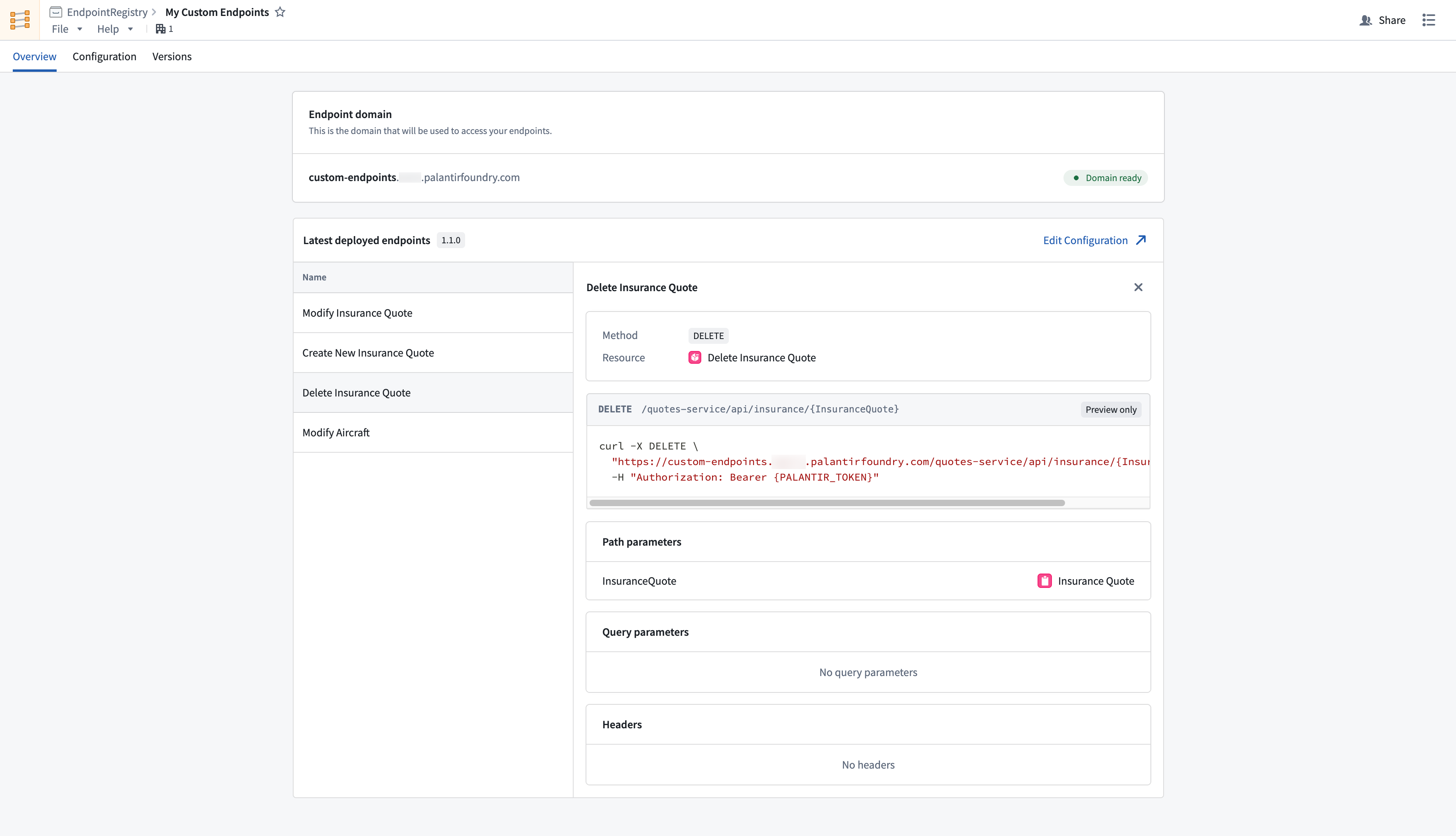
Navigate to the endpoint set Overview tab and inspect deployed endpoints to view documentation for your custom endpoint configurations.
中文翻译
在应用程序中使用自定义端点
:::callout{theme="warning"} 自定义端点(custom endpoints)目前仅支持开发者控制台中的无限制应用程序。受限应用程序(restricted applications)暂不支持自定义端点。 :::
在您创建、配置、发布端点集(endpoint set)并将其部署到子域名后,下一步是将现有端点与无限制自定义应用程序集成,以便第三方应用程序能够进行身份验证并执行端点。在将端点集注册到应用程序之前,您应首先创建、设置并部署一个开发者控制台应用程序。
每个自定义端点都由一个本体函数(ontology function)或操作(action)提供支持。为了让您的开发者控制台应用程序获得执行自定义端点的权限,请识别支持这些端点的本体资源,并将其添加到您的 OAuth 客户端需要访问权限的资源访问限制中。
一旦您的应用程序获得了所需本体资源的访问权限,您就可以通过应用程序语言中的 API 请求来访问自定义端点。
导航至端点集的概览(Overview)选项卡,并检查已部署的端点,以查看自定义端点配置的文档。