Models and agent modes(模型与智能体模式(Models and agent modes))
Pilot supports multiple AI models and two agent modes that control how Pilot processes your instructions. This page describes the available options and when to use each one.
Available models
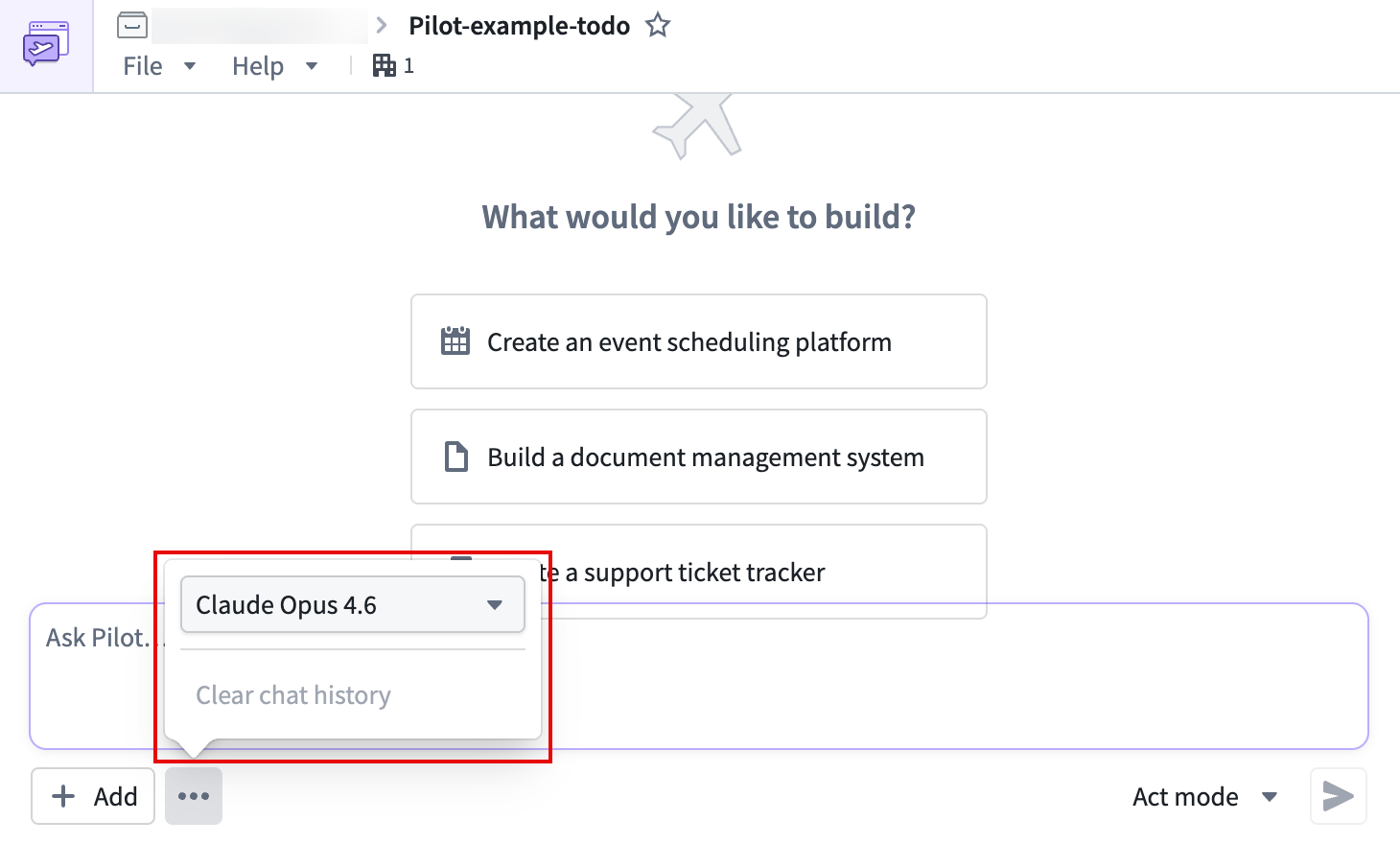
Pilot supports models from multiple providers. You can select a model from the More menu in the chat panel. Available model families include:
- Claude (Anthropic): Claude Opus and Claude Sonnet variants
- GPT (OpenAI): GPT model variants
- Gemini (Google): Gemini Pro variants
Different models have different strengths. In general, larger models produce higher-quality output for complex tasks, while smaller models respond faster for straightforward changes. You can switch models at any time during a session without losing your work.
Agent modes
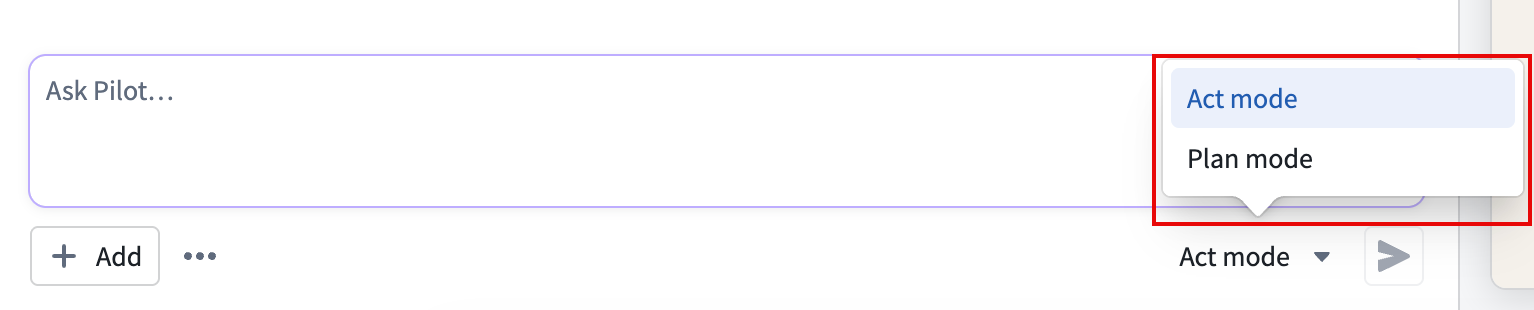
Pilot operates in one of two modes, controlled by the mode toggle next to the prompt input.
Act mode
Act mode is the default. When you submit a prompt, Pilot executes changes immediately. The agents read your instructions, make decisions, and apply changes to the ontology, design, and code without waiting for intermediate approval.
Use act mode when you want Pilot to work autonomously and you are comfortable reviewing changes after they are applied.
Plan mode
In plan mode, Pilot creates a detailed plan before executing changes. After you submit a prompt, Pilot outlines what it intends to do and waits for your approval before proceeding.
Use plan mode in the following situations:
- You want to review proposed changes before they are applied.
- You are making significant structural changes to the ontology or application.
- You want to understand the scope of a change before Pilot begins work.
To toggle between modes, select the mode toggle next to the prompt input in the chat panel. The current mode is displayed as Act or Plan.
Subagents
Pilot delegates work to specialized subagents, each focused on a specific aspect of the application. The subagents are as follows:
- Ontology architect: Defines and modifies object types, action types, link types, and their properties.
- Designer: Creates the design specification, including color palette, typography, layout, and interaction patterns.
- App builder (frontend architect): Implements the React application using the ontology and design specification.
- Seed data generator: Creates realistic sample data for testing the application in a container.
When a subagent is active, the chat panel displays its activity in a separate thread. You can expand the thread to follow the subagent's reasoning and tool usage.
Agent tools
Pilot agents use a set of tools to build and modify your application. You do not need to invoke these tools directly. Pilot selects and uses the appropriate tools based on your instructions.
:::callout{theme="neutral"} Pilot uses agent tools automatically. Interact with Pilot through natural language prompts, and Pilot determines which tools to use. :::
The following tools are available to agents:
- File operations: Reading, writing, and editing source code files
- Search tools: Finding files and searching file contents by pattern
- Shell commands: Running build commands, installing dependencies, and executing scripts
- Ontology search: Querying existing ontology object types, action types, and functions
- Version control: Committing and pushing code changes
中文翻译
模型与智能体模式(Models and agent modes)
Pilot 支持多种 AI 模型和两种智能体模式,用于控制 Pilot 处理指令的方式。本页介绍可用的选项及其适用场景。
可用模型(Available models)
Pilot 支持来自多个提供商的模型。您可以通过聊天面板中的 更多(More) 菜单选择模型。可用的模型系列包括:
- Claude (Anthropic): Claude Opus 和 Claude Sonnet 变体
- GPT (OpenAI): GPT 模型变体
- Gemini (Google): Gemini Pro 变体
不同模型各有优势。总体而言,较大模型在处理复杂任务时输出质量更高,而较小模型在处理简单变更时响应速度更快。您可以在会话期间随时切换模型,且不会丢失当前工作进度。
智能体模式(Agent modes)
Pilot 以两种模式之一运行,通过提示输入框旁的模式切换开关进行控制。
执行模式(Act mode)
执行模式为默认模式。提交提示后,Pilot 会立即执行变更。智能体读取您的指令,做出决策,并直接对本体(ontology)、设计和代码进行修改,无需等待中间审批。
当您希望 Pilot 自主工作,并且愿意在变更应用后再进行审查时,请使用执行模式。
计划模式(Plan mode)
在计划模式下,Pilot 会在执行变更前制定详细计划。提交提示后,Pilot 会概述其计划执行的操作,并在继续执行前等待您的批准。
请在以下情况下使用计划模式:
- 您希望在变更应用前审查拟议的修改。
- 您正在对本体或应用程序进行重大的结构性变更。
- 您希望在 Pilot 开始工作前了解变更的范围。
要切换模式,请选择聊天面板中提示输入框旁的模式切换开关。当前模式会显示为 执行(Act) 或 计划(Plan)。
子智能体(Subagents)
Pilot 将工作委派给专门的子智能体,每个子智能体专注于应用程序的特定方面。子智能体如下:
- 本体架构师(Ontology architect): 定义和修改对象类型、操作类型、链接类型及其属性。
- 设计师(Designer): 创建设计规范,包括调色板、排版、布局和交互模式。
- 应用构建器/前端架构师(App builder / frontend architect): 使用本体和设计规范实现 React 应用程序。
- 种子数据生成器(Seed data generator): 创建逼真的样本数据,用于在容器中测试应用程序。
当子智能体处于活动状态时,聊天面板会在单独的线程中显示其活动。您可以展开该线程以跟踪子智能体的推理过程和工具使用情况。
智能体工具(Agent tools)
Pilot 智能体使用一组工具来构建和修改您的应用程序。您无需直接调用这些工具。Pilot 会根据您的指令自动选择并使用合适的工具。
:::callout{theme="neutral"} Pilot 会自动使用智能体工具。请通过自然语言提示与 Pilot 交互,Pilot 会自行决定使用哪些工具。 :::
智能体可使用以下工具:
- 文件操作(File operations): 读取、写入和编辑源代码文件
- 搜索工具(Search tools): 查找文件并按模式搜索文件内容
- Shell 命令(Shell commands): 运行构建命令、安装依赖项和执行脚本
- 本体搜索(Ontology search): 查询现有的本体对象类型、操作类型和函数
- 版本控制(Version control): 提交和推送代码变更